
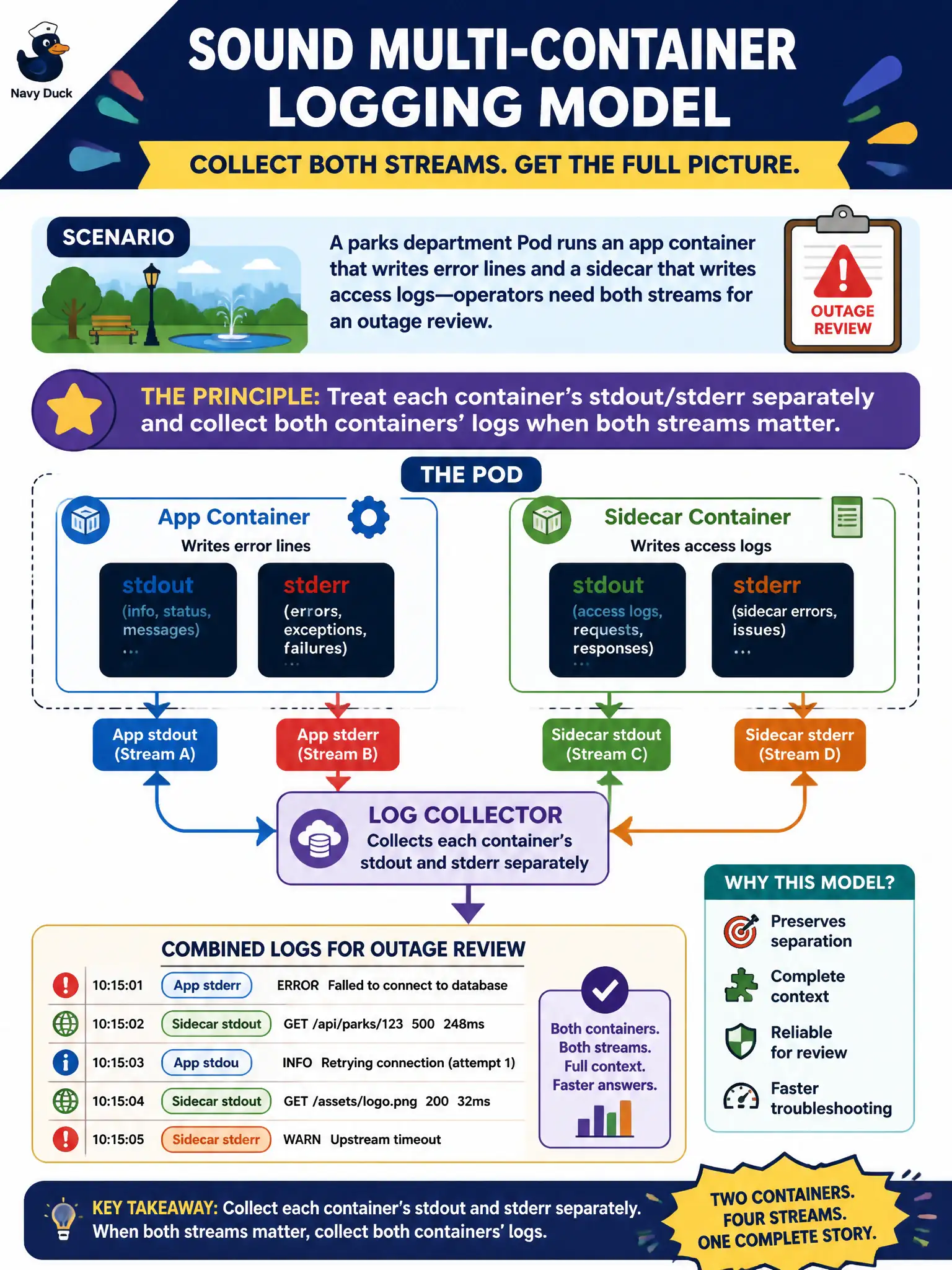
A parks department Pod runs an app container that writes error lines and a sidecar that writes access logs—operators need both streams for an outage review. What is the sound multi-container logging model?
Select an answer to reveal the explanation.
Short Explanation
Think of each container as its own radio channel—the app squawks errors on one, the sidecar chats access hits on another. Tune into both when the outage story needs both voices.
Full Explanation
For a parks department Pod with an app container writing error lines and a sidecar writing access logs, the sound model is to treat each container's stdout/stderr separately and collect both containers' logs when both streams matter for an outage review. Each container is its own radio channel; tune into both when the story needs both voices. Do not assume the sidecar's access logs automatically include the app's error lines in one merged kubectl logs call without selecting a container—kubectl will not silently merge without -c, and the streams are separate. Ignoring the sidecar because sidecar streams are never useful is false; access logs often explain client behavior during parks outages. Requiring both containers to write into a shared emptyDir and forbidding stdout so kubectl logs stays unused fights Kubernetes logging conventions and complicates operations unnecessarily. Exam caveat: Always name containers with -c in multi-container pods. Sidecar log formats may differ; collect both before deleting the pod. Operational check: kubectl logs for the app container and again for the sidecar, store both artifacts, then proceed with remediation for the parks outage. In municipal production practice, record the finding in the incident ticket with command output snippets, confirm the fix under change control, and re-validate the user-facing civic service before closing the change window.