
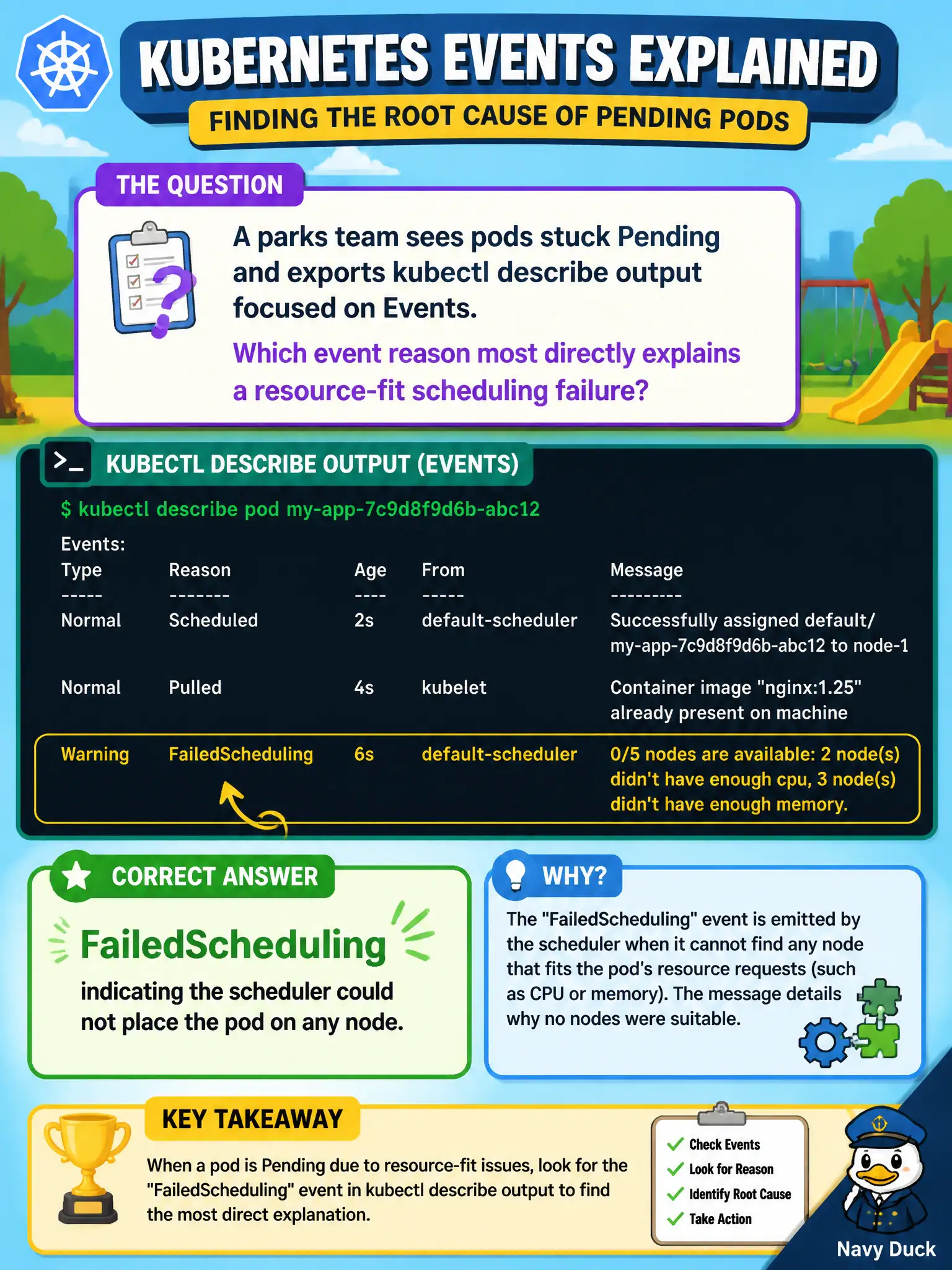
A parks team sees pods stuck Pending and exports kubectl describe output focused on Events. Which event reason most directly explains a resource-fit scheduling failure?
Select an answer to reveal the explanation.
Short Explanation
Describe is gossip from the API—FailedScheduling is the scheduler saying no node could take the pod. Read that event before guessing about images or controllers.
Full Explanation
When parks pods are stuck Pending, kubectl describe output focused on Events is the scheduler’s status board. The event reason FailedScheduling most directly explains a resource-fit scheduling failure: the scheduler evaluated candidate nodes and could not place the pod, often citing insufficient CPU or memory or unmet rules. Read that event before guessing about images or controllers. SuccessfulCreate from a ReplicaSet controller only means a pod object was created; it does not explain why that pod cannot bind to any node. Pulling describes an image download in progress for a container that already has a scheduling path; it is not the primary signal for a resource-fit Pending failure. Started marks a container process as running after successful placement and startup, which contradicts a still-Pending scheduling failure narrative. Exam caveat: Multiple FailedScheduling events may list different predicates over time; the message text—insufficient memory, node affinity, taints—is as important as the reason string itself. Operational check: Describe the Pending pod, capture the FailedScheduling message verbatim, remediate capacity or constraints on municipal nodes, and confirm a later event shows the pod successfully bound.