
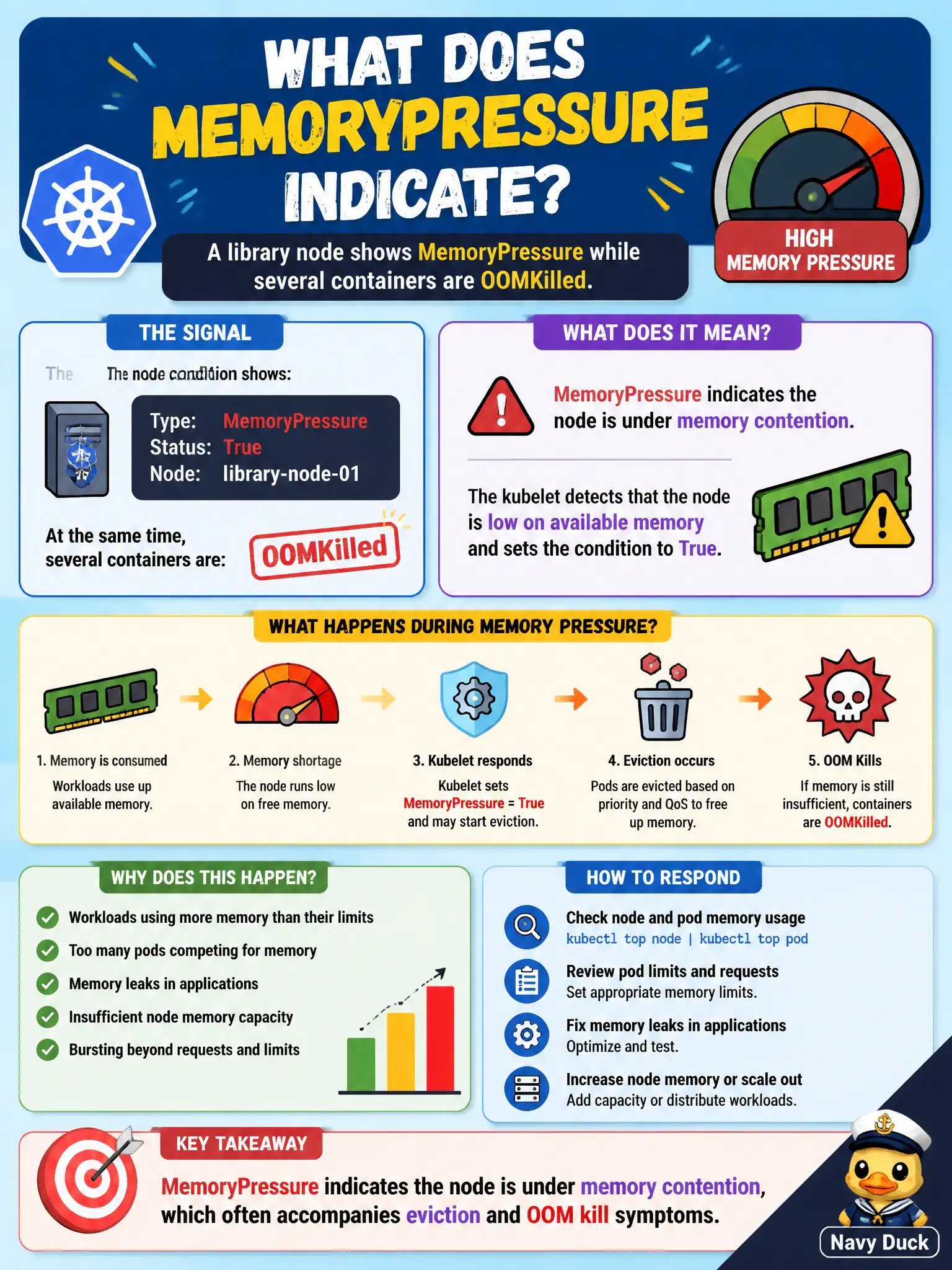
A library node shows MemoryPressure while several containers are OOMKilled. What does MemoryPressure indicate?
Select an answer to reveal the explanation.
Short Explanation
MemoryPressure means the node is short on RAM. When that happens, OOM kills and evictions are the usual ugly roommates.
Full Explanation
A library node showing MemoryPressure while several containers are OOMKilled indicates the node is under memory contention, which often accompanies eviction and OOM kill symptoms. MemoryPressure means the node is short on RAM—OOM kills and evictions are the usual ugly roommates for municipal apps packed too tightly.
It does not mean the API server TLS certificate is about to expire in kube-system only. It does not mean all PersistentVolumeClaims switched to ReadOnlyMany. It does not mean CoreDNS was replaced by /etc/hosts on every Pod.
Exam caveat: distinguish container OOMKills (cgroup limit) from node-level MemoryPressure (node allocatable pressure). Both can co-occur when requests/limits are poorly set.
Operational check: describe the node for MemoryPressure, correlate OOMKilled Pod events, adjust requests/limits or add capacity, and verify the condition clears for the library node. Keep civic change tickets precise: record object names, namespaces, and before/after observations so the next on-call engineer can replay the fix without guesswork. Keep civic change tickets precise: record object names, namespaces, and before/after observations so the next on-call engineer can replay the fix without guesswork.