
After a switch swap, a mixer PLC stays in VLAN 1. The work order shows the cell VLAN configured on the adjacent interface, and that adjacent port is empty. Which fix fits?
Select an answer to reveal the explanation.
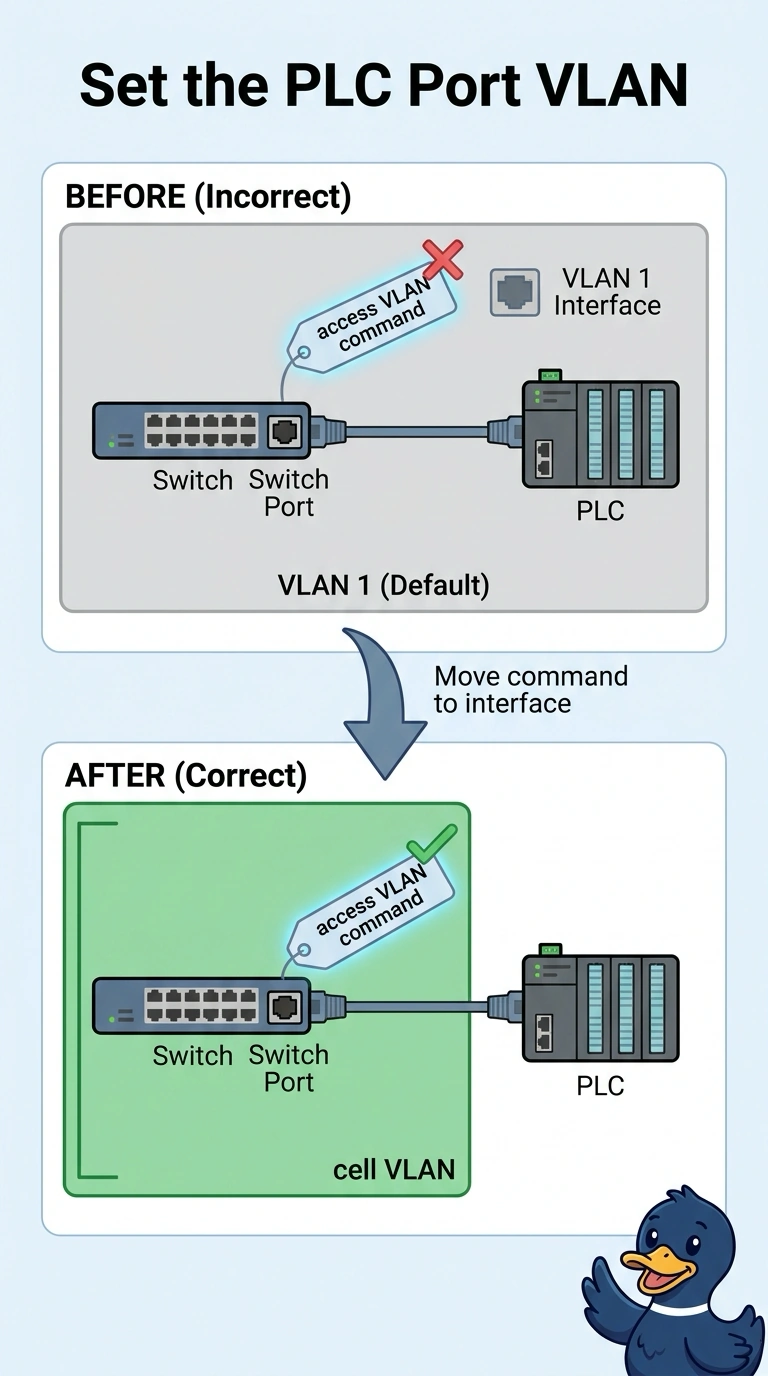
Short Explanation
The label on the work order and the jack in the panel are different holes. You put the access VLAN on the interface that actually has the PLC. The trap is securing the empty port because that is the one you configured.
Full Explanation
An access VLAN applies to the interface you configure, not to the neighbor beside it. The PLC is forwarding in VLAN 1 because its port was never moved. The empty port has the right VLAN and no device. Moving the command, or repeating it on the live interface, places the PLC in the cell VLAN. Shutting the empty port does nothing to the PLC. Port security on the empty port learns nothing and does not drag a MAC across the faceplate. Adding VLAN 1 to a trunk keeps the mistake and extends the default VLAN. The caveat is to match the interface by the switch's interface ID and the cable label, not by memory of left and right. The check is show vlan brief and the MAC address table: the PLC MAC should sit in the cell VLAN on the port that has link. Put the before-and-after evidence in the work order, including the interface or account you changed, the time, and the person who approved it. On the next shift, confirm the original symptom is gone and that the change did not open a second path while closing the first. If the process is still inside a live batch, leave the controller running and finish only the part of this work that does not restart it. That sequence keeps a correct fix from turning into an unplanned outage.