
A robot vendor finished a visit last month. Their account on the jump host still works, and they want to use it again tonight with no new ticket. Which decision fits?
Select an answer to reveal the explanation.
Short Explanation
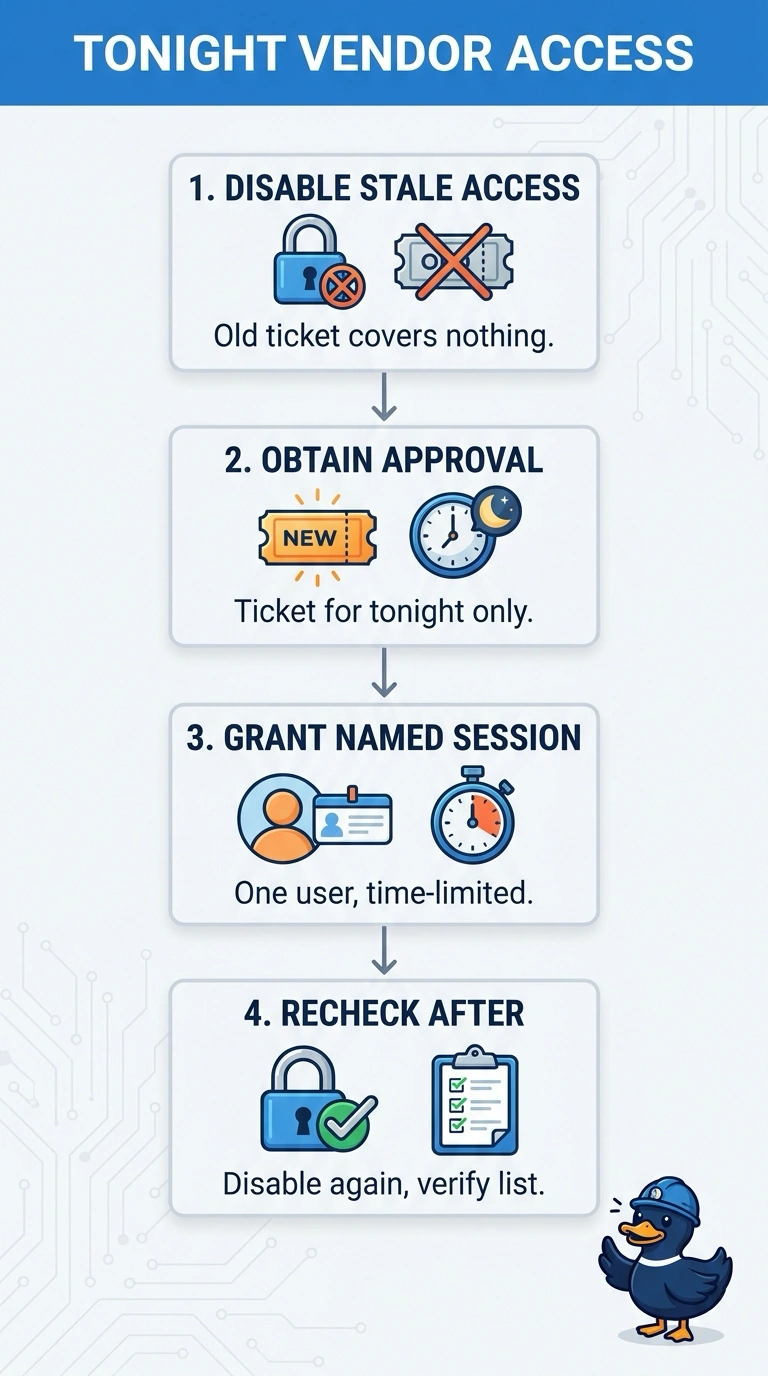
You’re right to treat last month’s approval as expired for tonight: disable the stale vendor access until tonight’s work is approved. Then you can authorize a named, time-limited session for the approved window, using the existing identity if appropriate.
Full Explanation
Remote vendor access should be brokered through the jump host and limited to the approved window. Last month’s ticket does not authorize tonight’s work, so disable the stale access until tonight’s work is approved; then grant a named, time-limited session for that window. An existing named identity may be re-enabled under this authorization, tying tonight’s session to tonight’s approval and giving access a clear end time. Reusing the permanent login because an old ticket covered a past visit leaves a standing path without current approval. Moving the permanent login onto the PLC bypasses the jump host and removes the intended control point. Posting the permanent password on the cell HMI shares the credential with everyone who can access the floor. One caveat: even a time-limited session must follow required plant safeguards, such as using a named user and recording the session. After the visit, check the jump-host user list to confirm the identity is expired or disabled again and no extra standing account remains active. Put before-and-after evidence in the work order, including the account or interface changed, the time, and the approver. On the next shift, confirm the original symptom is gone and the change did not open another path. If the process is inside a live batch, leave the controller running and finish only work that does not restart it, preventing a correct fix from causing an unplanned outage.