
Operators say a filler HMI is up but painfully slow. The switch port is up in the correct VLAN, and CRC errors on that interface are climbing. Which cause fits?
Select an answer to reveal the explanation.
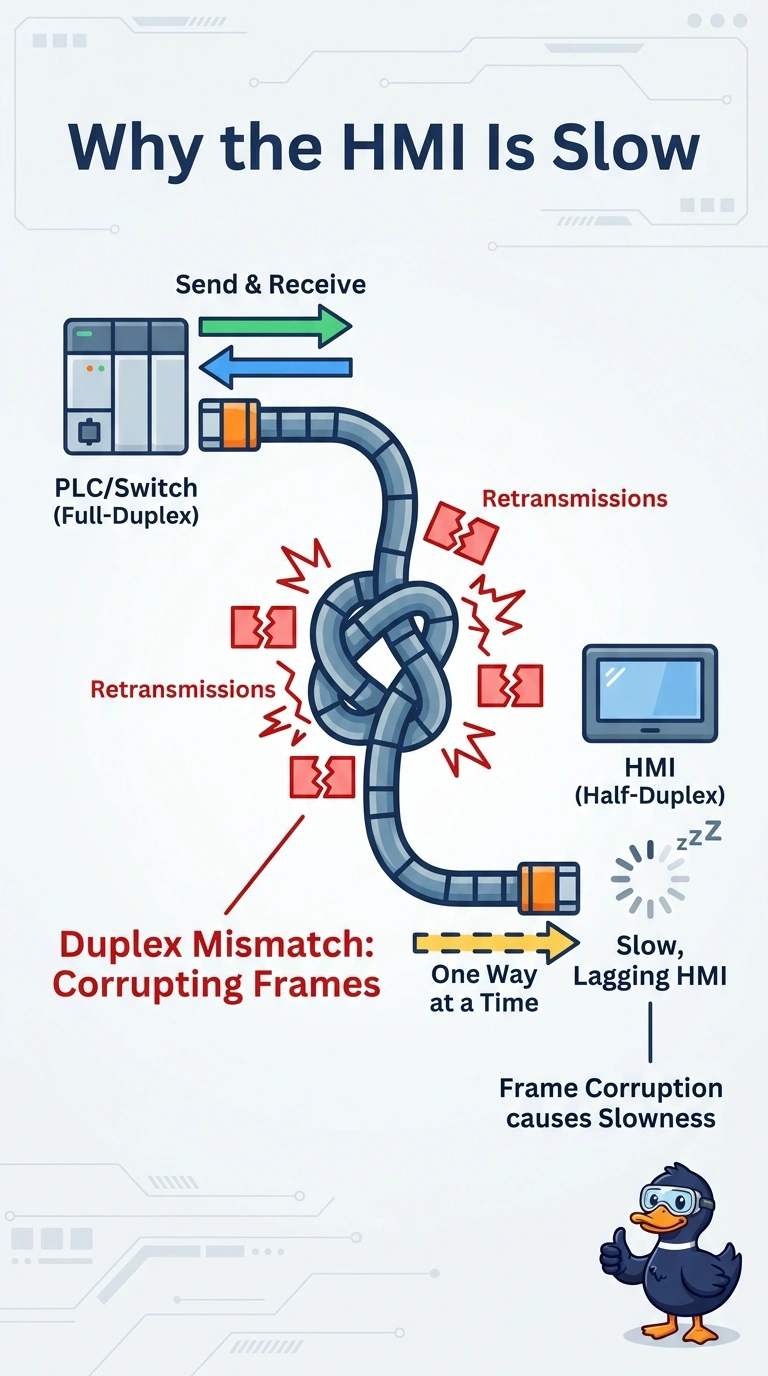
Short Explanation
You’ve got a live link, but its frames are arriving damaged, which fits a duplex mismatch. You can rule out a missing uplink VLAN, an err-disabled port, and an SVI access list because they don’t explain CRC errors climbing on this active interface.
Full Explanation
CRC errors mean frames are failing the integrity check as they arrive. A duplex mismatch—one side full duplex and the other half duplex—can corrupt frames while the link still shows up, so it fits the rising counters and the HMI’s painfully slow performance. Discarded frames may need to be retransmitted, adding delay. A missing VLAN on the uplink would isolate traffic, but it does not fit an access port that is up in the correct VLAN and counting CRC errors. Port security that has err-disabled the port would stop the interface from operating and counting CRC errors from a live conversation; an err-disabled port would not remain up as described. An SVI access list drops forwarded packets, not corrupt frames on the wire, and the option describes a clean physical layer rather than rising CRC errors. The exam caveat is that CRC errors identify frame corruption, not the duplex mismatch uniquely; the symptom supports that cause among the listed choices. Check duplex settings at both ends, correct any mismatch, then watch the interface counters: CRC errors should stop climbing. Confirm the HMI’s response improves as well, since the operational symptom should clear when the cause is fixed.