
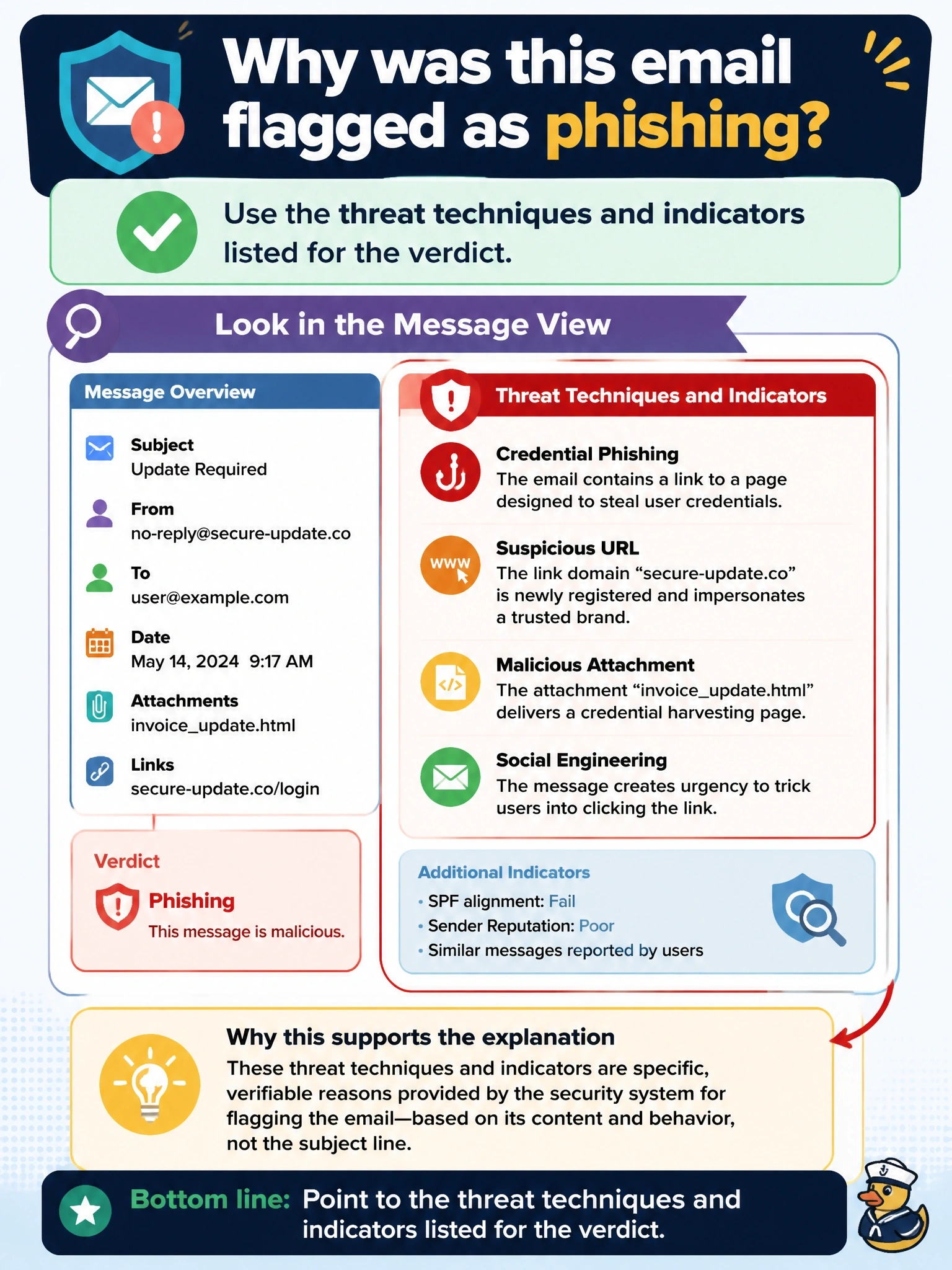
An analyst opens a message that Cisco Security Email Threat Defense flagged as phishing and must explain to the user's manager why it was flagged, without guessing from the subject line. Which information in the message view best supports that explanation?
Select an answer to reveal the explanation.
Short Explanation
You want the reasons, not just the result. Email Threat Defense shows you which techniques it saw, like a lookalike domain or a credential-harvesting link, so you can explain the verdict in plain terms. Message trace and headers tell you where the mail went, not why it's bad.
Full Explanation
When Email Threat Defense assigns a verdict, the message detail view presents the reasoning behind it: the threat techniques and indicators it identified, such as sender impersonation, a lookalike domain, a credential-harvesting URL, or urgent financial language, along with related sender and recipient context. This turns a verdict into an explanation an analyst can share and helps decide whether the verdict is correct or should be reclassified. A Microsoft 365 message trace shows the path and status of delivery through Exchange Online, which proves the message arrived but says nothing about why it was considered phishing. The sender IP address and its geolocation are a single attribute that may be legitimate cloud infrastructure; on their own they neither prove nor explain a phishing verdict. Mailbox rules show what Outlook did with the message after arrival, which is useful in compromise investigations but unrelated to the detection decision. Exam caveat: a verdict is a judgment that can be wrong, so the techniques listed are also the evidence used to justify reclassifying a false positive. Operational check: compare the listed techniques with the message body and URL to confirm each indicator is actually present.