
A hotel-style lobby network managed by Cisco ISE must give visitors internet-only access after they accept an acceptable-use policy. No employee should create accounts or approve anyone. Which guest access flow fits this requirement?
Select an answer to reveal the explanation.
Short Explanation
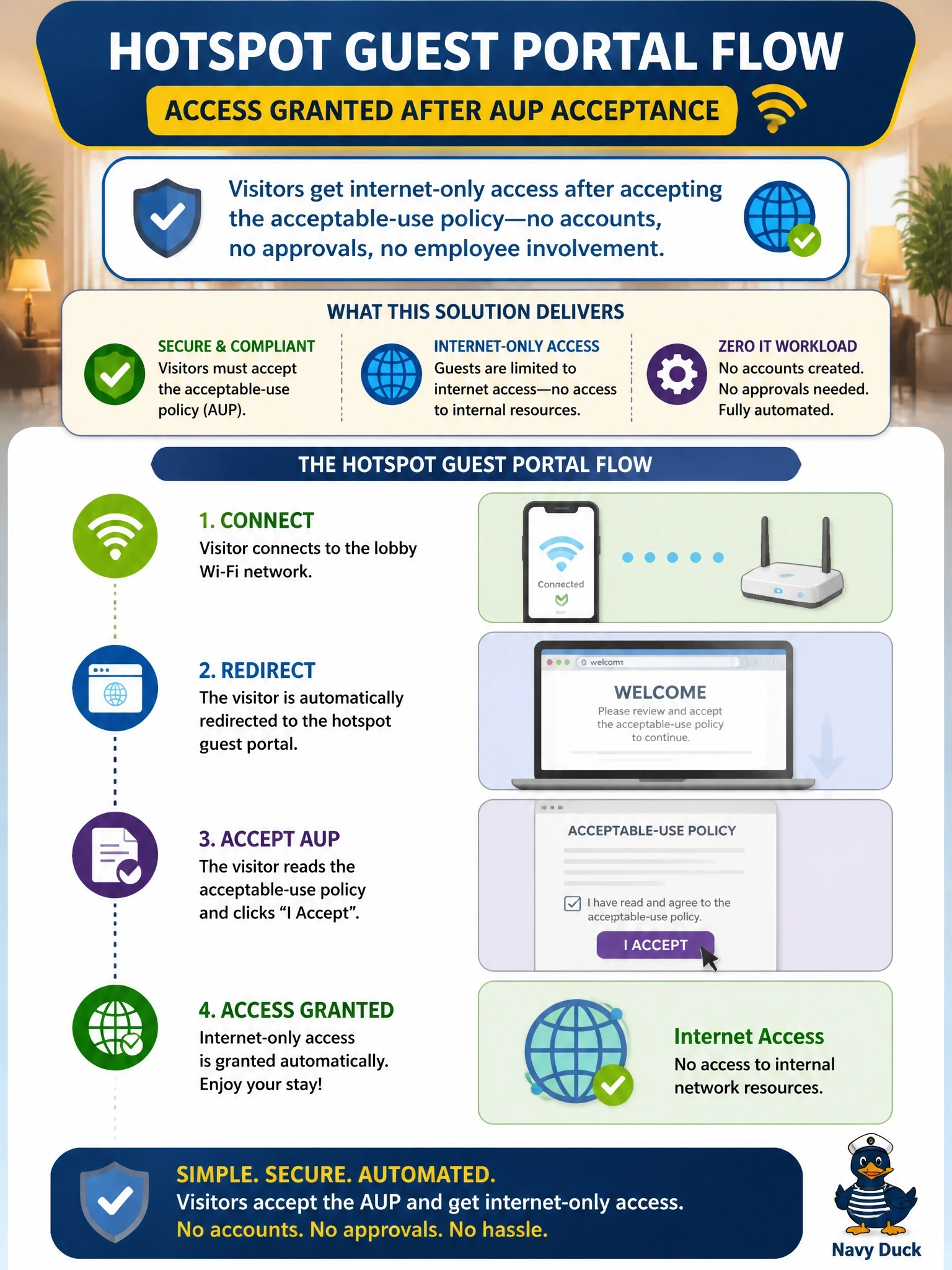
Picture a coffee shop Wi-Fi splash page: tick the box, you're online. That's the hotspot portal, and nobody on staff has to lift a finger. Sponsored access is the trap here, because the stem flat-out says no employee involvement.
Full Explanation
Cisco ISE offers several guest portal types. The hotspot guest portal gives network access without credentials: the visitor is redirected to a portal, optionally enters an access code, accepts the acceptable-use policy, and ISE then issues a change of authorization so the session moves to a guest internet-only authorization profile. No account is created and no employee is involved, which matches the requirement exactly. A sponsored guest portal requires a sponsor, usually a host or receptionist, to create the account in the sponsor portal, which violates the no-employee constraint. A BYOD portal is for employees onboarding personal devices; it provisions certificates and supplicant profiles and assumes corporate identity, which visitors do not have. An 802.1X SSID using domain credentials is for employees and would lock out visitors who have no domain account. Exam caveat: if the organization needs to identify each visitor, the self-registered guest portal, where visitors create their own accounts, sometimes with sponsor approval, is the alternative; hotspot gives the least accountability. Operational check: connect a test device to the guest SSID, accept the policy, and confirm in ISE live logs that the session moved to the guest authorization profile.