
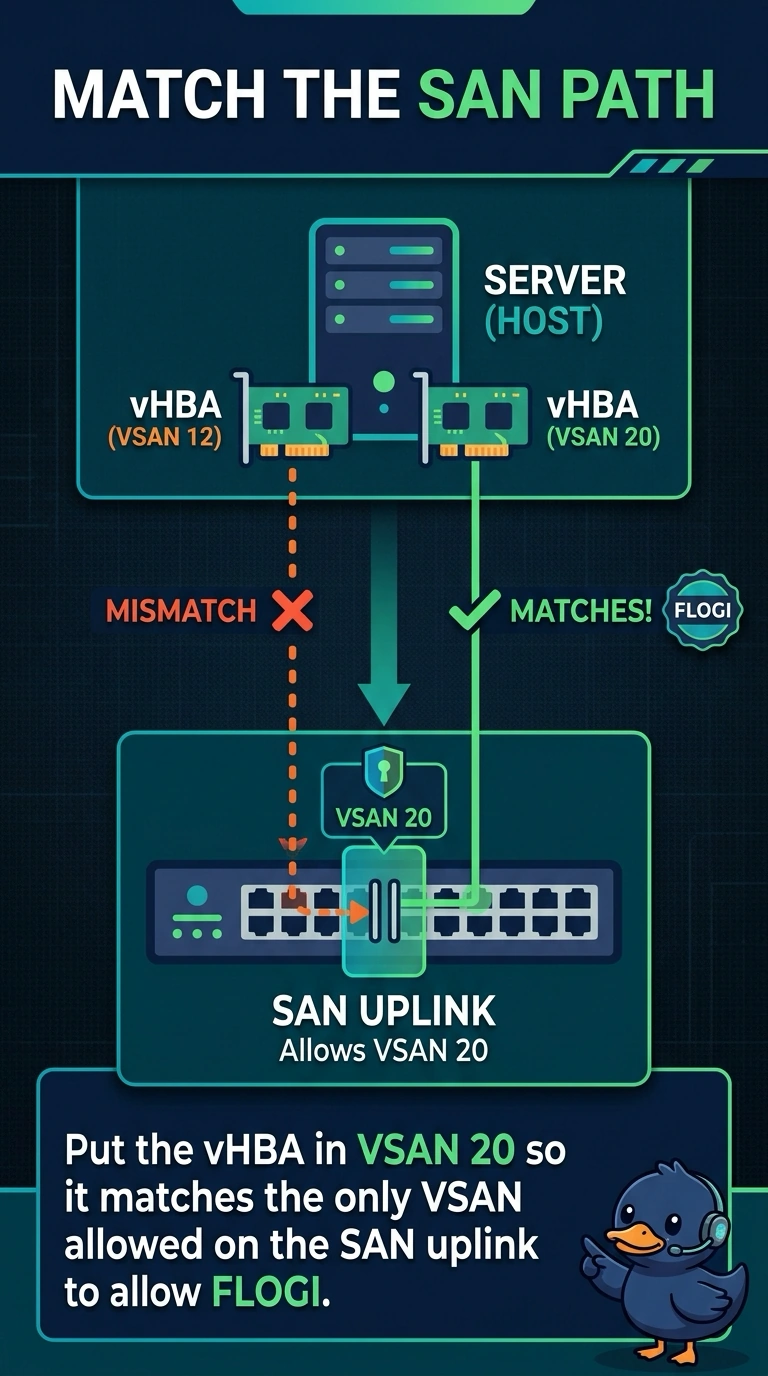
A media company blade shows a vHBA, but FLOGI never succeeds toward the array. The SAN uplink allows VSAN 20 only. The vHBA template places the blade in VSAN 12. Which change matches the path the fabric actually carries?
Select an answer to reveal the explanation.
Short Explanation
The vHBA and the uplink have to be in the same conversation. You put the vHBA in VSAN 20 because that is the only VSAN the SAN uplink is willing to carry. A UUID pool will not move a Fibre Channel login from VSAN 12 to VSAN 20.
Full Explanation
A vHBA logs in only on the VSAN configured for it, and the fabric interconnect will carry that login only if the SAN uplink allows the same VSAN. The media blade is attempting VSAN 12 while the uplink allows VSAN 20, so FLOGI has no path to the array. Changing the vHBA template to VSAN 20 aligns the server with the uplink that already faces the storage. A UUID pool is an identity pool for the service profile. It does not select a VSAN, and adding a WWPN there does not fix a VSAN mismatch. VLAN 20 on a vNIC template is an Ethernet VLAN. Ethernet VLANs do not choose the Fibre Channel VSAN of a vHBA. Ethernet end-host mode is how the fabric interconnect behaves toward the LAN. It does not rewrite a vHBA from one VSAN into another. Caveat: the array port and the zoning also have to be in VSAN 20, or the login succeeds on the uplink and the target is still invisible. Operational check: set the vHBA VSAN to 20, confirm the SAN uplink still allows VSAN 20, and verify FLOGI shows the blade PWWN on that VSAN.