
A SaaS platform powered on two fabric interconnects, and each one stayed a standalone device. The L1 and L2 cluster ports were never cabled between them. What must be connected before they form a cluster?
Select an answer to reveal the explanation.
Short Explanation
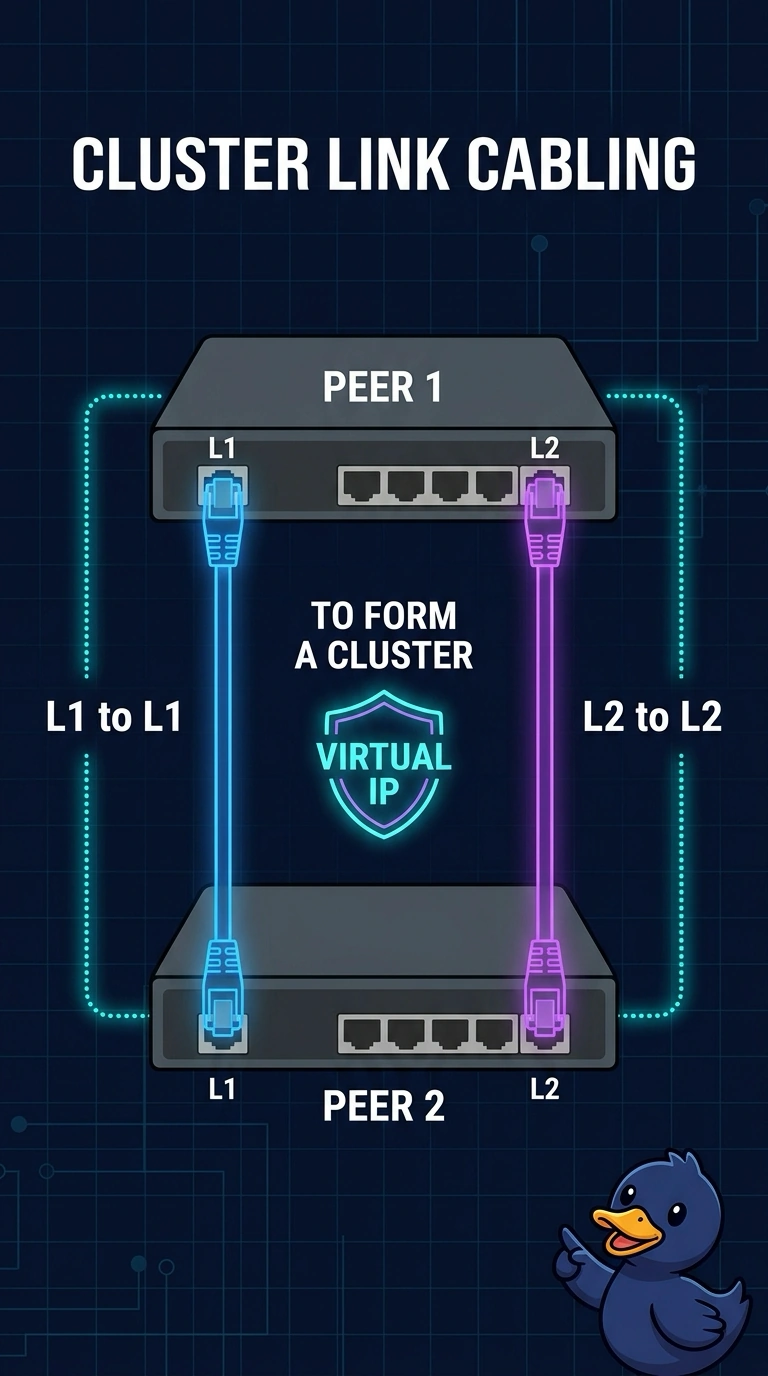
You need the dedicated cluster cables: connect L1 to L1 and L2 to L2 so the pair can form a cluster and own a virtual IP. Since those links are unplugged, each interconnect stays standalone; links to the blade chassis IOM and a WWPN pool do not form or elect the cluster.
Full Explanation
A fabric interconnect cluster requires the dedicated high-availability links, with L1 cabled to L1 and L2 to L2. These links let the pair monitor each other, form a cluster, and own a virtual management IP. Because the two interconnects were powered on without these cables, each remains a standalone device. Cabling L1 and L2 to the blade chassis IOM does not create the cluster: those are not server links, and chassis discovery uses server ports after a cluster exists. Enabling Ethernet switching mode changes how an interconnect forwards traffic toward the upstream LAN; it does not pair standalone interconnects or replace the cluster cables. Creating a WWPN pool allocates Fibre Channel port names to vHBAs, but does not elect a primary fabric interconnect. Caveat: both devices must also be configured for the same cluster, and crossing the links by connecting L1 to L2 does not form the pair. Practical check: cable L1 to L1 and L2 to L2, complete cluster setup, and confirm that both members appear under one virtual IP.