
City Wi-Fi GUI shows a client marked excluded after repeated auth failures. How should engineers interpret that during connectivity troubleshooting?
Select an answer to reveal the explanation.
Short Explanation
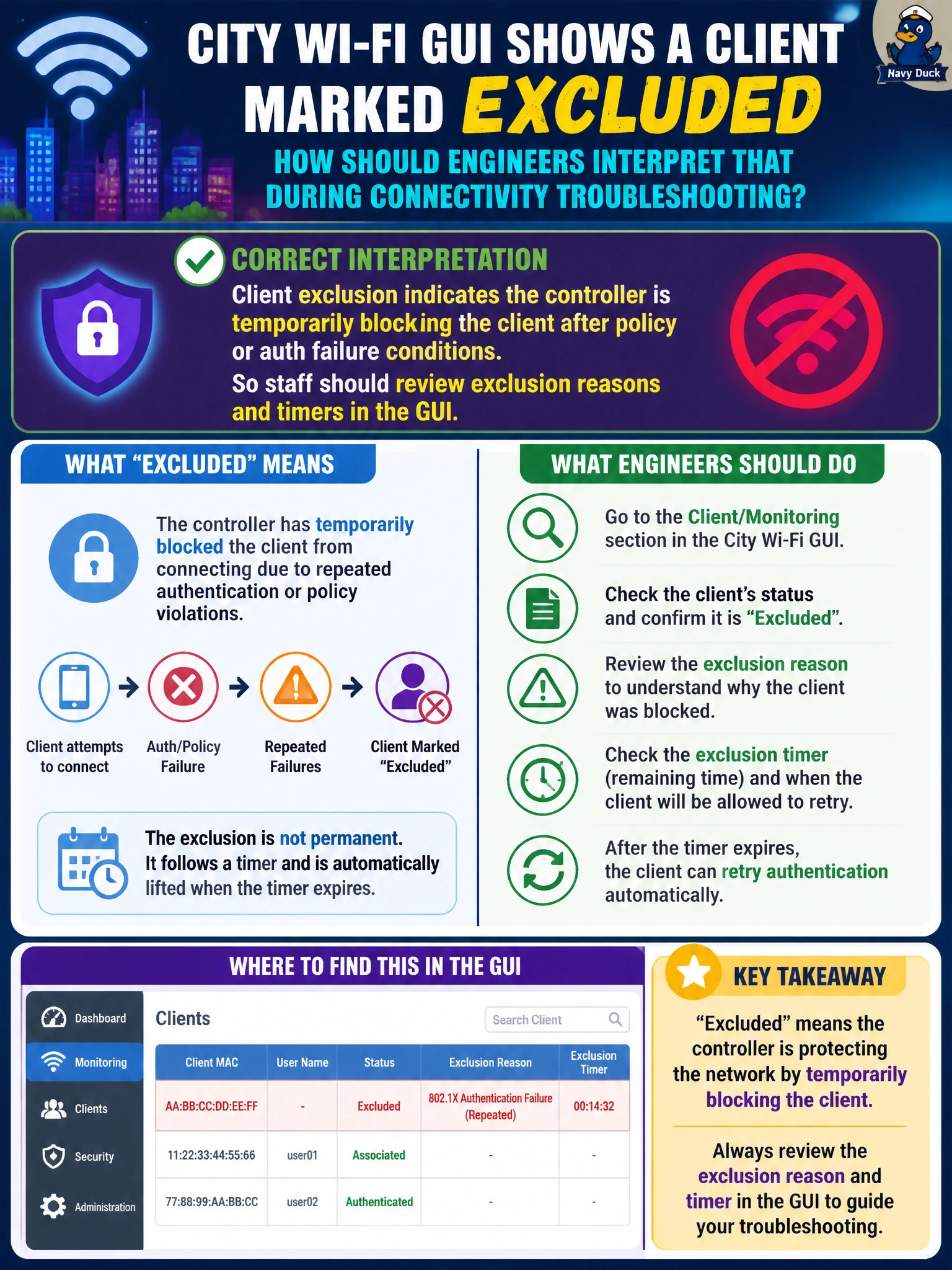
Excluded means the WLC put the client in timeout after bad behavior or failed auth — check why and how long, not the core switch errdisable light. It is a wireless policy timeout, not a cosmetic sticker.
Full Explanation
When the city Wi-Fi GUI shows a client marked excluded after repeated auth failures, engineers should interpret exclusion as the controller temporarily blocking that client because of policy or authentication failure conditions. Exclusion is an intentional wireless protection and timeout state; staff should review exclusion reasons and timers in the GUI, remediate the auth issue (PSK, certificates, repeated tries), and clear or wait out exclusion as policy allows.
Assuming exclusion always means the AP lost CAPWAP to every WLC fails by concept—exclusion is a per-client policy state, not a wholesale CAPWAP-down indicator. Treating exclusion as only a cosmetic label with no effect fails because excluded clients are blocked from network access until the timer or policy clears. Claiming exclusion proves the core switch disabled the client switchport via errdisable confuses wired port errdisable with wireless client exclusion on the WLC.
Exam caveat: Exclusion policies and timers are configurable; chronic exclusion points to a real auth problem (wrong PSK, bad certificate, misbehaving driver) that must be fixed—not endlessly cleared without root cause analysis.
Operational check: Open the excluded client in the WLC GUI; note reason and remaining timer; validate WLAN security and AAA; correct the client credential or configuration; clear exclusion if appropriate and retest successful authentication for city staff devices.