
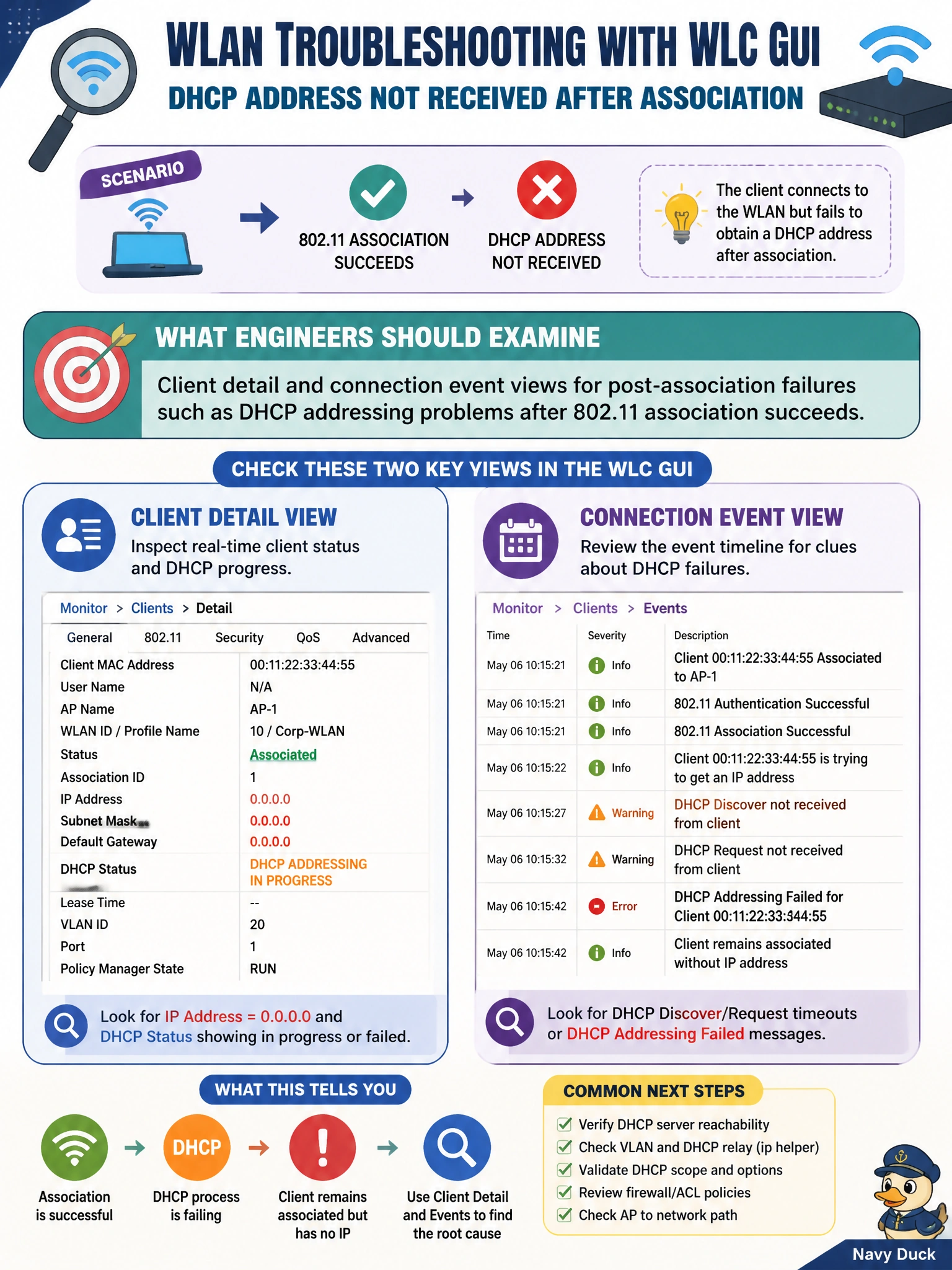
A housing authority client associates to the WLAN but fails to obtain a DHCP address afterward. Using WLC GUI-oriented troubleshooting, what should engineers examine?
Select an answer to reveal the explanation.
Short Explanation
Associated but no address means the handshake to the WLAN worked and the IP chapter failed — look at client events after association, not antenna tilt as a DHCP protocol. BGP UPDATEs are not DHCP.
Full Explanation
When a housing-authority client associates to the WLAN but then fails to obtain a DHCP address, WLC GUI troubleshooting should focus on client detail and connection-event views for post-association failures. Association proves 802.11 connectivity to the AP/WLC path for that stage; DHCP failure is a subsequent phase—wrong dynamic interface/VLAN, DHCP server reachability, helper-address, or client DHCP behavior—visible in controller connection logs after association succeeds.
Examining only antenna azimuth because “DHCP is an RF beamforming exchange” fails by concept; DHCP is IP address assignment, not beamforming. Checking eBGP peer authentication keys on the WLC because “DHCP rides BGP UPDATE messages” fails because DHCP does not travel as BGP UPDATEs. Using MST instance-to-VLAN maps as the first explanation for every DHCP timeout fails as a default first step; while VLAN mis-map can matter, the WLC client event trail should guide whether the failure is DHCP-specific after association.
Exam caveat: After the GUI shows DHCP failure, validate the WLAN’s VLAN/interface, upstream DHCP server, and relay—do not stop at “associated = healthy.” Association success can mask Layer-3 services problems.
Operational check: On the WLC, open the client’s connection events and confirm association OK then DHCP fail; verify WLAN→VLAN mapping; capture DHCP on the client VLAN; fix helper/server issues; retest address assignment without changing RF settings unrelated to the failure.