
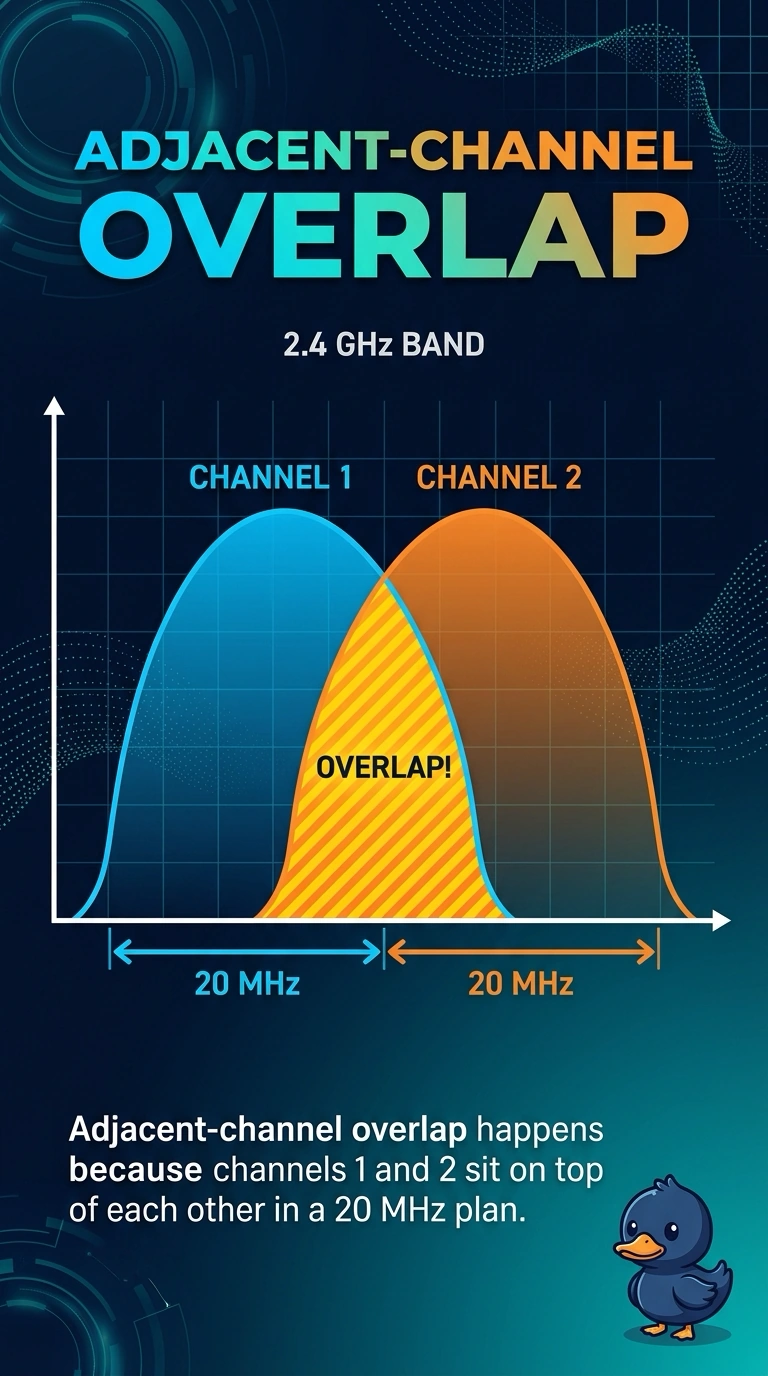
Two clinic access points sit next to each other on channels 1 and 2 in the 2.4 GHz band. Clients near both hear errors even when the noise floor is otherwise quiet. What is the overlap?
Select an answer to reveal the explanation.
Short Explanation
Channels 1 and 2 are neighbors in the numbering and almost the same slice of air. Your clients are hearing both access points at once. Move them to a pair that actually leaves a gap, such as 1 and 6.
Full Explanation
In the 2.4 GHz band the numbered channels are 5 MHz apart and a 20 MHz transmission is much wider than that step. Channels 1 and 2 overlap heavily, so two nearby access points on that pair raise errors for clients that can hear both, even when the rest of the band is quiet. That is adjacent-channel overlap, not a legal reuse plan. A clean reuse plan in North America uses 1, 6, and 11, which separate the 20 MHz widths. Calling 1 and 2 far enough apart is the mistake that built this. DFS and radar sensing belong to portions of the 5 GHz band. Channel 2 is not a 2.4 GHz radar channel, and a quiet noise floor with overlap errors is not a DFS vacation. A VLAN mismatch affects forwarding after a frame is received. It does not create RF errors from two overlapping channels, and DHCP offers are not dropped because the channel numbers are close. Exam caveat: adjacent-channel overlap is worse than co-channel sharing when the signals are strong, because the stations do not defer cleanly to energy they cannot decode as Wi-Fi. Operational check: move one access point to channel 6 or 11 and confirm the error rate falls for a client that can hear both.