
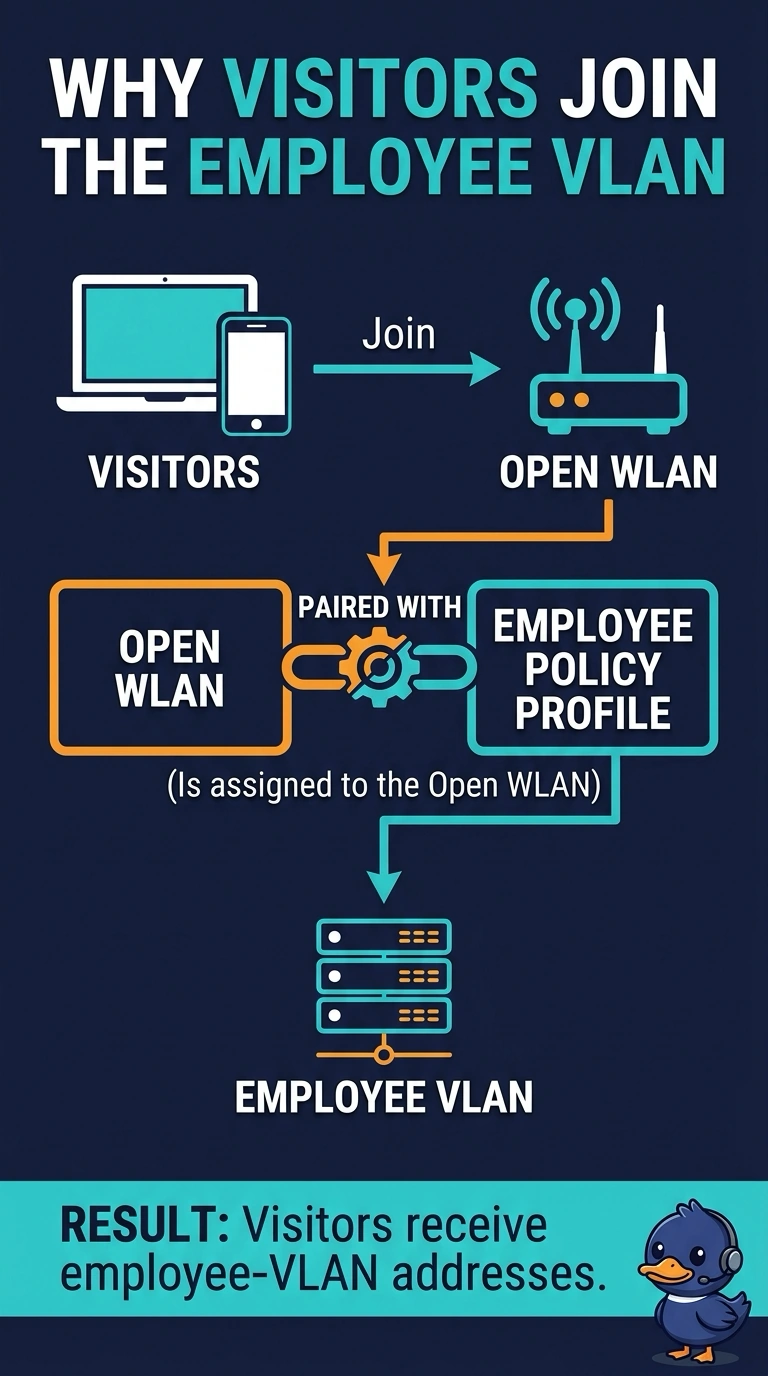
An open WLAN in a lobby is paired with the employee policy profile. Visitors join with no password and receive employee-VLAN addresses. What put them on that VLAN?
Select an answer to reveal the explanation.
Short Explanation
The door has no password, and the room behind it is the employee network. Your open WLAN is paired with the employee profile. Open, by itself, does not pick that VLAN.
Full Explanation
The policy profile, not the word open, chooses the VLAN. This lobby WLAN is open and paired with the employee policy profile, so visitors land on the employee VLAN. Open authentication does not always select that VLAN. An open guest profile would have put them on a guest VLAN. The country code does not map an SSID to a network. The beacon interval does not promote clients into a VLAN. An open WLAN is paired with the employee policy profile, so anyone who joins lands on the employee VLAN. Check one live client after the change and leave the rest of the floor alone until that client matches the result you expected. Confirm the symptom on the next attempt before changing anything else. Confirm the symptom on the next attempt before changing anything else. Exam caveat: adding a password without changing the policy profile keeps visitors, once they know the password, on the employee VLAN. Fix the profile, not only the lock. Operational check: pair the lobby WLAN with a guest policy, join a visitor, and confirm the address is not from the employee VLAN.