
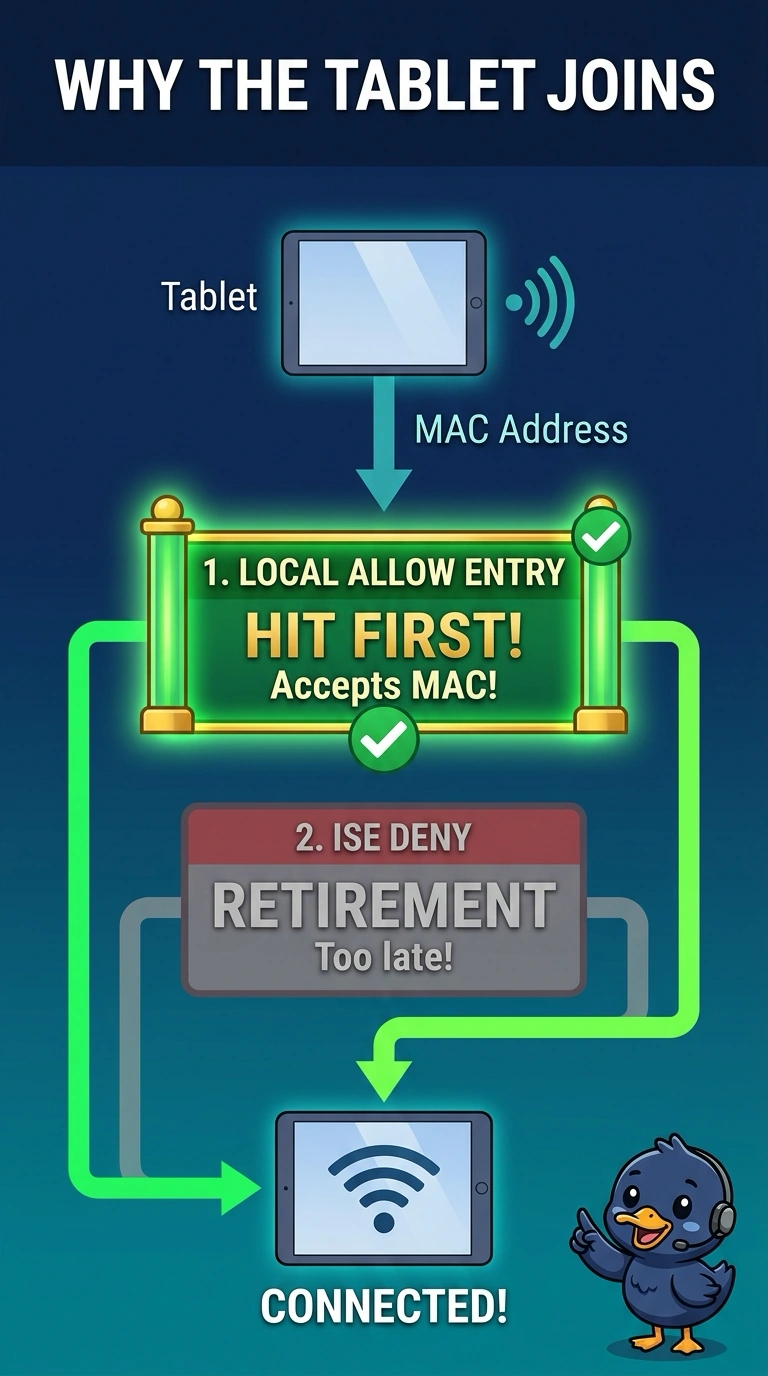
A lost tablet was retired in the device manager, and ISE would deny it. The tablet still joins. A local allow entry for its MAC remains on the controller and is hit first. What is letting it on?
Select an answer to reveal the explanation.
Short Explanation
You’ve found the cause: the local allow entry accepts the tablet’s MAC before the retirement and ISE deny can take effect. Remove that entry and check the tablet’s next attempt; a quiet channel does not authorize a MAC.
Full Explanation
The local allow entry on the controller accepts the tablet’s MAC before the request can be denied by ISE. Although the device manager retired the tablet and ISE would deny it, the local entry is hit first, so the tablet still joins. Retirement does not place a device on the production VLAN; it does not explain this access. An RF profile does not allow a MAC because the channel is quiet; channel conditions are not MAC authorization. A beacon does not list retired MACs as permitted, so it cannot be the source of the access. The local allow entry is the bypass described here. Exam caveat: removing that entry may not result in a denial if the tablet still has a valid certificate and a rule allows any valid certificate; check what matches after the MAC entry is gone. For a practical check, remove the local allow entry, have the tablet attempt to join the WLAN, and confirm that it is denied. Check one live client against the expected result before making other changes.