
Warehouse clients on mesh access points all drop at once. The root access point has lost its Ethernet uplink, and the mesh access points have no other wired path. What failed?
Select an answer to reveal the explanation.
Short Explanation
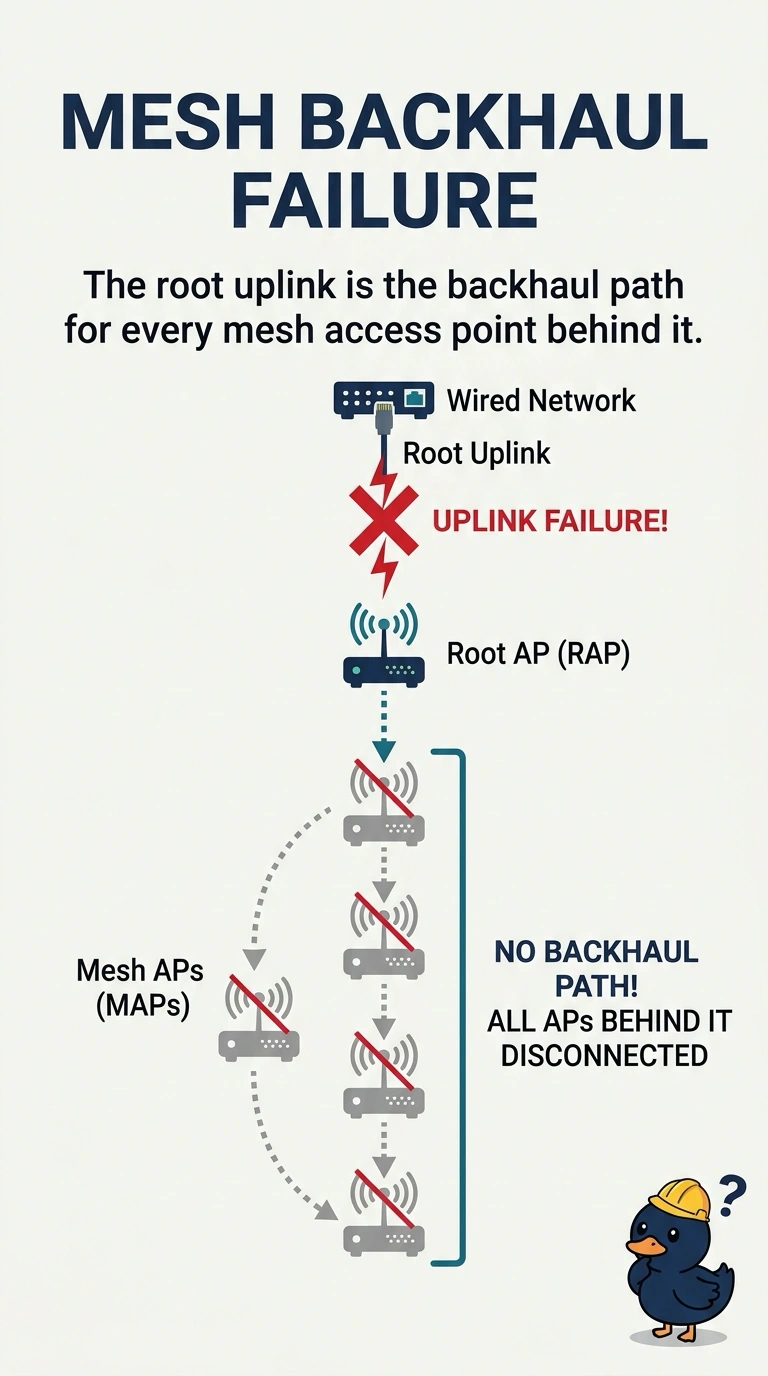
You can trace the outage to the root access point: its Ethernet uplink is the backhaul for the mesh access points behind it. Once that link failed, their clients lost connectivity together; a guest passphrase, one client exclusion, or one phone’s beacon interval would not cause this pattern.
Full Explanation
A mesh access point reaches the wired network through a root access point. When the root loses its Ethernet uplink and there is no other wired path, every mesh access point behind it loses its backhaul at once, so their clients drop together. The failed component is the root uplink. A guest passphrase is a WLAN credential, not a mesh routing metric carried by the uplink; an incorrect passphrase would not disconnect every mesh client simultaneously. A client exclusion rejects one client’s MAC address, not an entire group of mesh access points. A phone’s beacon interval does not control the root Ethernet link: client devices do not advertise the wireless network’s BSS, so changing a phone’s beacon timing cannot cause this outage. Exam caveat: if a second root was intended to take over, verify that the affected mesh access points can hear it; the lost uplink is still the event that began the outage. Practical check: restore the root Ethernet link, then confirm that the mesh access points rejoin and a test client in an aisle reconnects.