
A bank builds a WLAN allow list from each laptop's hardware MAC address. Windows laptops present a randomized MAC address through association and fail the filter, even though those hardware addresses are on the list. Which client behavior explains the failure?
Select an answer to reveal the explanation.
Short Explanation
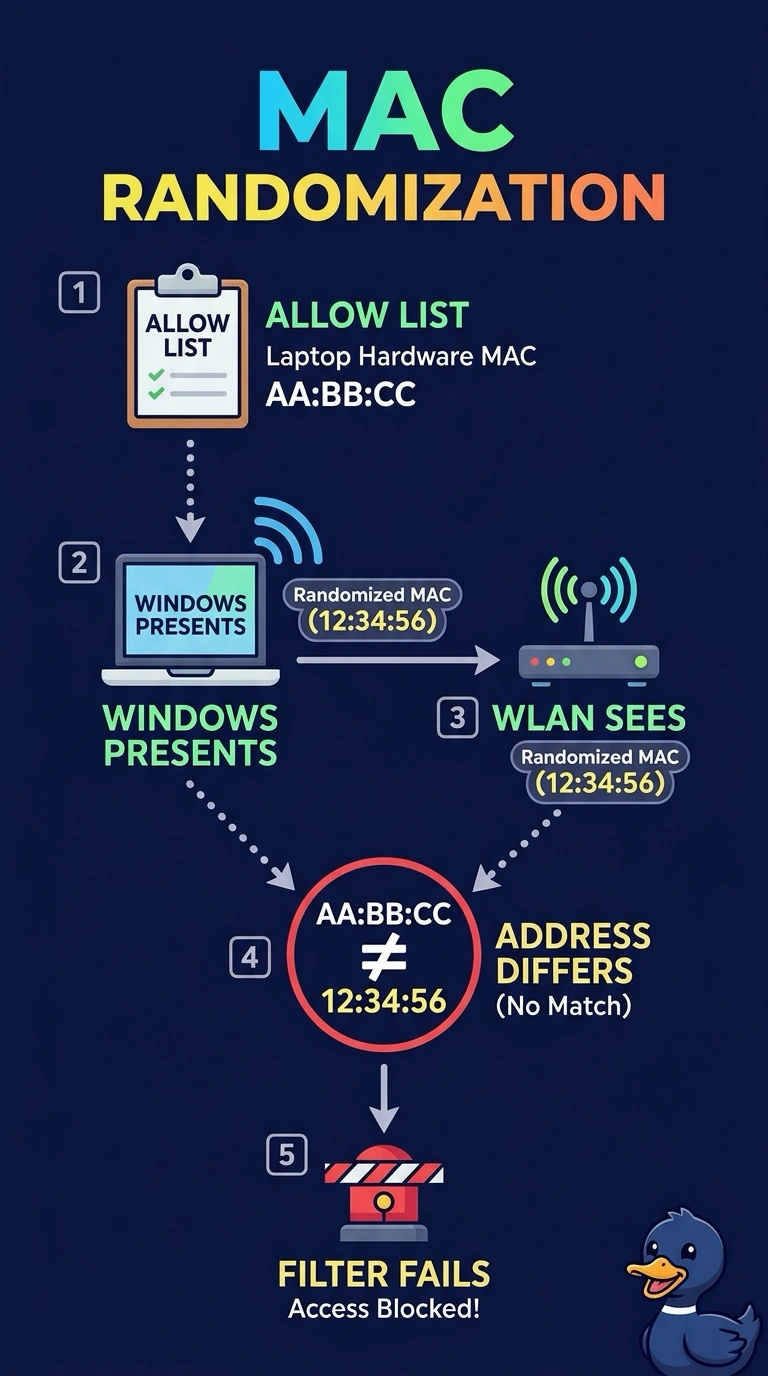
The doorman has a list of faces, and your laptops showed up in masks. MAC randomization sends a different address than the burned-in one on the allow list, so the filter fails a machine you thought you had enrolled. Roaming does not mint that mask.
Full Explanation
Modern Windows, and other operating systems, can present a locally administered MAC address instead of the burned-in adapter address when they associate. An allow list built from the hardware address never sees that hardware address, so the filter rejects the laptop even though the enrollment spreadsheet looks complete. The behavior that explains the symptom is MAC randomization on the client. A band preference does not change which MAC the filter evaluates, and a MAC filter is not applied only on 6 GHz. Fast transition reuses security context across access points. It does not assign a fresh MAC at each roam, and these laptops fail at association, before a roam would matter. The supplicant sends an identity, such as a certificate or a username, inside EAP when the WLAN is 802.1X. It does not substitute a certificate for the MAC address that a MAC filter compares. Exam caveat: a per-network randomized address can be stable for one SSID and still not match the hardware address you inventoried. Disabling randomization, or enrolling the address the OS actually uses on that WLAN, are the client-side fixes. Operational check: on a failing laptop, read the address Windows is using for that WLAN and compare it with the allow-list entry before you change the controller.