
Hospital laptops use PEAP to an external RADIUS server and fail with a server-certificate warning. The controller is already a trusted network device on that server. What has to be fixed for the laptops to trust the authentication server?
Select an answer to reveal the explanation.
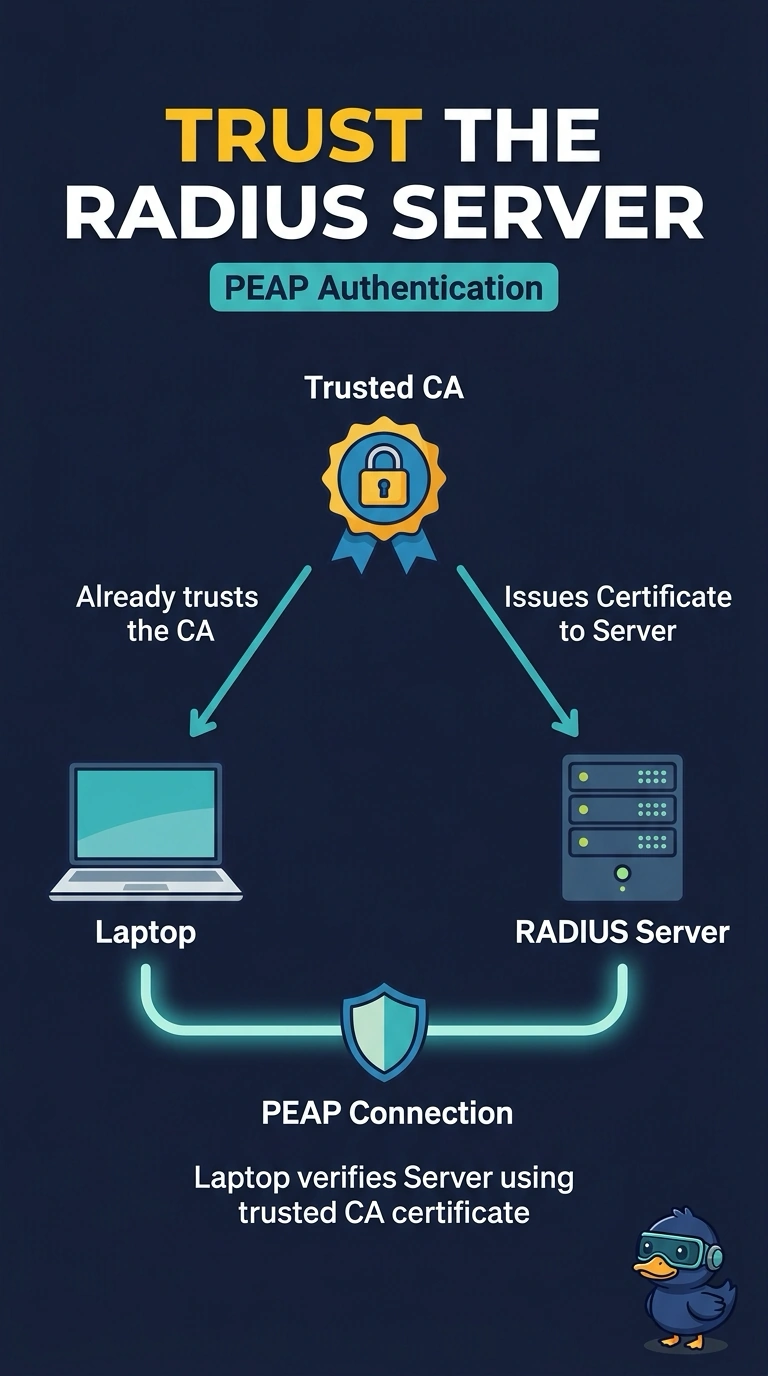
Short Explanation
PEAP is a locked door with a nameplate: your laptop checks the RADIUS server’s certificate before sending your password. You need a certificate issued by a trusted authority so your laptop recognizes the server. A shared key, neighbor report, or shorter DHCP lease won’t fix that certificate check.
Full Explanation
With PEAP, your laptop authenticates the server first by checking the RADIUS server certificate, before it sends your inner user credentials. A server-certificate warning means the certificate does not chain to a certificate authority the laptop already trusts. The fix is to use a RADIUS server certificate issued by an authority in the laptop’s trusted store. The controller being a trusted network device on the RADIUS server only means the server accepts the controller’s requests; it does not make the laptop trust the authentication server’s certificate. A pre-shared key is a different WLAN security method, and adding one alongside the PEAP policy does not satisfy the certificate check. An 802.11k neighbor report helps a client discover nearby access points or channels; it cannot bypass certificate validation. A shorter DHCP lease changes how long an address is assigned after network access, so it cannot clear a warning during the PEAP exchange. Exam caveat: even a certificate from a trusted authority can fail if its name does not match the server name the laptop expects. Practical check: inspect the RADIUS certificate chain on a laptop experiencing the warning and confirm that its issuer is trusted.