
A university connects hybrid calendar only to Microsoft 365. Faculty whose mailboxes stay in Google see meetings in their inbox but get no one-button join on room devices. What should be connected?
Select an answer to reveal the explanation.
Short Explanation
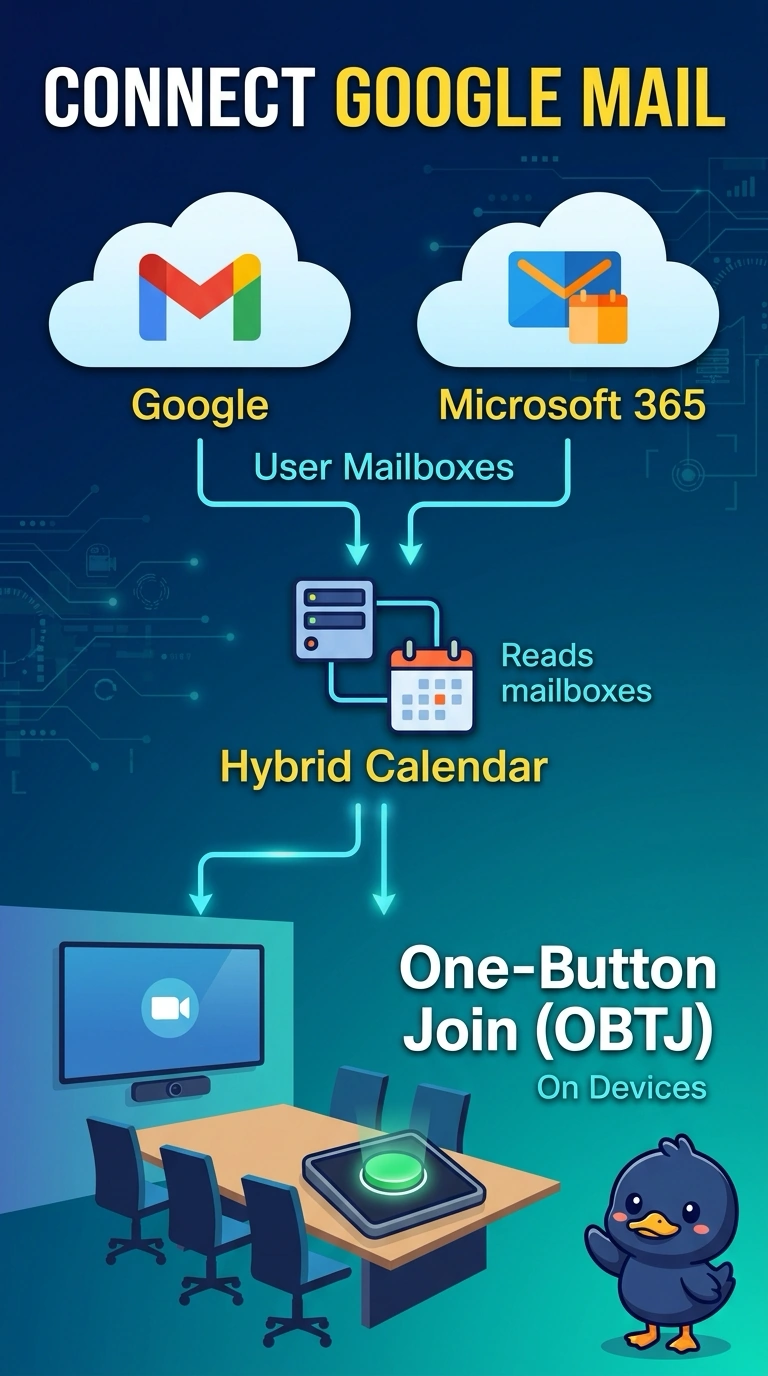
Subscribing to one newspaper does not deliver a different paper's headlines to your lobby screen. You connect the Google cloud mail service so hybrid calendar can offer one-button join for those mailboxes. Another Microsoft 365 link still cannot see mail that lives only in Google.
Full Explanation
Hybrid calendar connects a cloud mailbox, Microsoft 365 or Google, so meetings show up for the Webex app and for room devices, including a join action. Faculty who remain on Google need the Google cloud mail service connected, or those mailboxes stay invisible to the room devices. A second Webex Calling location owns numbers and a trunk and does not read the Google mailboxes, so it cannot create one-button join. Another Microsoft 365 calendar link still cannot see faculty mailboxes that exist only in Google, because that link is aimed at the wrong mail system. A campus PSTN trunk carries telephone calls and does not subscribe the room devices to Google calendars. Room devices do not infer the mailbox provider from a user's inbox, so the unconnected Google service stays dark until hybrid calendar is aimed at it. Exam caveat: a missing join button on an otherwise healthy device is a calendar-service gap, not proof that calling registration failed. Operational check: book a meeting on a Google mailbox and confirm the university room device shows that meeting with a join action after the Google service is connected.