
A hotel boardroom device shows no bookings even though the front desk scheduled them on the room resource mailbox. That mailbox is hidden from the calendar service account. What should be granted?
Select an answer to reveal the explanation.
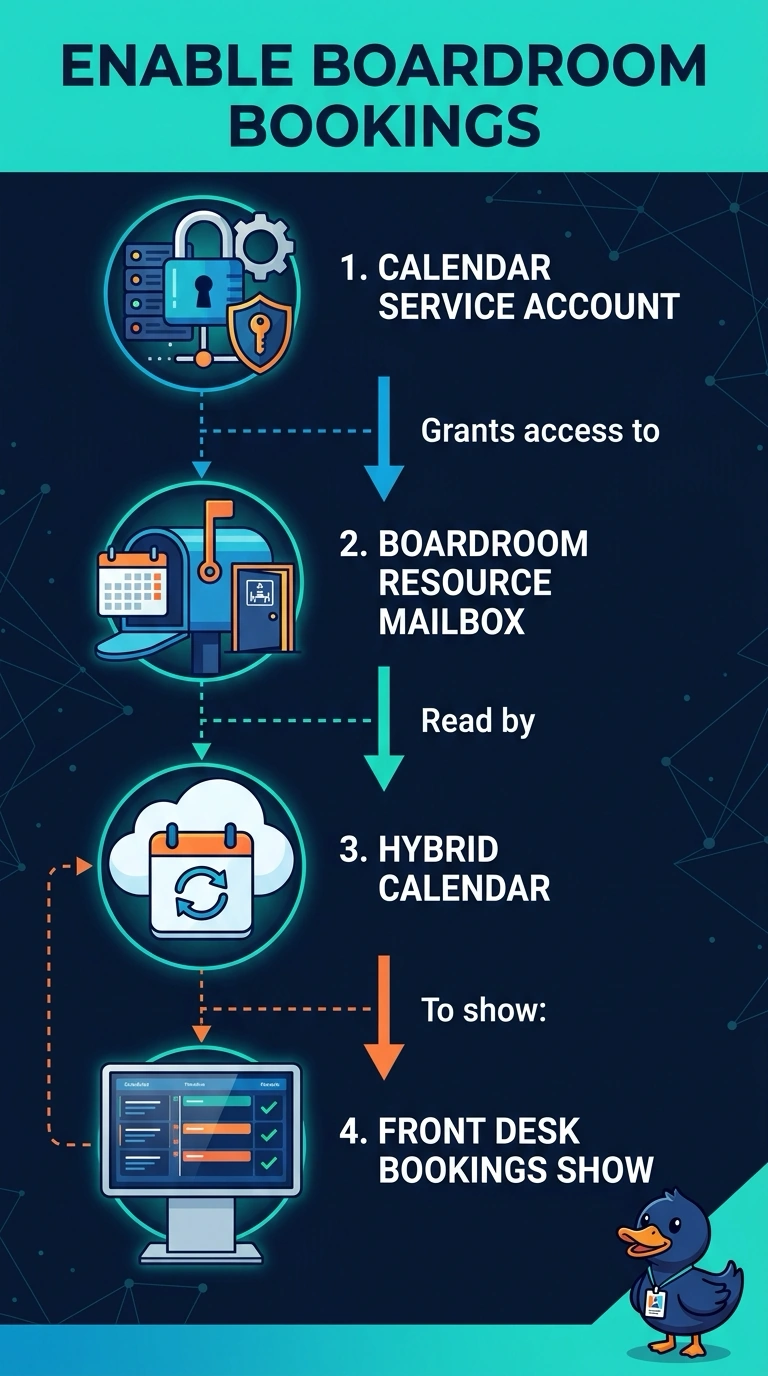
Short Explanation
A mailbox the clerk cannot open might as well be an empty wall slot. You grant the calendar service account access to the boardroom resource mailbox. A new dial plan, a PSTN trunk, or a new sign-on certificate does not reveal those bookings.
Full Explanation
Grant the calendar service account access to the boardroom resource mailbox so hybrid calendar can read those bookings. Hybrid calendar can show the room booking only when the calendar service can read that resource mailbox. Build a new hotel dial plan that lists the boardroom as a calling destination and expect the bookings to follow that plan. A dial plan chooses how calls route, and it does not open a mailbox the calendar service cannot see. Add a PSTN trunk on the hotel gateway so outside guests can ring the boardroom extension during the scheduled event. A PSTN trunk carries outside calls, and it does not reveal bookings that are hidden from the calendar service. Replace the hotel single sign-on signing certificate so the boardroom device accepts the front desk identity. A signing certificate supports single sign-on, and replacing it does not grant mailbox access to the calendar service. Exam caveat: A missing calendar service, the wrong mailbox, or no access to the resource mailbox leaves the device without the remote booking, and a dial plan will not repair that. Operational check: Grant the calendar service account access to the boardroom mailbox, create a test booking, and confirm the device shows it.