
A clinic renamed an Active Directory account, and the next Directory Connector sync created a second Webex user instead of updating the original person. What should change so the rename stays with the existing user?
Select an answer to reveal the explanation.
Short Explanation
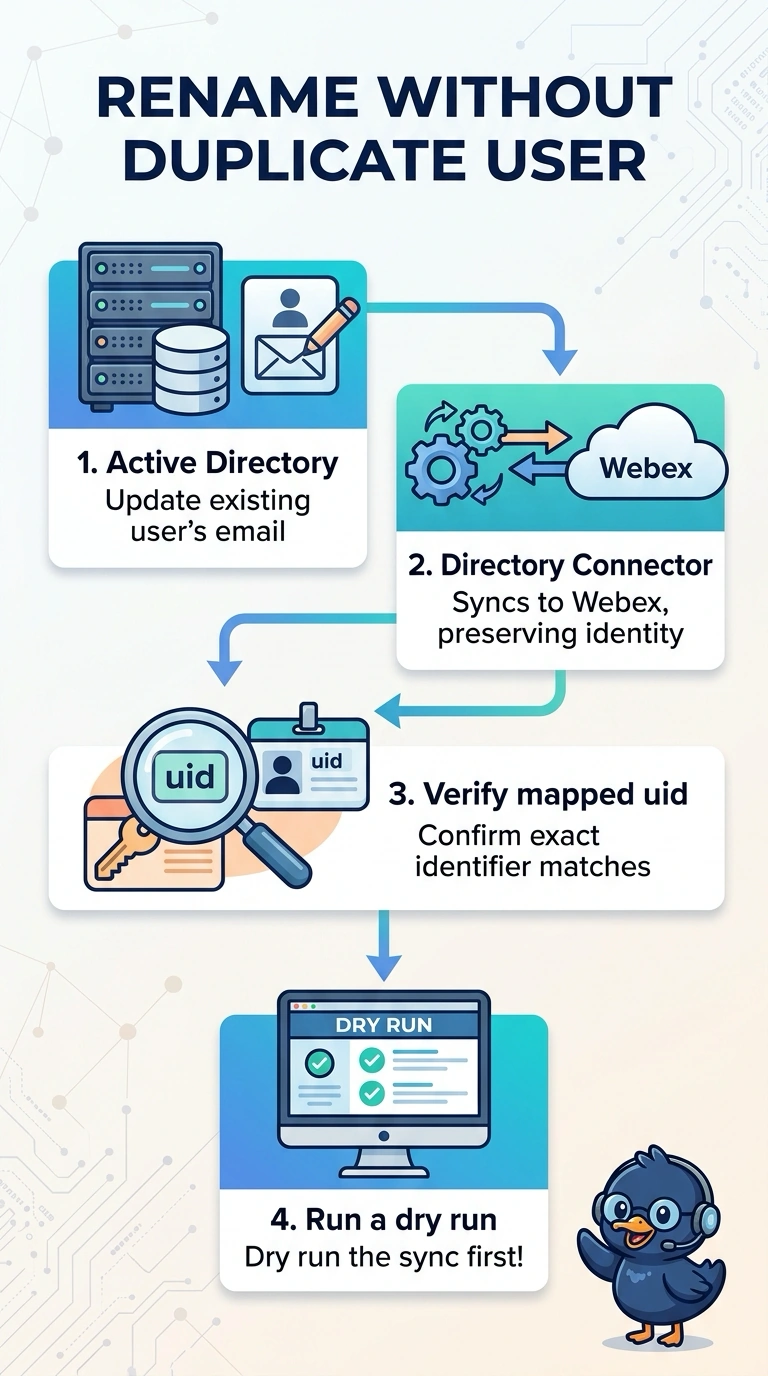
Think of a name tag that was reprinted, while the badge number in the scanner never changed, so the door thinks a stranger walked in. You follow the Directory Connector procedure to change the existing user’s Webex email address while preserving identity, verify the mapped uid and run a dry run. The trap is editing the duplicate by hand and leaving the match rule that created it.
Full Explanation
Directory Connector treats Active Directory as the source of truth and decides two records are the same person by the matching attribute. When a rename changes the attribute used for that match, the next sync creates a second Webex user instead of updating the original. Follow the Directory Connector procedure to change the existing user’s Webex email address while preserving identity; verify the mapped uid and run a dry run. Deleting both Webex users and waiting for Cloud-Connected UC insights does not repair the match, and those insights do not merge a rename into a phone registration. Turning on Okta SCIM while Directory Connector still owns the directory makes both sources write the renamed person, and the two methods must not own the same organization. Editing the duplicate display name by hand in Control Hub leaves the connector match unchanged, so the next synchronization can split the user again, and hand edits are not the source of truth. Exam caveat: a brand-new hire should still create a new user, and the matching attribute is only there to recognize the same account after a rename. Operational check: rename a test account, run a connector synchronization, and confirm the original Webex user is updated and no second user appears.