
A factory Directory Connector synchronizes the primary Active Directory domain, and a second Active Directory domain never appears in Webex. What must be added for that second domain?
Select an answer to reveal the explanation.
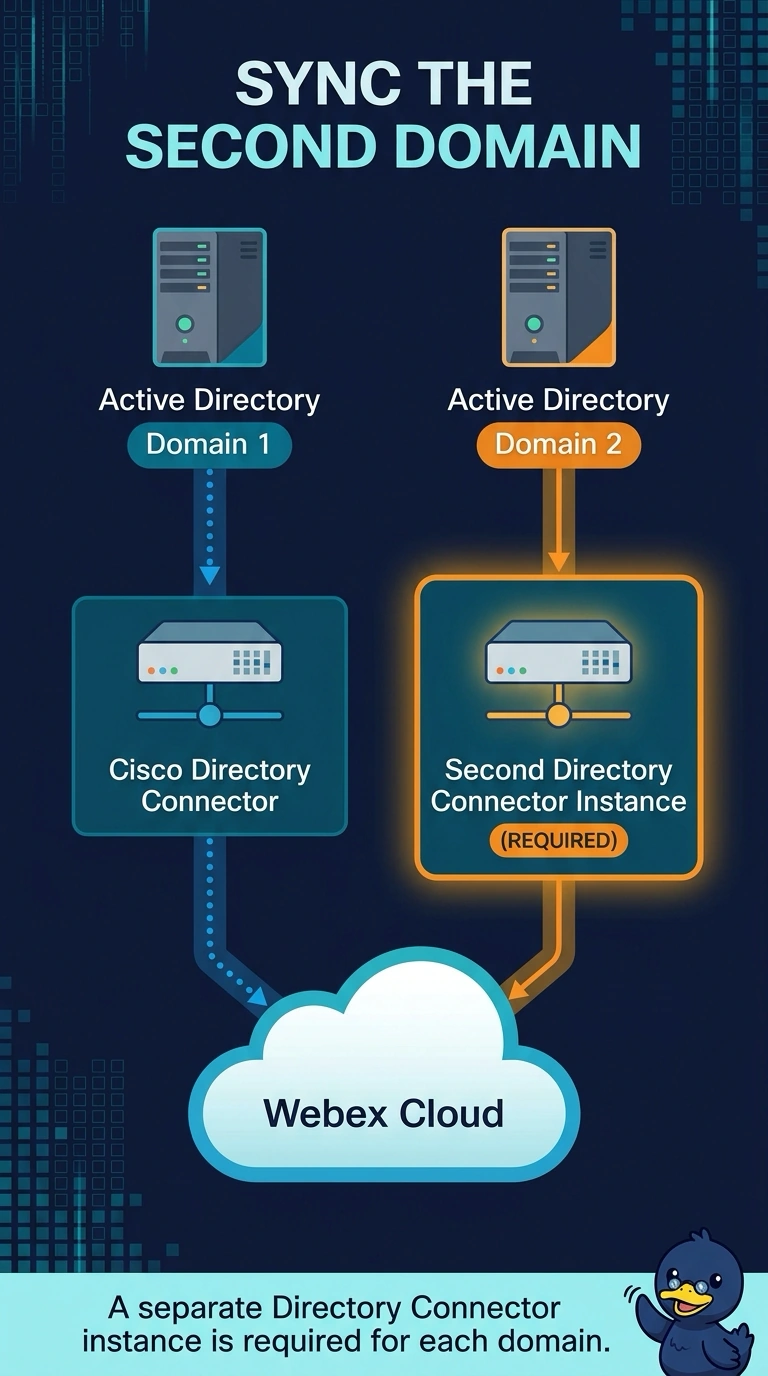
Short Explanation
Think of a second town on the same map that never received its own mail route, so letters from that town do not show up. You add a Directory Connector instance for the second domain, because another sign-on certificate does not synchronize that directory. The trap is a second single sign-on certificate, a device macro, or another meetings site, none of which imports the missing domain.
Full Explanation
Directory Connector synchronizes the Active Directory domain it is set up to read. The primary domain already appears in Webex, and the second domain does not, because nothing is synchronizing that domain. The addition is a Directory Connector instance for the second domain, because another sign-on certificate does not synchronize that directory. A second single sign-on signing certificate, because another certificate copies the second Active Directory domain into Webex, renews or adds a sign-on trust certificate, and a certificate does not import directory users. A RoomOS macro that reads Active Directory, because a device macro imports a domain Directory Connector does not have, runs on a room device, and a device macro does not synchronize Active Directory into Control Hub. Another meetings site named for the second domain, because a site import is what brings that directory into Webex, creates a meetings site, and a site does not synchronize a directory domain. Exam caveat: single sign-on authenticates users in a domain that is already present, and it does not pull a new Active Directory domain into the organization. Operational check: add a Directory Connector instance aimed at the second domain, sync it, and confirm users from that domain appear without adding another sign-on certificate.