
A factory team opens Migrate Features from Unified CM and has nothing to map. No Bulk Administration Tool export was ever uploaded, while Cloud-Connected UC analytics is already collecting data. What must they produce first?
Select an answer to reveal the explanation.
Short Explanation
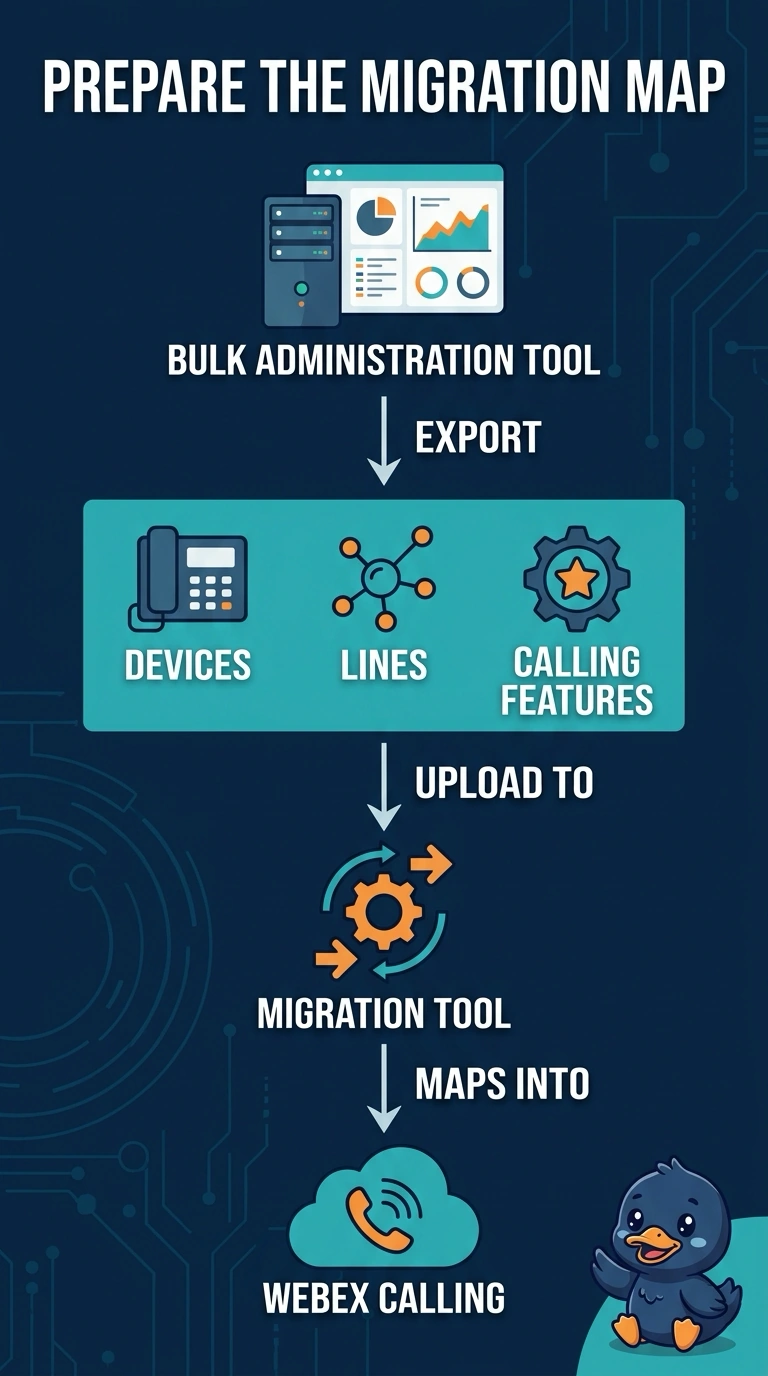
You can’t pack a moving truck from a photograph of the house. Migrate Features from Unified CM maps what’s in a Bulk Administration Tool export, so produce and upload that file first; Cloud-Connected UC analytics dashboards aren’t the export the tool needs.
Full Explanation
Migrate Features from Unified CM uses a Bulk Administration Tool export to map devices, lines, and calling features into Webex Calling. Because no export has been uploaded, the factory must produce that export and upload it before the tool has objects to map. A newly verified domain record establishes domain ownership; verifying the domain a second time does not create the device and line information the migration tool reads. A Cloud-Connected UC analytics download contains dashboard charts for operational reporting, not the migration input file, so analytics cannot substitute for the export. A rotated SCIM token concerns identity-provider provisioning; rotating it does not populate Migrate Features from Unified CM when no export file is uploaded. Exam caveat: this migration tool is distinct from Directory Connector and Cloud-Connected UC. Practical check: generate the Bulk Administration Tool export from Unified CM, upload it in the migration tool, and confirm that devices and lines appear as objects available to map.