
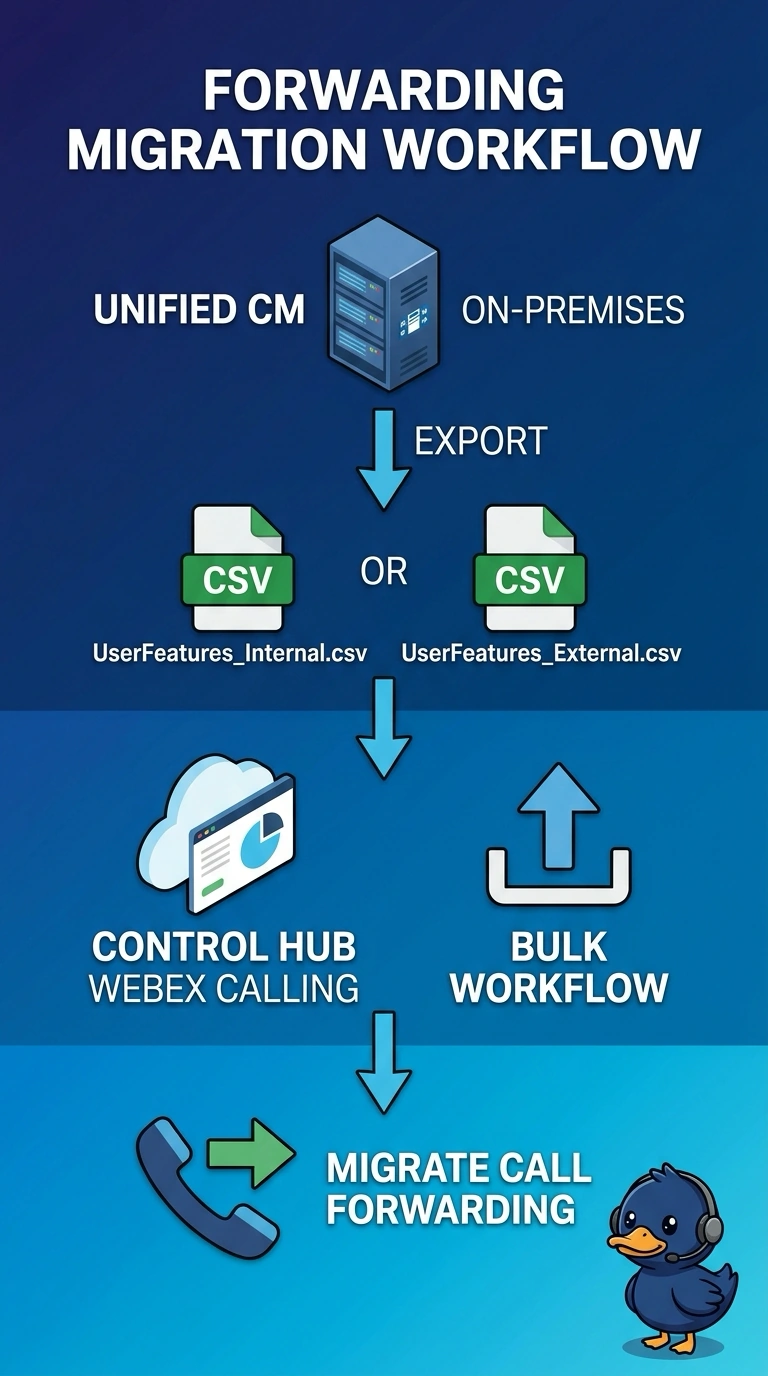
A utility company used the Control Hub migration tool to leave Unified CM and later found that user call forwarding had been left behind. How should that calling data be brought across?
Select an answer to reveal the explanation.
Short Explanation
The moving list included the forwarding labels, and the truck was built to carry that box. User calling data such as call forwarding is in scope for Migrate Features from Unified CM. The trap is retyping every setting by hand because you think the tool cannot carry it.
Full Explanation
Migrate Features from Unified CM takes the Unified CM export and maps devices, lines, auto attendants, call queues, hunt groups, call park, and user calling data into Webex Calling. Call forwarding is part of that user calling data, so import it with the migration tool instead of leaving it behind. Retyping every forwarding setting by hand is a manual fallback if the import is skipped, not evidence that the migration tool stops at devices and cannot carry user calling data. Directory Connector synchronizes Active Directory users into Control Hub and does not copy Unified CM call forwarding into Webex Calling. A second meetings site has its own meeting features, and copying user calling data onto that site's common feature settings does not migrate calling features or move calling locations. On exam day, this migration tool is not Directory Connector and it is not a meetings site. After the change, compare one user's call forwarding in Webex Calling with the Unified CM source and confirm the imported value matches.