
An airline security team is deploying Hybrid Data Security and expects crew chat files to be stored in the airline data center. Where do those encrypted messages and files actually remain?
Select an answer to reveal the explanation.
Short Explanation
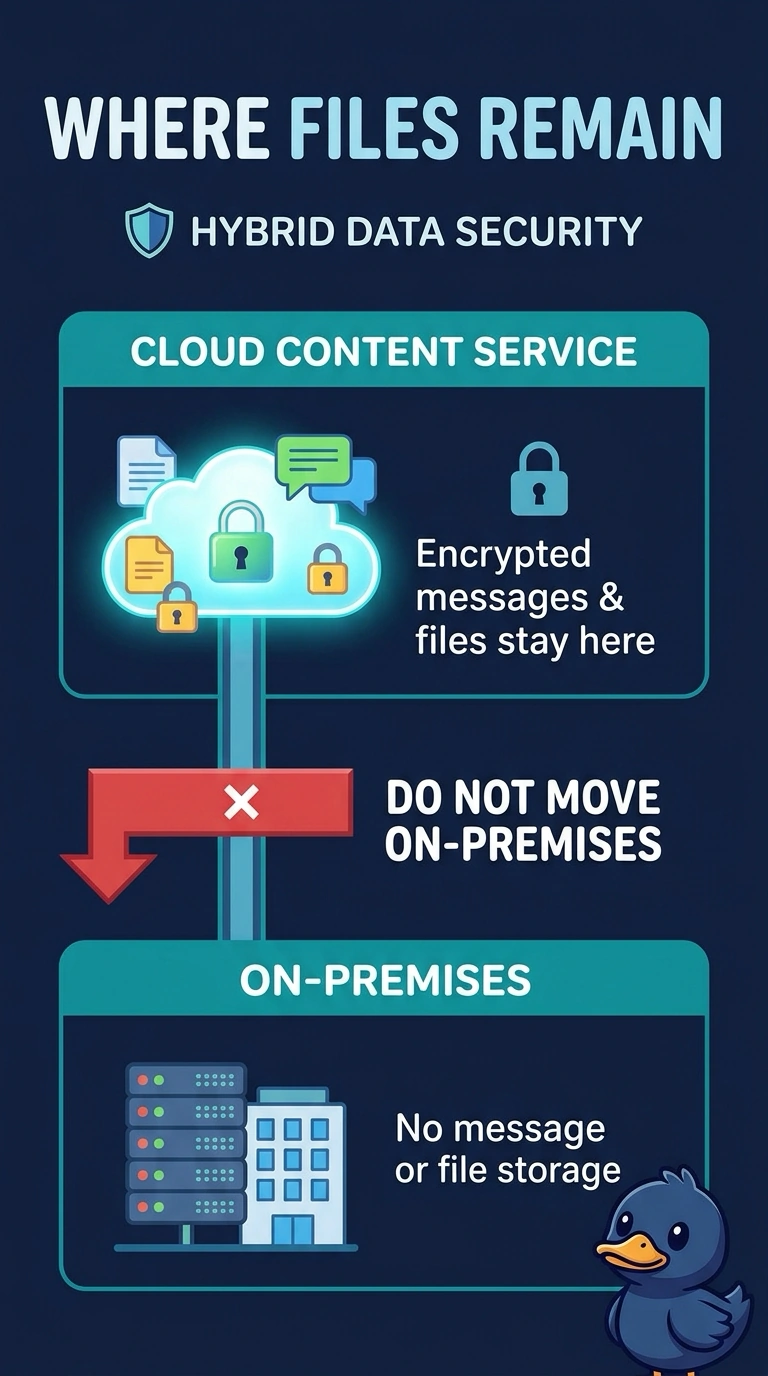
You can bring the locksmith on site and still leave the vault where it was. Hybrid Data Security can sit in the airline data center while the encrypted messages and files stay in the cloud content service. Do not expect that deployment to become the file store.
Full Explanation
The content service stores encrypted messages and files. Hybrid Data Security moves key management, indexing, and compliance into the customer data center and leaves that encrypted content in the cloud. In the cloud content service, because Hybrid Data Security does not move encrypted message and file storage on-premises. In the identity service, because that service authenticates the crew and stores the encrypted chat files once Hybrid Data Security is deployed. The identity service authenticates the user and stays in the cloud. It does not store chat files. On the Hybrid Data Security nodes, because moving key management, indexing, and compliance on-premises also moves the encrypted message store into the data center. Those nodes take key management, indexing, and compliance. They do not take over the encrypted message store. In the key management service, because the keys and the encrypted files are one store and both follow a customer master key. The key management service creates keys. Webex customer-managed main keys are a separate configuration. Webex can hold an uploaded main key in its HSM or use a key managed in the customer’s AWS KMS. Exam caveat: Bring-your-own-key is a different model from Hybrid Data Security, and neither one moves encrypted content storage on-premises. Operational check: After the nodes connect, send a new crew file and confirm it is still served from the cloud content service while the on-premises nodes perform key and indexing work.