
A hospital messaging team finds that clinicians can open older Webex messages, but every new message fails because the client cannot obtain an encryption key. Which service should they investigate first?
Select an answer to reveal the explanation.
Short Explanation
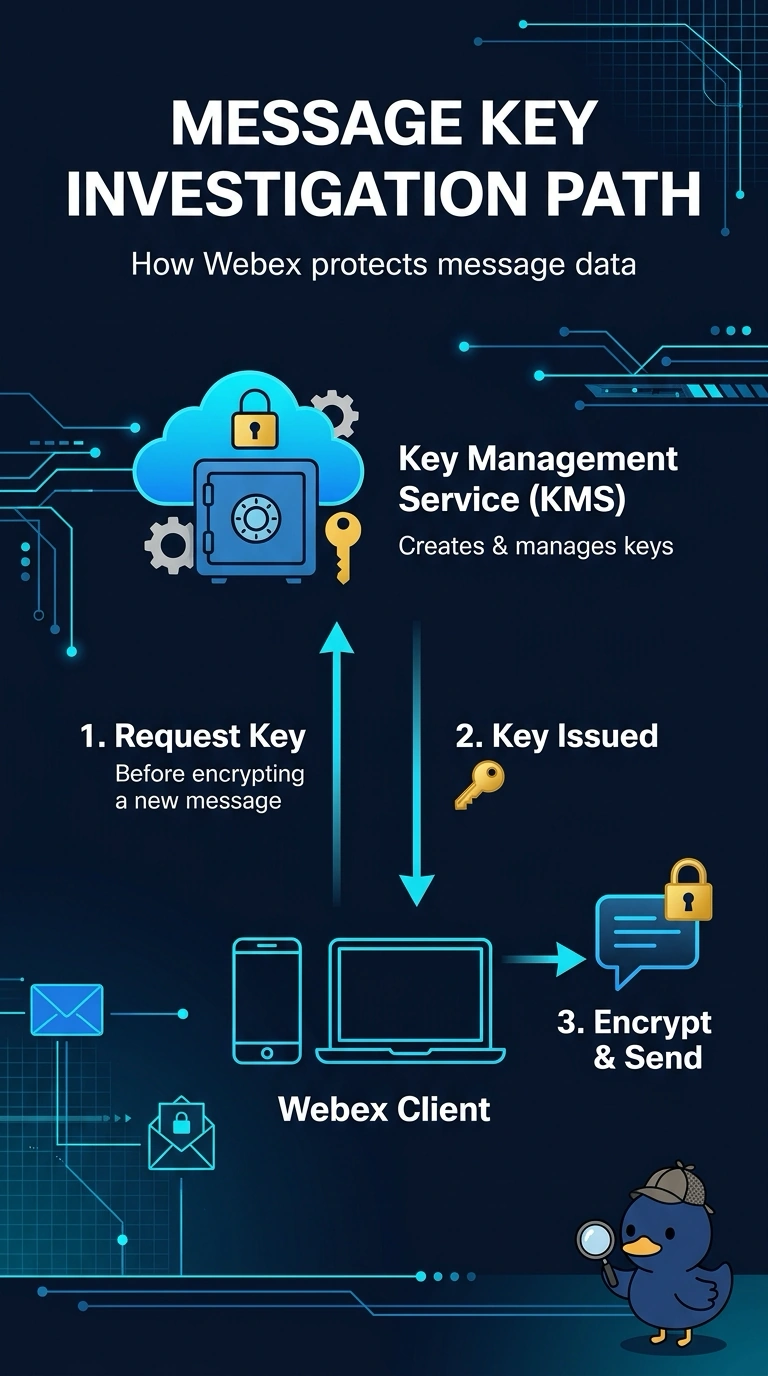
You can still open older messages, but sending a new one requires a fresh encryption key. Start with the Key Management Service, which creates and manages those keys; meeting entry settings do not create message keys.
Full Explanation
When a client cannot obtain a content key, investigate the Key Management Service request path. Clients encrypt each new Webex message with a key they must obtain at send time, and the Key Management Service creates and manages the keys Webex clients use for message encryption. Older messages can still open because clients already hold keys for content encrypted earlier; that does not show that a new key can be created now. The meetings site join and lobby settings decide who may enter a meeting, not whether a message key can be created, so changing them will not fix the send failure. The indexing service briefly decrypts content to build a hashed search index, but it does not mint new keys, so it is not the source of a failed key request. The content server stores encrypted messages and files that already exist and does not issue new keys, consistent with older messages still opening. Exam caveat: successful sign-in shows that identity authenticated the user; it does not create content keys. Practical check: from an affected hospital client, send a new message and confirm that its key request fails while an older message still opens, then trace that request to the Key Management Service.