
A bank branch reports choppy Webex audio. Monitoring shows packet loss only on the media addresses, while signaling stays up and users still complete sign-in. What should the network team treat this as?
Select an answer to reveal the explanation.
Short Explanation
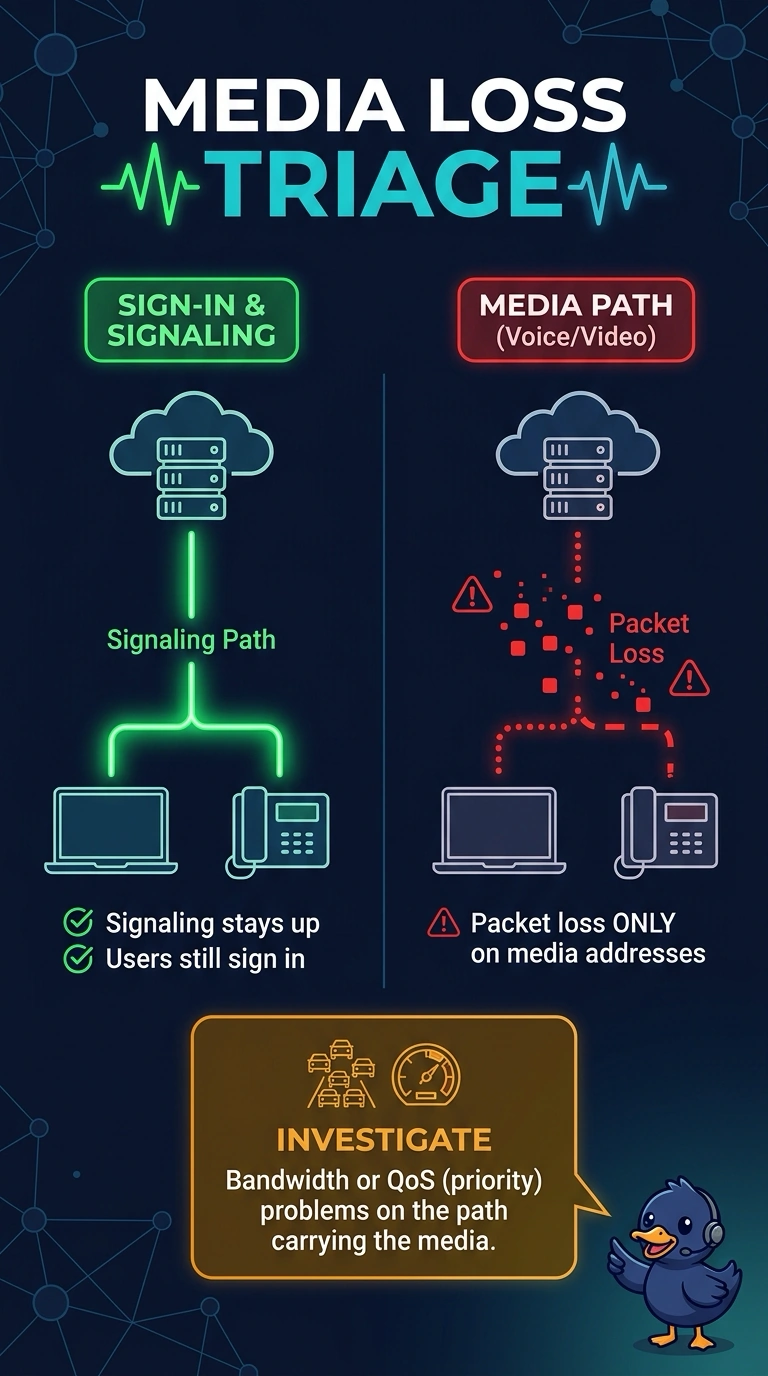
Think of signaling as the doorbell and the media as the conversation in the hallway. If the doorbell still works and only the hallway audio breaks up, you are looking at bandwidth or priority on the media path. Rebuilding single sign-on will not carry a single packet of voice.
Full Explanation
Packet loss limited to the media addresses, with signaling still up, means the call is established and the audio path is the part under stress. Treat that as a bandwidth or priority problem on the path that carries the media — Correlate the affected direction and path with link and queue statistics before attributing the loss to bandwidth or priority. Sign-in still completing shows the users are authenticated, so this is not an identity failure. A directory mismatch that dropped the branch users would remove accounts from Control Hub. People who can still sign in and place calls were not dropped, and a missing account does not show up as loss only on media addresses. A failed local gateway registration would threaten call setup. Live signaling means the call is already being signaled, so resetting trunk credentials does not explain audio that arrives damaged. A broken single sign-on trust that should be rebuilt would stop authentication. Audio quality does not follow the identity provider, and users who can still sign in are already past that trust. Exam caveat: a path that never carries the media will not display this call's loss, so confirm you are watching the media addresses. Operational check: compare loss on the media path during a choppy call with the same path while idle, and confirm voice is preferred over bulk traffic on that branch link.