
A lab team saved a webhook URL on an app in the Developer Portal, then tested it by pressing a button macro on a room device, and the webhook never fired. Why did that test miss the webhook?
Select an answer to reveal the explanation.
Short Explanation
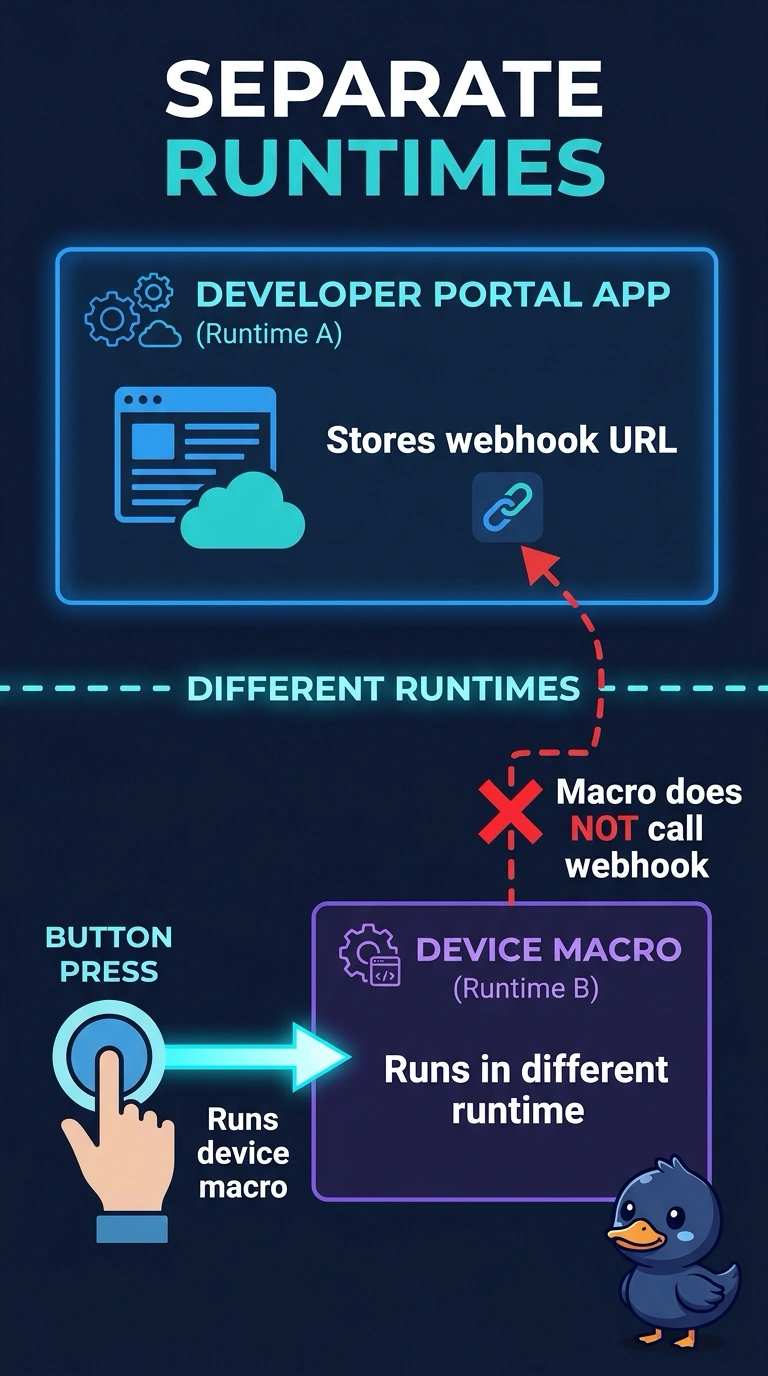
Think of a doorbell wired to the front desk, tested by pressing a button in a different building that was never tied to that bell. You treat the Developer Portal app and the device macro as different runtimes, because the button macro does not call the portal webhook. The trap is treating the macro as the webhook, creating a user with the People API, or publishing the macro in App Hub.
Full Explanation
A webhook configured on a Developer Portal app runs with that cloud app. Webex sends a POST to the registered webhook target when an event matches the webhook resource and event. A button macro is JavaScript on the room device and uses the on-device API, and it does not run in the cloud. A RoomOS button action must explicitly call a backend or produce a supported subscribed event to trigger that workflow. The test missed the webhook because the right description is to treat the Developer Portal app and the device macro as different runtimes, because the button macro does not call the portal webhook. Treating the button macro as the webhook runtime, because a button press on the device delivers the Developer Portal webhook, assumes the device button is the cloud webhook, and this press never called it. Creating a lab user with the People API, because a user-create call is what invokes that webhook URL, uses the user-administration API, and creating a user is not this webhook test. Publishing the macro in App Hub, because an App Hub listing is what fires the Developer Portal webhook on the next press, lists an integration or distributes a macro, and an App Hub listing does not invoke the portal webhook. Operational check: invoke the Developer Portal webhook with a test event aimed at that URL, and confirm the device button is not the test method.