
An architecture studio already uses company single sign-on for one chat tenant. A third-party bot is requesting read access to every project channel. Which control addresses that bot?
Select an answer to reveal the explanation.
Short Explanation
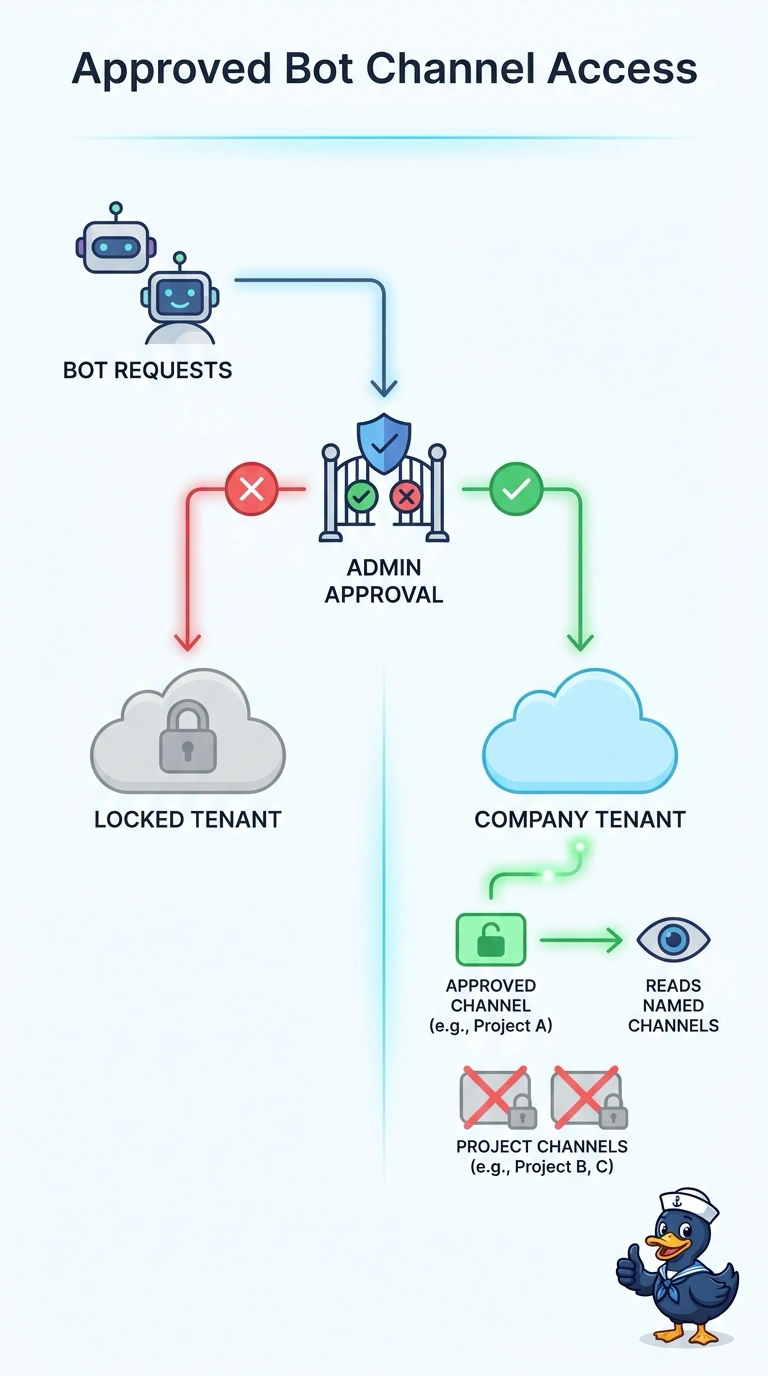
The stranger is already in the company lobby. You allow only approved bots to read named project channels in that tenant. Blocking the product name, sign-on alone, or a personal-tenant block does not review this bot.
Full Explanation
The bot is inside the approved tenant, so the gap is which plugin may read which channels. Use the SaaS platform’s bot scopes and channel permissions to enforce the approved access. Blocking the product name, sign-on with no bot review, and a personal-tenant block leave this company bot free to read every project channel. Require admin approval for bots in the company tenant and grant each bot access only to its approved project channels is the design that meets this requirement. A block on the chat product name that also stops the sanctioned company tenant is the wrong fit because blocking the product name removes the approved workspace and pushes staff toward unsanctioned copies of chat. Single sign-on alone, with no review of the channels a bot is allowed to read is the wrong fit because single sign-on decides who may enter the tenant and does not limit which channels a bot can read. A block on personal chat tenants while this company bot stays unreviewed by admins is the wrong fit because personal-tenant blocks do not review a bot that is already requesting access inside the company tenant. Exam caveat: Review the scopes the bot actually receives, not only its name in the catalog, or an approved name can still ask to read every project channel. Operational check: Approve a lab bot for one project channel and confirm it cannot read a second channel, while staff chat still works.