
A pharmaceutical company issues managed laptops to scientists who handle regulated formulas. Those laptops must send all traffic through the company for inspection, including traffic while the scientist is home. Which architecture fits?
Select an answer to reveal the explanation.
Short Explanation
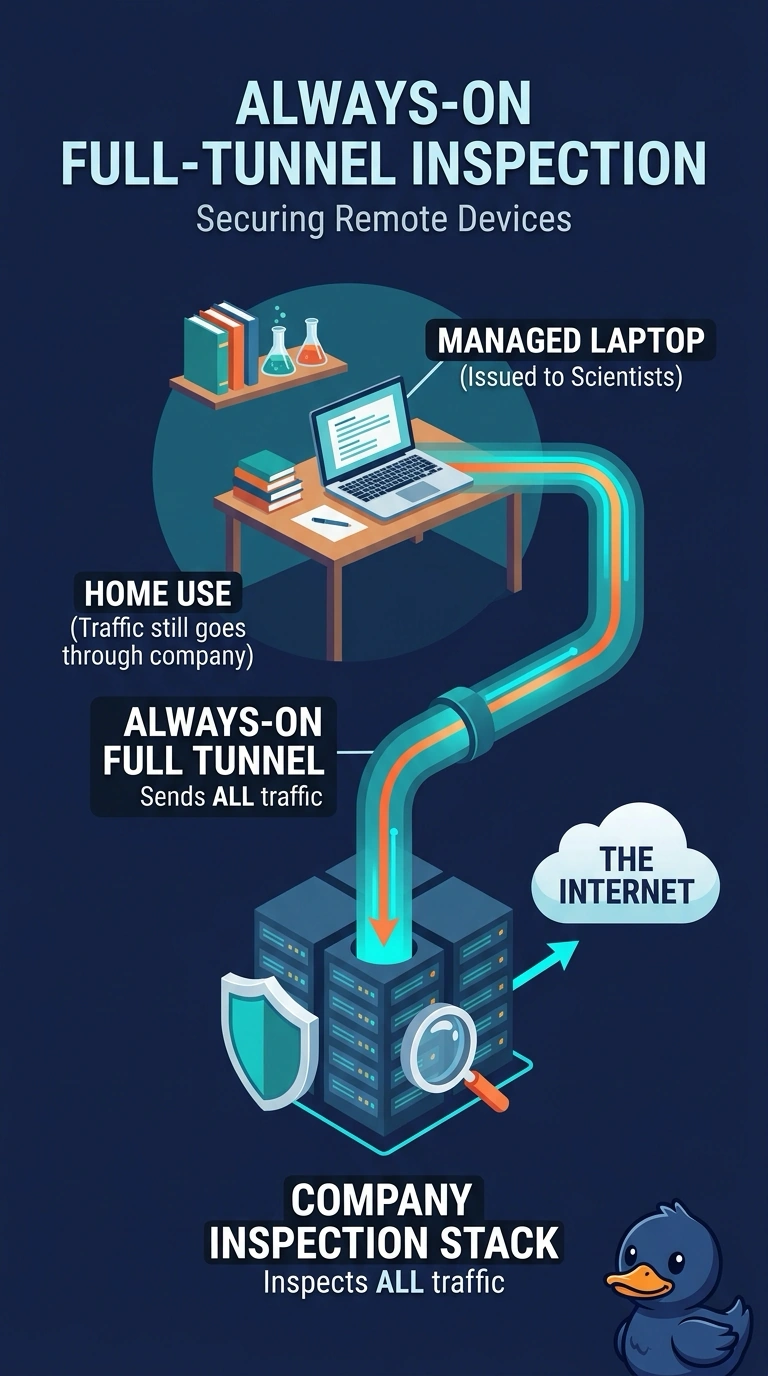
Your managed laptop is a company instrument, and you want every packet inspected—even at home. An always-on full tunnel from the laptop through the company’s inspection stack meets that need. A per-application bypass, split tunneling, or a tunnel from an unmanaged home router lets some traffic slip outside the stack.
Full Explanation
The requirement is inspection of all traffic from a managed laptop, not just access to one application. An always-on full tunnel from the laptop through the company’s inspection stack forces every flow through that stack, both at home and on site. A per-application bypass that sends the formula tool directly to the internet fails because it routes that traffic around inspection. Split tunneling that leaves general browsing on the home router fails because browsing avoids the company’s inspection stack. A site-to-site tunnel from a home router the company does not manage fails because that unmanaged router is not an appropriate anchor for regulated traffic. The VPN transport itself must reach its gateway over the underlying network. Configure Always-On fail-closed behavior and test any required local or bootstrap exceptions. Practical check: On a lab laptop using a home-like network, confirm that both a browse and a formula-tool call arrive at the inspection stack; then disable the tunnel and verify that general internet access is blocked.