
A university wants faculty on one sanctioned collaboration suite. People are already pasting research files into personal tenants of the same product. Which design brings that software-as-a-service use under control?
Select an answer to reveal the explanation.
Short Explanation
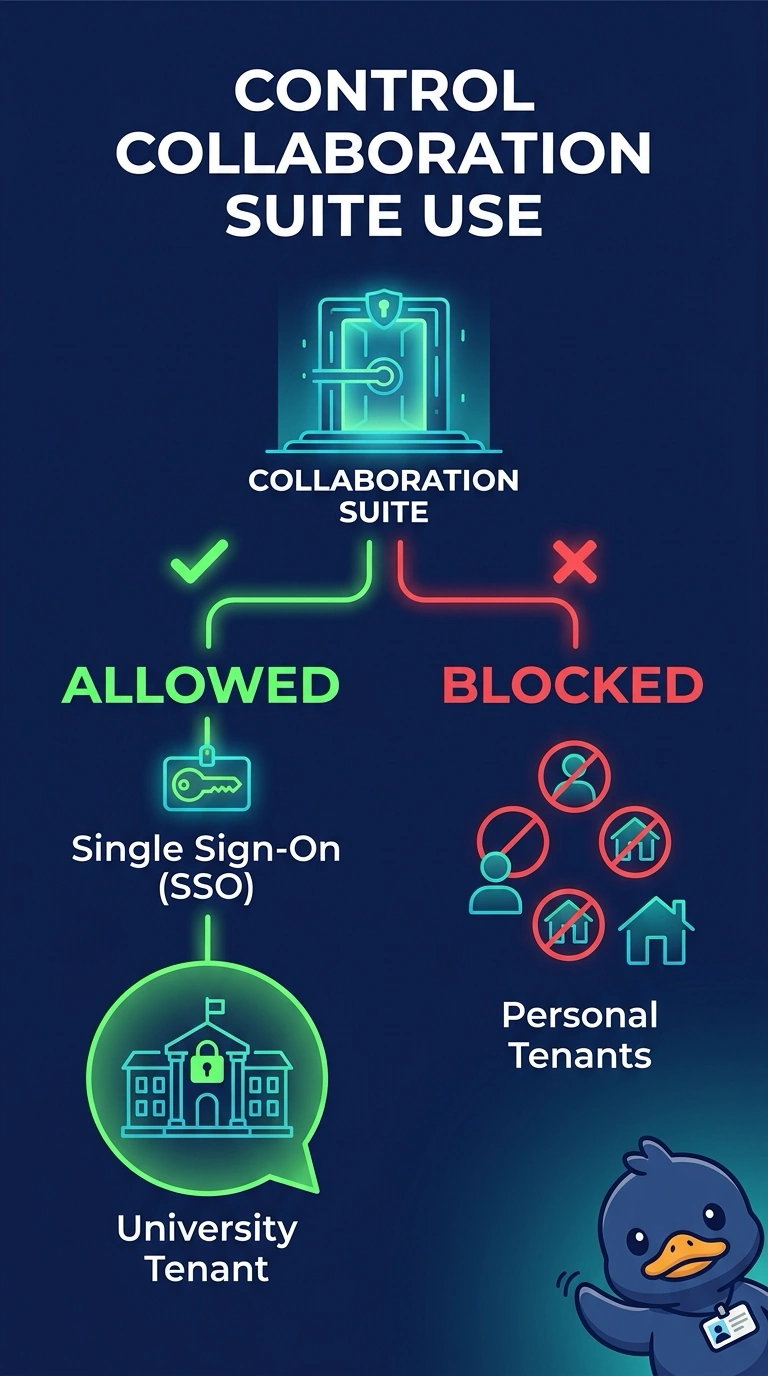
You can keep the library open while giving faculty a university card and turning away personal memberships. Single sign-on to the university tenant, with personal tenants blocked, controls the suite without sending research files to places you do not administer; a total DNS block, proxy bypass, or unchecked address allow does not.
Full Explanation
The university wants faculty to use the collaboration suite, so the design should make its managed tenant easy to reach and personal tenants unavailable. Single sign-on directs faculty to the university tenant, where university sharing and retention policies can apply, while blocking personal tenants prevents the same client from being used outside university control. A DNS block on the product’s name, with no sanctioned tenant offered, blocks the required work and may push it into other unsanctioned tools. A guest wireless network that bypasses the campus proxy for all destinations removes a place where traffic to the university tenant could be distinguished from traffic to a personal tenant. A firewall allow for the suite’s address range without identity or a tenant check cannot distinguish those tenants when they use the same product. Exam caveat: A tenant restriction applies only to supported application traffic processed by the configured enforcement path. Test browser profiles and other supported clients to verify coverage. Practical check: From a faculty lab account, verify that sign-in reaches the university tenant and that a personal-tenant login to the same product is blocked and logged.