
A media company's analysts export customer spreadsheets from an internal reporting application and sometimes mail them to personal inboxes. Leadership wants those files stopped when they contain customer identifiers. Which control matches the flow?
Select an answer to reveal the explanation.
Short Explanation
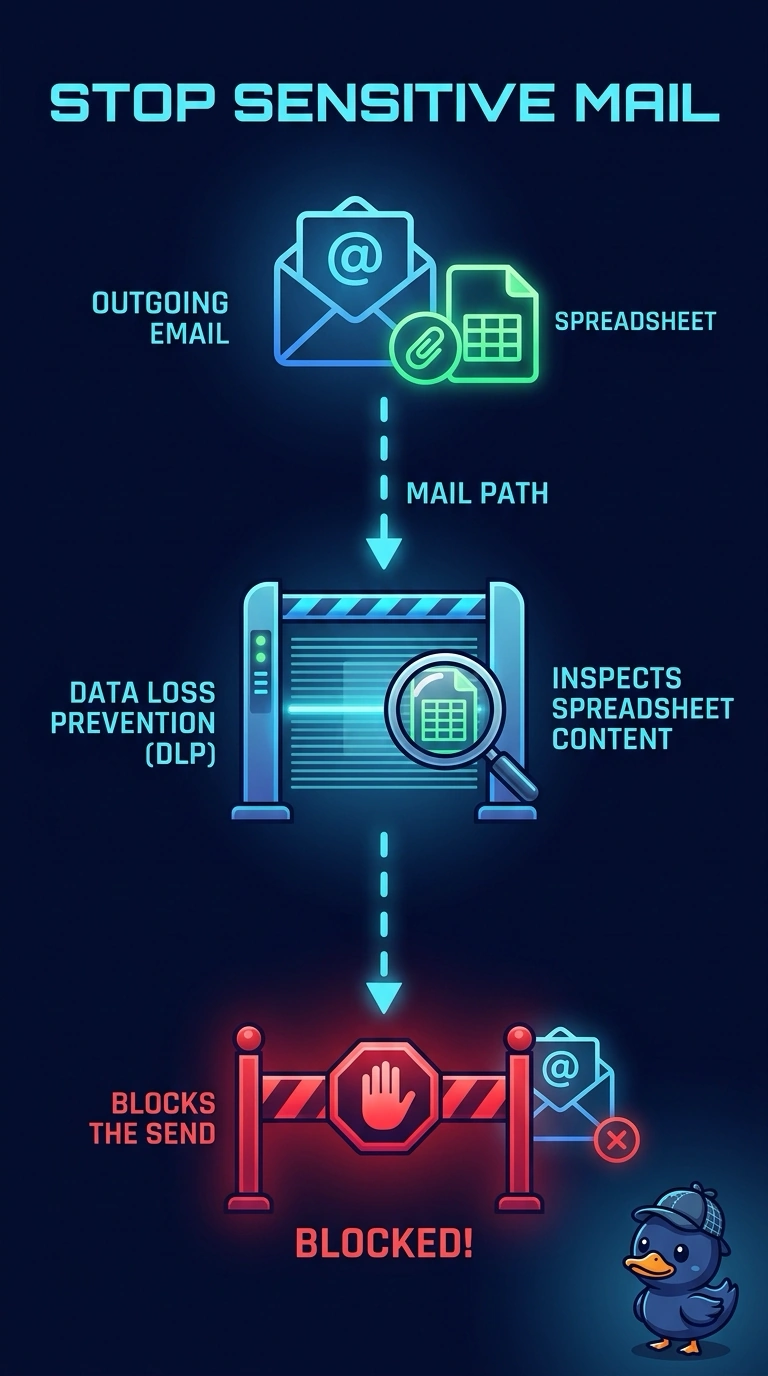
The leak is not the door into the warehouse; it is the box an employee mails home. You inspect the spreadsheet on the way out and you block the personal send. A database rule, TLS offload, or an exploit signature never looks inside that attachment.
Full Explanation
The sensitive action is a person moving a file to a personal inbox, after the application has already done its job. Data loss prevention on the mail path can recognize customer-identifier patterns in a spreadsheet and block that send. A database firewall rule, a TLS offload choice, and an exploit signature each solve a different flow and never open the attachment. Data loss prevention on the mail path that inspects spreadsheet content and blocks the send is the design that meets this requirement. A network firewall rule that allows the reporting application to its database is the wrong fit because the database allow rule does not look at a file a person later attaches to personal mail. TLS offload on the reporting application so the server stops terminating TLS is the wrong fit because who terminates TLS does not decide whether a spreadsheet of customer identifiers may leave. An intrusion prevention signature for a known remote-code exploit on a firewall is the wrong fit because an exploit signature does not read a spreadsheet or know that the destination is a personal inbox. Exam caveat: Content inspection has to be able to read the file type you care about. An encrypted archive with a password the proxy cannot unwrap will not match the identifier rule. Operational check: Mail a lab spreadsheet that contains a test customer identifier to an outside inbox and confirm the send is blocked and logged, then confirm an ordinary note still sends.