
A hospital branch tunnels only private addresses and sends internet traffic straight out to the local carrier, so cloud web policy never evaluates those internet sessions. What brings that web traffic under the cloud policy?
Select an answer to reveal the explanation.
Short Explanation
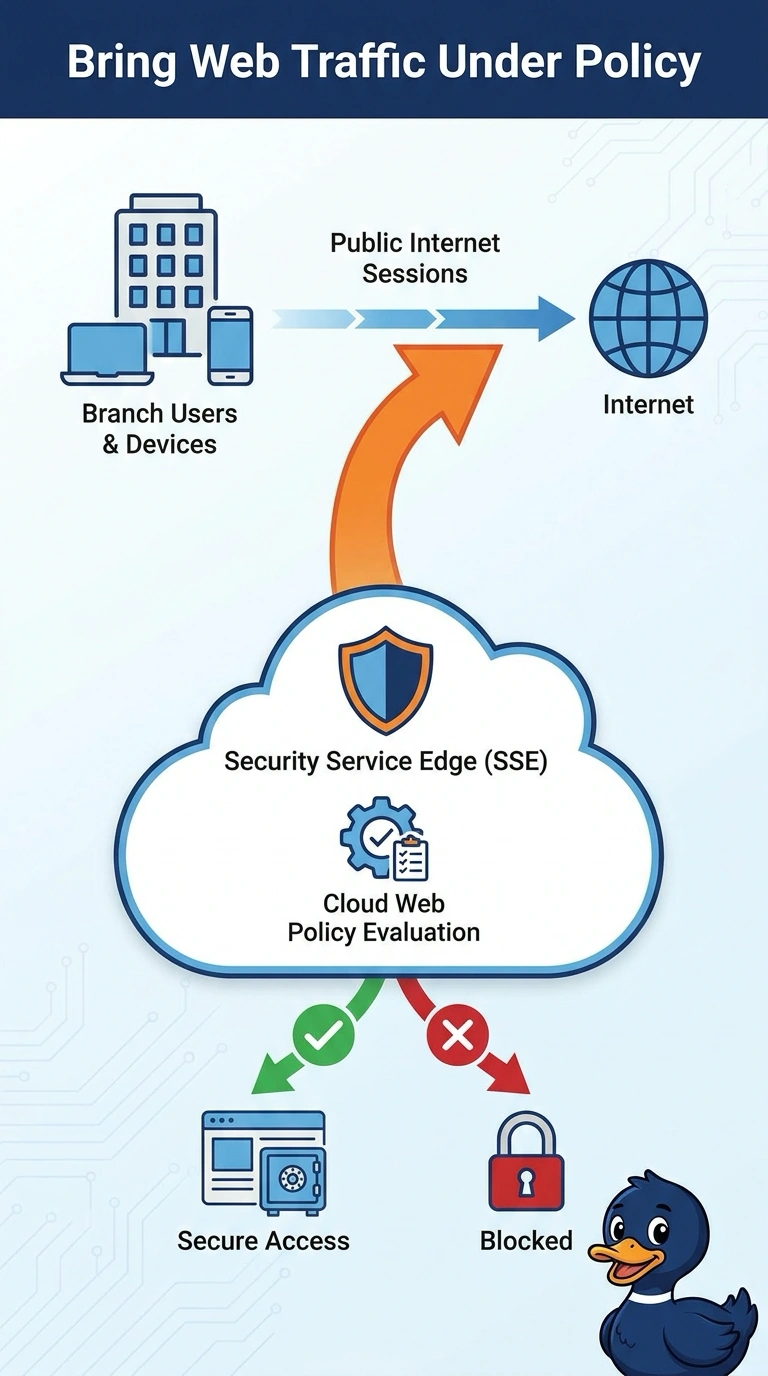
You can bring these sessions under the cloud policy by steering branch internet traffic into the security service edge, where it can be evaluated. Think of it as sending traffic to the screening desk before it reaches the public internet. A more specific private route, direct breakout, or resource connector won’t apply cloud web category controls to public sites.
Full Explanation
Traffic that breaks out straight to the internet never enters the security service edge, so cloud web policy does not evaluate it. Steering the branch internet traffic into the security service edge puts those public sessions under that policy. Adding a more specific private route only changes how private addresses use the private tunnel; it does not make that tunnel the web policy decision for internet sites. Keeping the direct internet breakout confuses path selection with allowing or blocking a site: choosing a path does not itself allow or block the session, and the traffic still bypasses cloud web policy. Installing a resource connector at the branch does not solve this either, because a resource connector exposes named private resources over an outbound connection rather than enforcing web category controls on public internet sites. Exam caveat: direct internet traffic that never enters the security service edge cannot be evaluated by the cloud policy, even if the branch’s path choice is intentional. Operational check: after steering is enabled, browse from the branch to a site blocked by the cloud policy and confirm that the security service edge log shows the session.