
A clinic uploads spreadsheets of patient account numbers through an inspected private application. The only rule blocks every medical image type, and those spreadsheets still pass. What should the inspection rule match instead?
Select an answer to reveal the explanation.
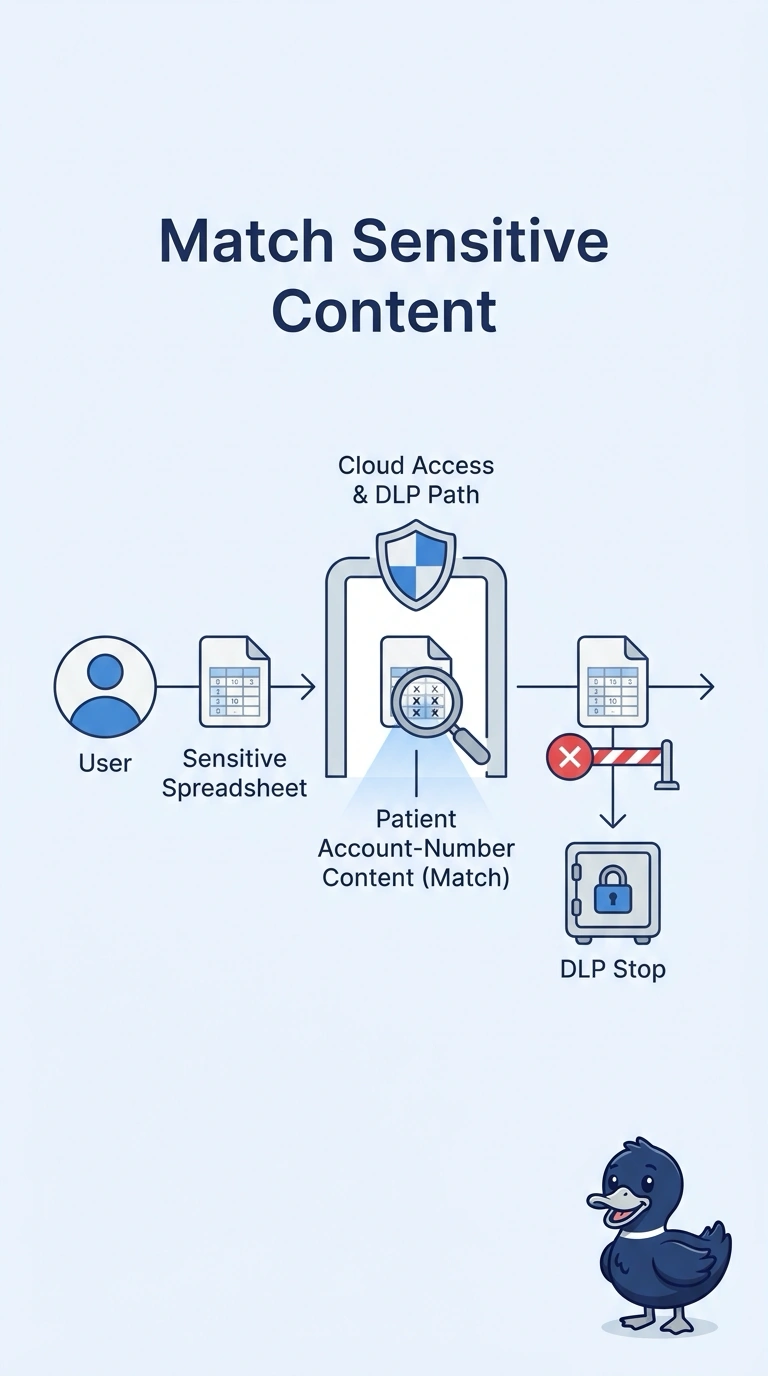
Short Explanation
Locking up every photo album does not stop someone from walking out with the billing ledger. You match the account-number content in the spreadsheet so data-loss prevention can stop that file on the inspected path. The trap is keeping a medical-image block and calling it coverage for a spreadsheet.
Full Explanation
Data-loss prevention on an inspected path looks for the sensitive content, and here that content is the patient account numbers inside the spreadsheet. Matching the patient account-number content lets the rule stop that file, which a file-type block aimed at pictures will never do. An intrusion-prevention signature for a web exploit looks for an attack pattern against the application, not for account numbers stored in a column. Malware analysis judges whether the file is malicious and will allow a clean spreadsheet even when it is full of account numbers. Keeping the block on every medical image type continues to miss the spreadsheet, because a spreadsheet is not a medical image. Exam caveat: none of these inspection types can read the spreadsheet if decryption is off, and a purely east-west copy that never crosses the inspection point is also invisible. Operational check: upload a test spreadsheet that contains sample account numbers over the decrypted private-application path and confirm the data-loss rule blocks it while a medical image rule is no longer the only control.