
Cisco XDR shows that a compromised account at a research laboratory still has an active Secure Access remote access VPN session from the compromised user's device. Which action contains that session?
Select an answer to reveal the explanation.
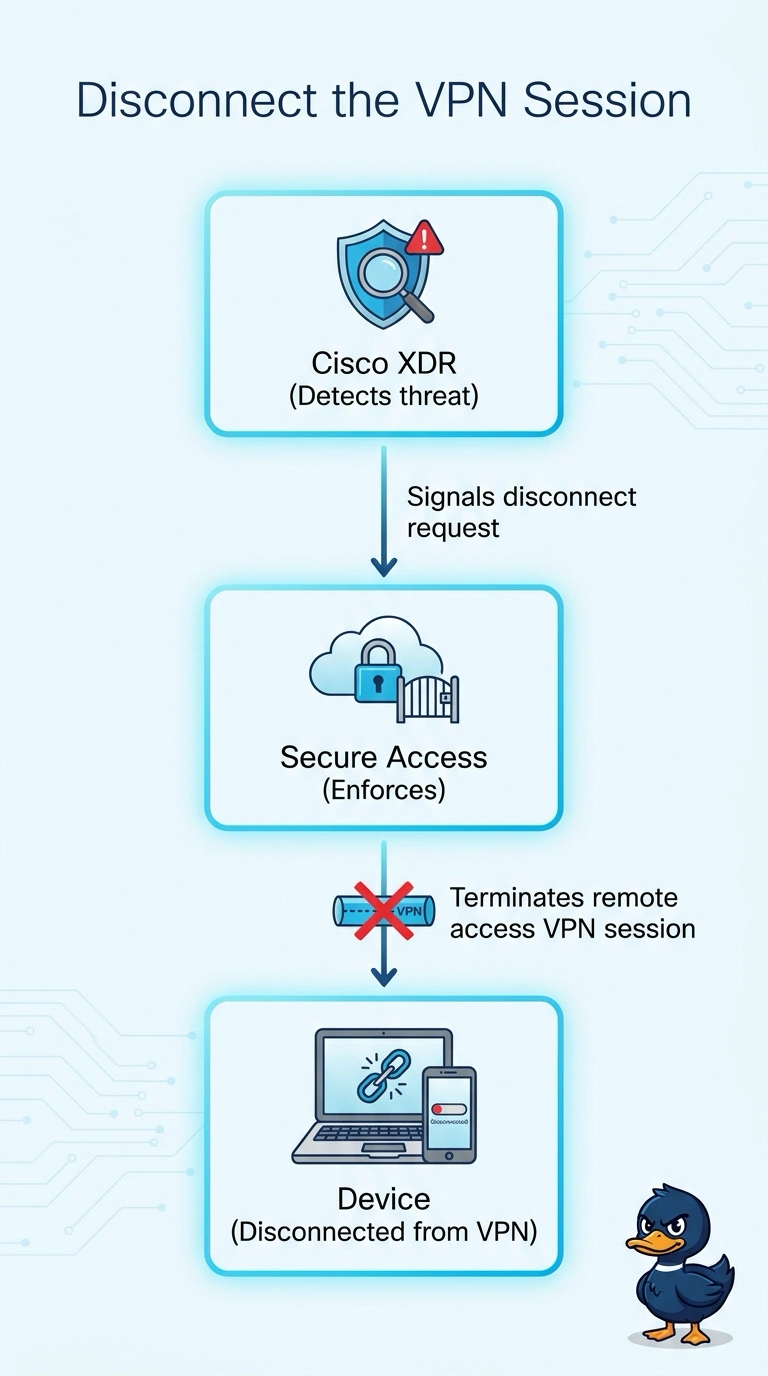
Short Explanation
Switching off a lamp in one room does not end a call that is still connected downtown. You disconnect the device's remote access VPN session from Secure Access, because a firewall change on the laptop leaves that session up. The trap is securing the endpoint and assuming the VPN session dies with it.
Full Explanation
The incident says the compromised user's device still has an active Secure Access remote access VPN session. Containment is to disconnect that device's remote access VPN session from Secure Access. The action also revokes the device certificate and prevents new VPN sessions from that device. A local host firewall change does not reach a session that is already established. Adding a host firewall deny on the researcher laptop may stop some new traffic from that device and still leave the VPN session running, which misses the containment XDR is pointing at. Raising the Splunk alert threshold hides the same session from view. A higher threshold does not end the session, and hiding a compromised session repeats the mistake of silencing a signal instead of responding. Clearing the block reason field on the Secure Access dashboard edits how a row is displayed. It does not make the session healthy, and the block reason is evidence, not a switch that grants access. Exam caveat: forwarded events let a session sit beside endpoint evidence in Cisco XDR, and containment still has to act on the session itself. Operational check: after the disconnect, confirm the session is gone and that the device cannot start a new VPN session.