
Analysts at an electric utility work in Cisco XDR, but web blocks are still visible only inside the Secure Access console. How should those blocks show up with email and endpoint alerts?
Select an answer to reveal the explanation.
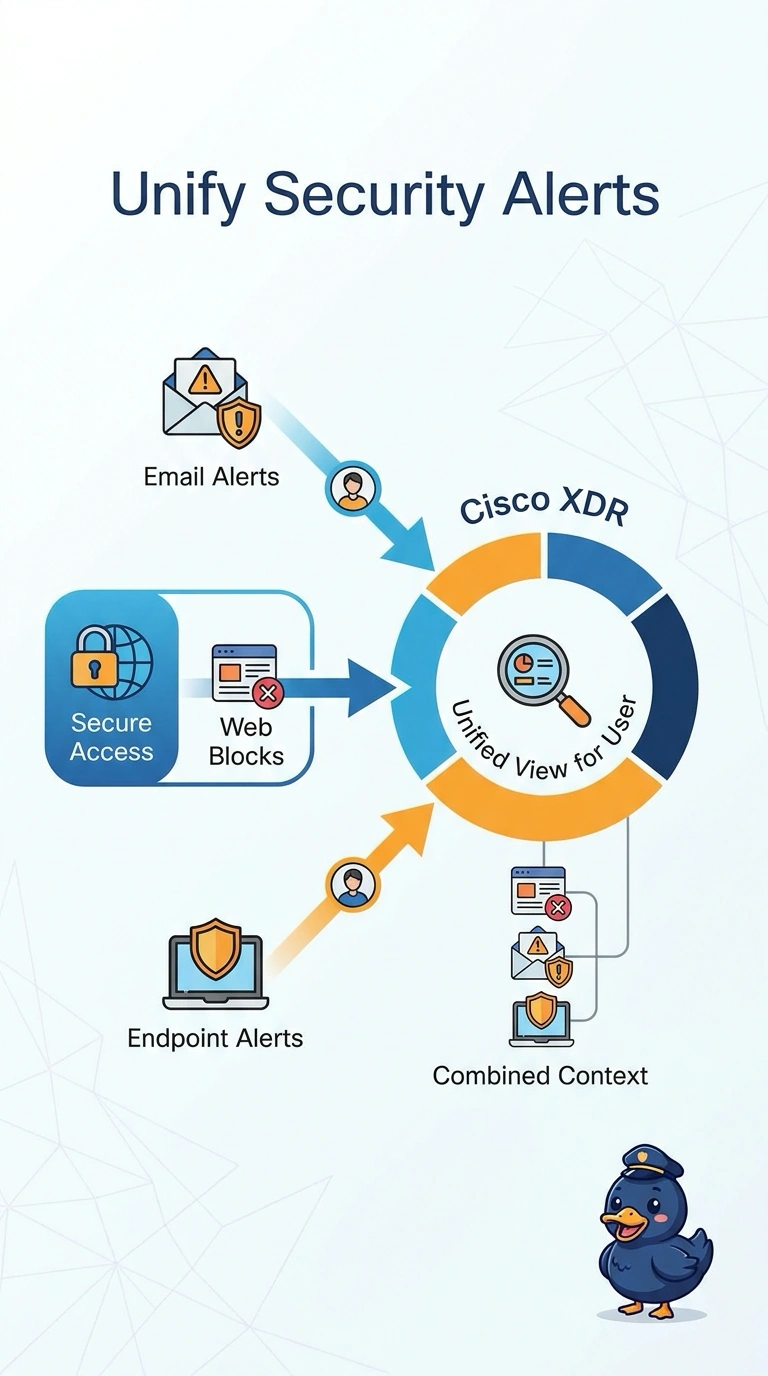
Short Explanation
Three clues in three buildings do not become one case until someone puts them on the same desk. You forward Secure Access events into Cisco XDR so a web block sits beside the email and endpoint alerts. A weekly spreadsheet, or stripping the user field, leaves the analyst without that pivot.
Full Explanation
Cisco XDR is where a web block is supposed to sit beside an email alert and an endpoint alert for the same activity. Send selected Secure Access security events to the configured XDR listener. Correlate them with email and endpoint evidence using shared indicators and the event timeline, which is where these analysts already work. Exporting a weekly spreadsheet and pasting rows by hand is a delayed copy that will miss the hour the investigation actually happens. Treating the web block as a separate attack from the email alert and the host alert splits one user's story into unrelated cases even when all three name that user. Dropping the user field while forwarding removes the pivot that lets an analyst move from the block to the person. The same forwarded block is one event in the investigation, not a second attack created by the act of forwarding. Exam caveat: a broken integration stops new events from arriving, so an empty XDR view after a cutover is a pipeline failure, not proof that the utility had no web blocks. Operational check: block a test request for a known user and confirm that block appears in XDR with the user intact, next to a matching email or endpoint alert for that user.