
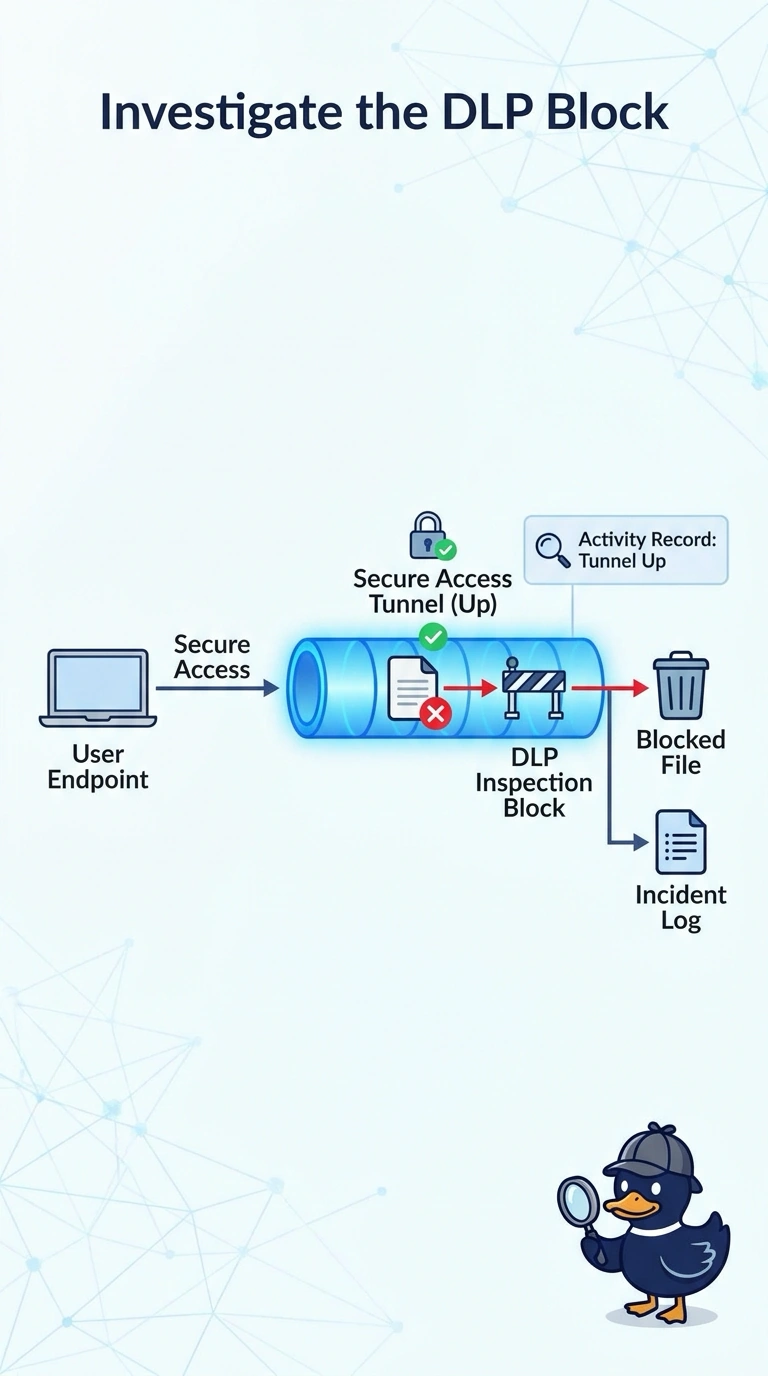
A bank employee says the VPN is down, but Secure Access activity shows the tunnel up and a data-loss prevention block on the file the employee tried to send. What should the analyst investigate first?
Select an answer to reveal the explanation.
Short Explanation
The door log can show you got inside while the clerk still stopped the folder in your hand. You work the data-loss prevention block, because the activity record says the tunnel is up. The trap is rebuilding the VPN from the user's report, rebooting another firewall, or hiding the event behind a loss threshold.
Full Explanation
Secure Access activity that shows the tunnel up and names a data-loss prevention block is telling you the session connected and a content rule stopped the file. The analyst should work the data-loss prevention block shown against the file while the activity record says the tunnel is up. Tearing down and rebuilding the VPN treats a user outage report as stronger than the activity record. A rebuild does not explain a block reason, and it interrupts a tunnel the dashboard already shows as up. Rebooting an unrelated branch firewall changes a device that is not identified in the block. Waiting to see whether the file block clears confuses a policy action with a crashed box. Raising the packet-loss threshold edits a path-quality alert. Packet loss is a different signal from a data-loss prevention block, and hiding a threshold does not release the file or document why it was stopped. Exam caveat: a path-quality tool can still be healthy while a policy deny stands, so a green path test does not overturn the block. Operational check: open the block reason on that file event, identify the data rule that matched, and decide whether the transfer should stay blocked or the rule should be adjusted for that business case.