
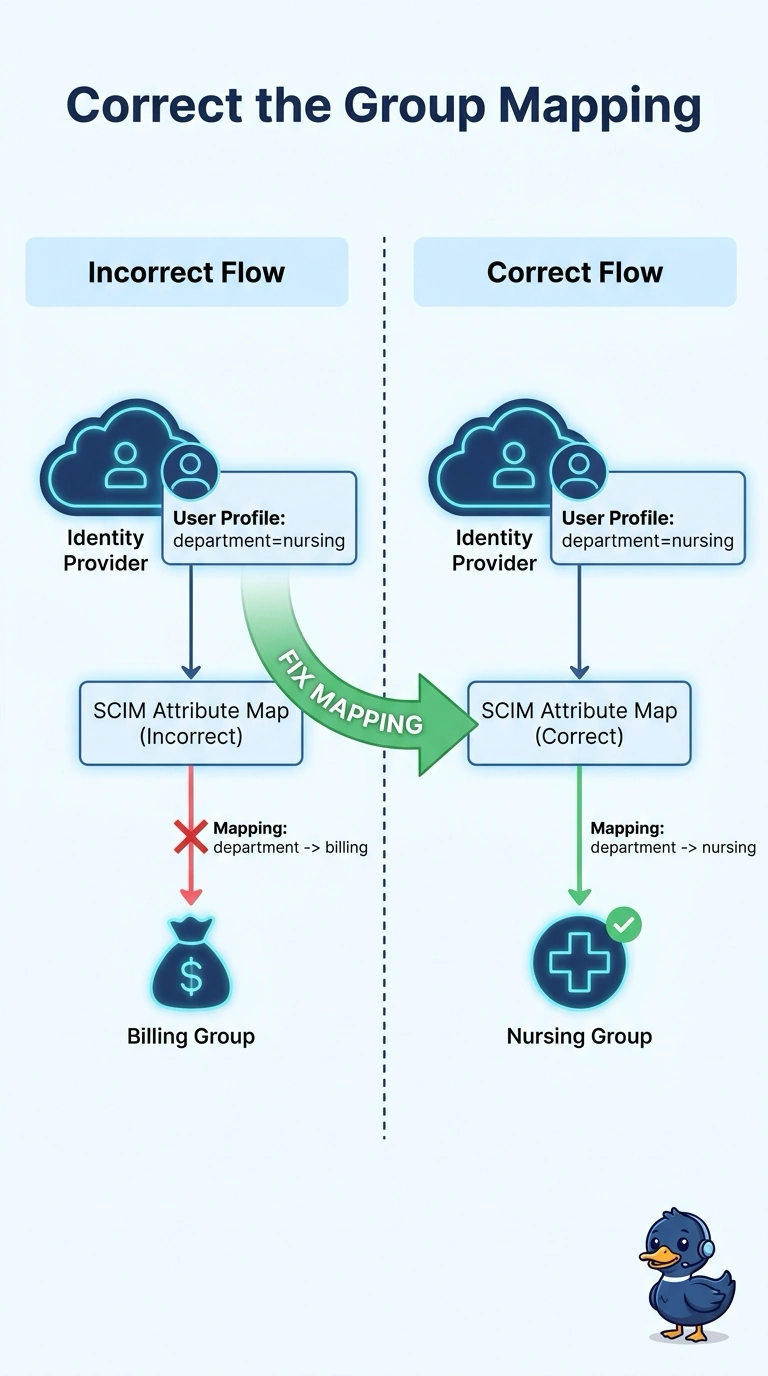
After provisioning, nurses at a clinic receive the billing group's access in the payroll application. The department attribute is present in the feed, and it is landing on the wrong group. What should be corrected?
Select an answer to reveal the explanation.
Short Explanation
The form reached the right building and then landed in the wrong mail slot. You fix the attribute map that provisioning uses, because the department value is being sent into the billing group. The trap is debugging the sign-in ceremony when the group was assigned earlier.
Full Explanation
Group membership in the application is coming from the provisioning feed. The SCIM attribute map that sends the department value into the billing group is what places nurses with billing, so that map has to send the department to the nursing group instead. The SAML audience value tells the application whether an assertion was issued for it. Audience checking accepts or rejects the login. It does not select group membership after the assertion is accepted. Just-in-time account creation can build an account at first login. It does not rebuild each nurse's groups from the password typed at the login prompt, and a password is not a department attribute. The endpoint posture check measures device health such as disk encryption. It does not assign department groups, and a healthy laptop does not decide whether someone works in nursing or billing. Exam caveat: the people in scope have to land in the right group, or the wrong staff inherit another team's access. Operational check: compare one nurse's department value in the identity provider with the group the application shows after the next provisioning cycle, and confirm billing is no longer attached.