
A hospital mobile app still presents its own password form and checks the directory password on the device. The hospital wants SAML sign-in for that app. What should the app do?
Select an answer to reveal the explanation.
Short Explanation
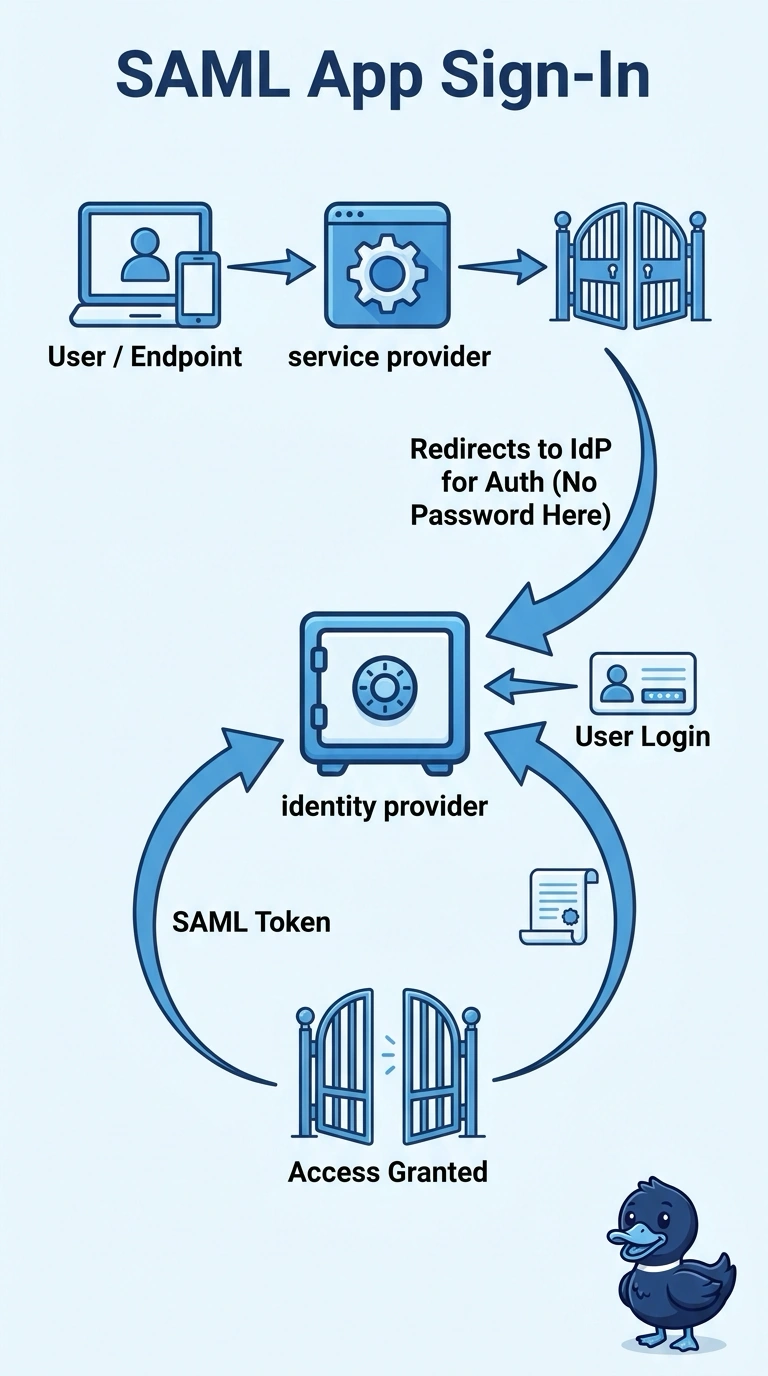
A shop that takes your house key and tries it locally is not walking you over to the building office. For SAML, this mobile app is the service provider and should send the user to the identity provider. The trap is leaving a directory-password form on the device and calling that single sign-on.
Full Explanation
In SAML the application is the service provider and the identity provider issues the signed assertion. This hospital app should act as the service provider and send the user to the identity provider instead of collecting the password. Keep collecting the directory password on the device and validate it as though the app were the identity provider leaves the app in the wrong role, and a local password form means single sign-on is not actually in the path. Deprovision the account with SCIM at every launch, which is not the job of a SAML sign-in for this app, confuses provisioning with authentication. SCIM creates, updates, and removes accounts. It does not replace the sign-in redirect. Measure disk encryption in the password form, which is a posture check rather than SAML trust for the app, asks the sign-in flow to measure the device. SAML does not, by itself, measure the device. Exam caveat: if the mobile app still shows a local directory password form, SAML is not the path the user is on. Operational check: start a sign-in and confirm the app redirects to the identity provider and does not accept the directory password locally.