
A lawyer enrolled Windows Hello as a passwordless Duo platform authenticator on one office PC and expects that same sign-in on a second PC. Which statement explains the failure?
Select an answer to reveal the explanation.
Short Explanation
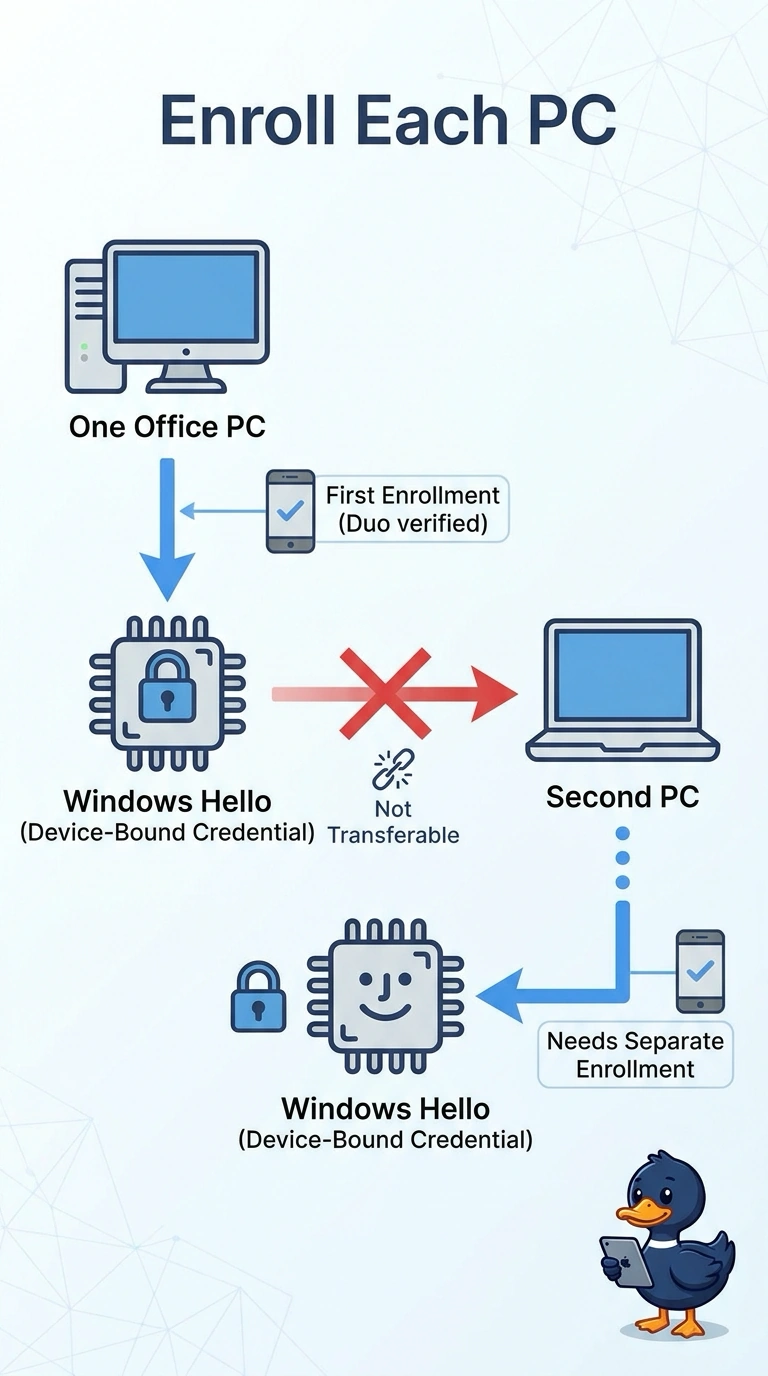
Think of Windows Hello as a device-bound authenticator: it is enrolled as a device-bound platform authenticator on the PC where you set it up, so you need a separate enrollment on the second PC. Your account sign-in and an administrator’s panel assignment do not copy that credential, and Duo Push with Bluetooth proximity cannot recreate it.
Full Explanation
Windows Hello enrolled for passwordless Duo on one PC is a device-bound platform authenticator. It stays on its enrolled device, so the second PC needs an enrollment of its own; sign-in there will fail until that enrollment exists. A supported synced passkey can be available on other devices, but that is not what was enrolled here. Expecting Windows Hello to roam with the lawyer’s account and copy the existing authenticator treats a device-bound credential as if it followed the account. Having an administrator assign the platform authenticator from the Duo admin panel does not make the second PC inherit the enrollment; an administrator’s panel action does not create this device-bound credential there. Turning on Duo Push with Bluetooth proximity at the second PC enables a different method and does not recreate the Windows Hello credential. Exam caveat: an account being available on multiple PCs does not make a platform authenticator registered on one PC available on another. Practical check: on the second PC, confirm whether that user has enrolled a platform authenticator there; if not, enroll one on that device before expecting Windows Hello sign-in to work.