
A hospital identity team registers a roaming security key for a surgeon from the Duo admin panel and says the next sign-in will be passwordless. The surgeon is still asked for a password and then for the key. Which enrollment outcome explains that result?
Select an answer to reveal the explanation.
Short Explanation
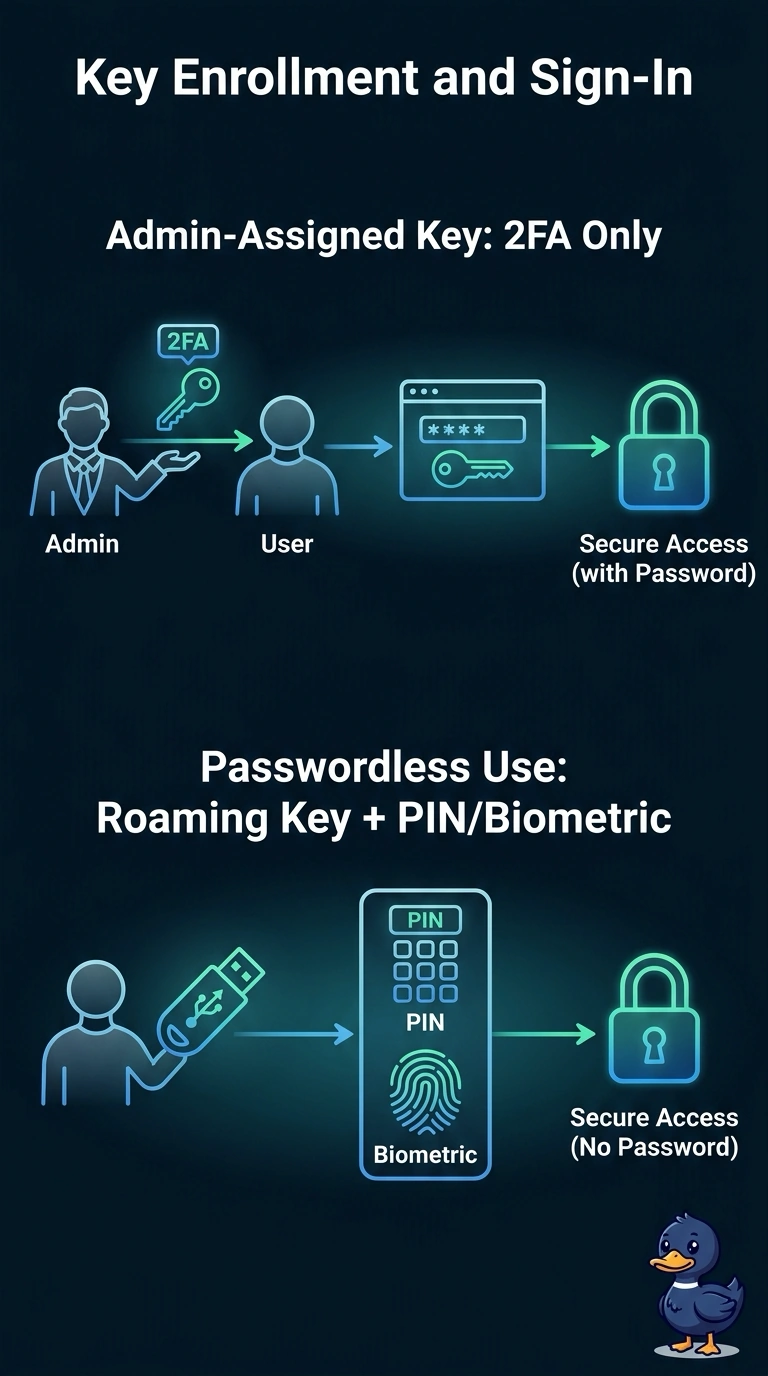
Handing someone a spare house key from the office safe does not turn off the door alarm. You still have a second factor until that person enrolls the roaming key and sets a PIN or biometric. The trap is believing the admin panel can finish a passwordless enrollment the user has to do.
Full Explanation
An administrator who assigns a security key in the Duo admin panel registers that key as a second factor only. Passwordless use of a roaming key is a separate enrollment the surgeon completes, and that enrollment has to include a PIN or a biometric on the key, so the hospital sign-in keeps asking for the password until the user finishes it. Replacing the hospital SAML signing certificate changes which key signs application assertions. It does not convert the assigned factor into a passwordless authenticator or skip the password prompt. Disabling Duo Push removes one method from the account, but it does not rewrite the admin-assigned key into the only passwordless method. A device-bound platform credential stays on its enrolled device. A supported synced passkey can be available on other devices. Marking the roaming key as a platform authenticator therefore misses the enrollment model, and a shared workstation does not inherit that registration as a passkey. Exam caveat: an admin-assigned security key and a user-enrolled roaming key answer different questions even when the hardware looks identical. Operational check: open the surgeon's Duo enrollment and confirm the key remains only a second factor until the surgeon completes passwordless enrollment with a PIN or biometric.