
A hospital imaging workstation had its device certificate exported to a file, and that file was copied onto an untrusted share. The imaging team needs the copied key to stop authenticating to private applications. The private key was exported with the certificate, and the private applications enforce current certificate revocation information. What should identity do first?
Select an answer to reveal the explanation.
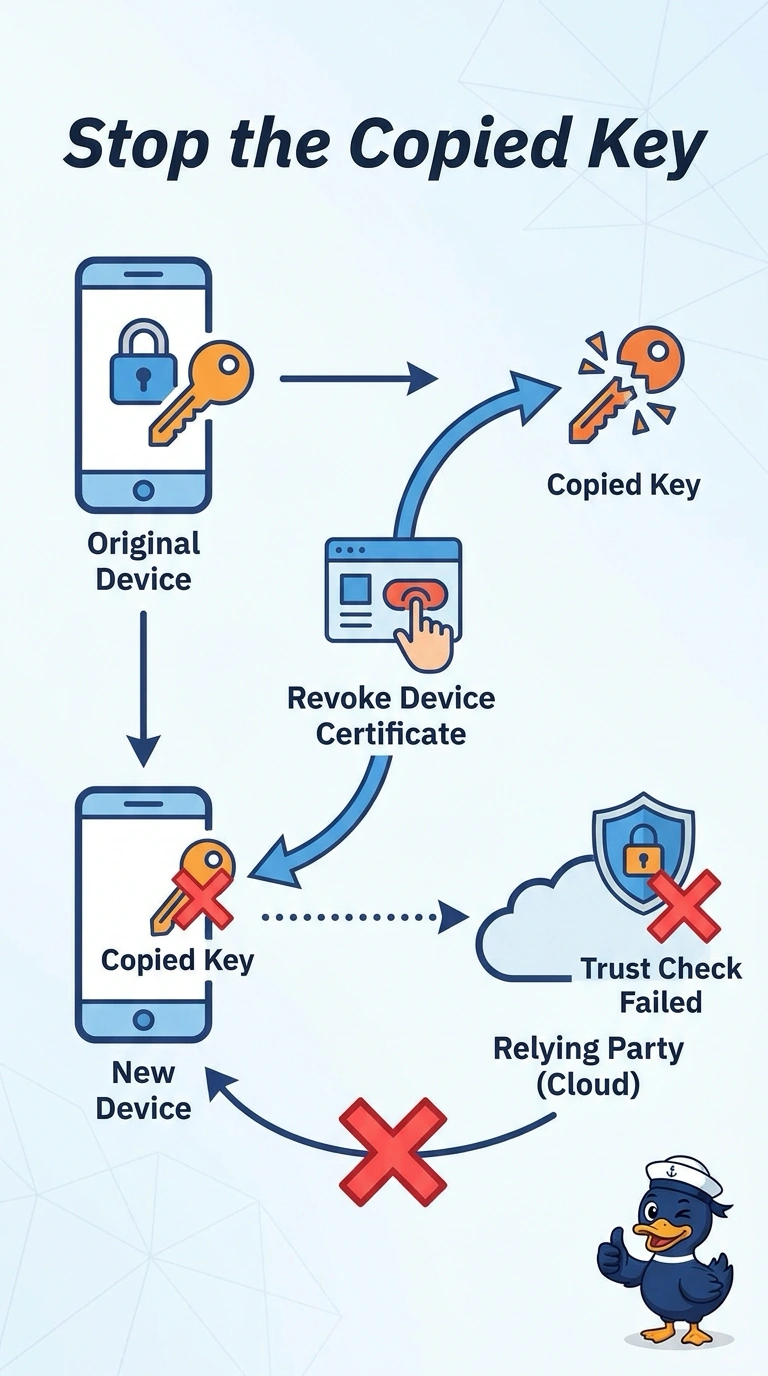
Short Explanation
Think of a copied house key: making a new key does nothing while the old copy still turns the lock. You revoke the exported device certificate so the copied key fails the next trust check. Issuing a second certificate while leaving the exported one valid would leave the copied key working.
Full Explanation
Because the private applications enforce current revocation information, a revoked certificate is rejected at the next check. A device certificate proves possession of a key that a relying party already trusts, and exporting that key to a file does not change what the certificate asserts. Revoking the exported device certificate retires that credential, so the copied key fails the next trust check even if its file remains on the untrusted share. Issuing a second device certificate for the imaging workstation while leaving the exported certificate valid adds a new credential beside the exposed one; the copied key can still authenticate. Replacing the identity provider’s SAML signing certificate changes the signature used for SAML assertions, but does not invalidate the exported device certificate. Deleting the certificate file from the imaging workstation removes only that local copy; copies elsewhere remain unrevoked and can still authenticate. Exam caveat: issuing a replacement certificate does not automatically revoke its predecessor. Practical check: confirm the original certificate’s serial number appears on the revocation list consulted by the relying party, then try authenticating with the copied file and verify that the attempt is rejected.