
On a hospital campus LAN, VPN as a service is hairpinning ward traffic out to the cloud and back before it reaches a server on the same LAN. The team wants that on-LAN traffic to stay local. Which behavior fits?
Select an answer to reveal the explanation.
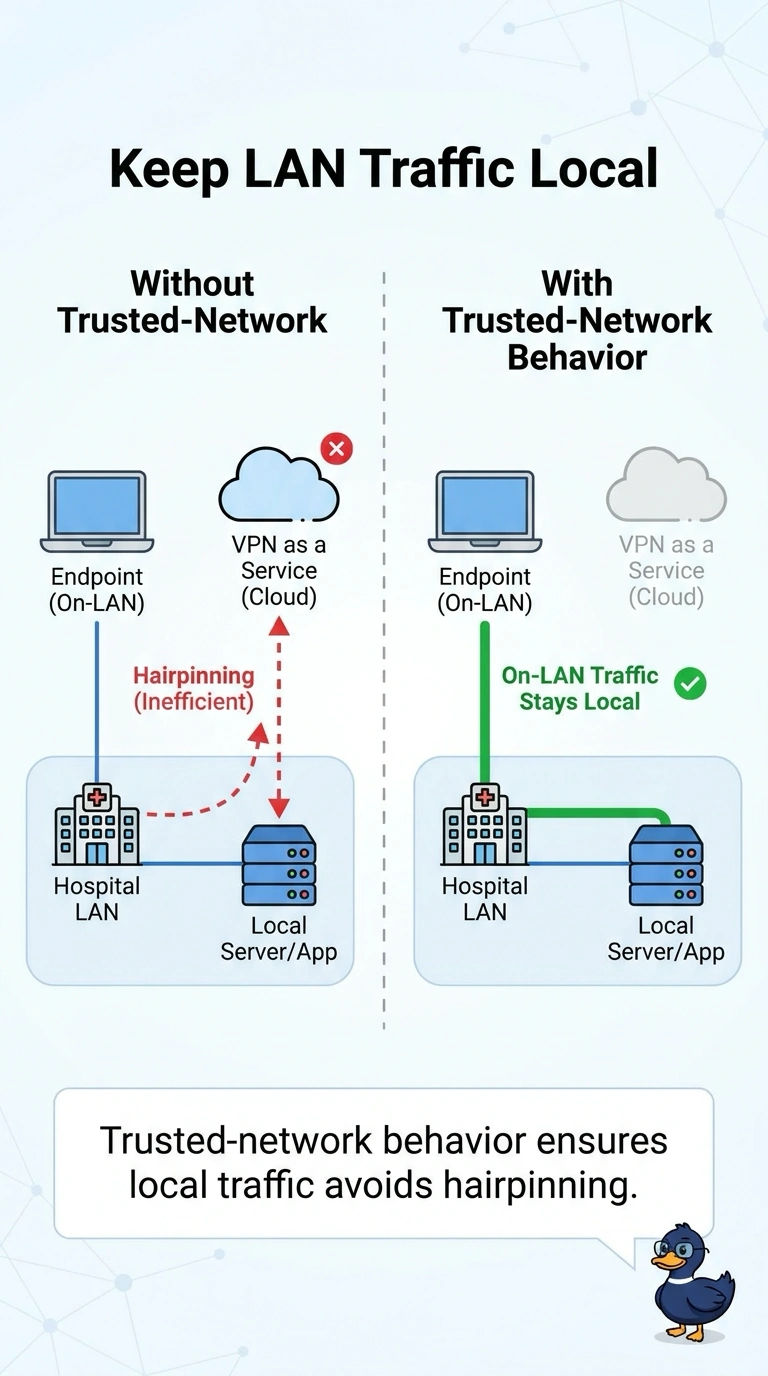
Short Explanation
Driving out to the highway and back just to visit the house next door wastes the trip. On this hospital LAN, you want trusted-network behavior for VPN as a service so local traffic stays local instead of hairpinning through the cloud. Forcing that hairpin is the wrong fit when the server already sits on the same campus.
Full Explanation
VPN as a service can send a laptop's traffic to Secure Access, and on this campus that full-tunnel path is hairpinning ward traffic that did not need to leave the LAN. Trusted-network behavior for VPN as a service keeps traffic that is already on the hospital LAN local instead of hairpinning it. Forcing the full-tunnel hairpin for every destination, including servers on the same campus LAN, is the pattern the team is trying to stop. Local clinical traffic pays a round trip to the cloud for a server sitting on the same LAN. A browser bookmark to the ward server only helps if clientless access publishes that server as a web page. It does not change the tunnel behavior of VPN as a service, and it does not keep other LAN traffic local. An unmanaged public proxy on the laptop is not a private-access method. It does not select an on-LAN path for VPN as a service, and it takes traffic outside hospital policy. Exam caveat: keeping on-LAN traffic local does not skip identity on a later private-application request from a remote network. Operational check: from a laptop on the campus LAN, confirm ward-server traffic stays on the LAN while a remote laptop still reaches the same server through VPN as a service.