
A bank data-loss rule blocks every spreadsheet, including harmless branch schedules that contain no account data. What should the rule match instead of the file extension?
Select an answer to reveal the explanation.
Short Explanation
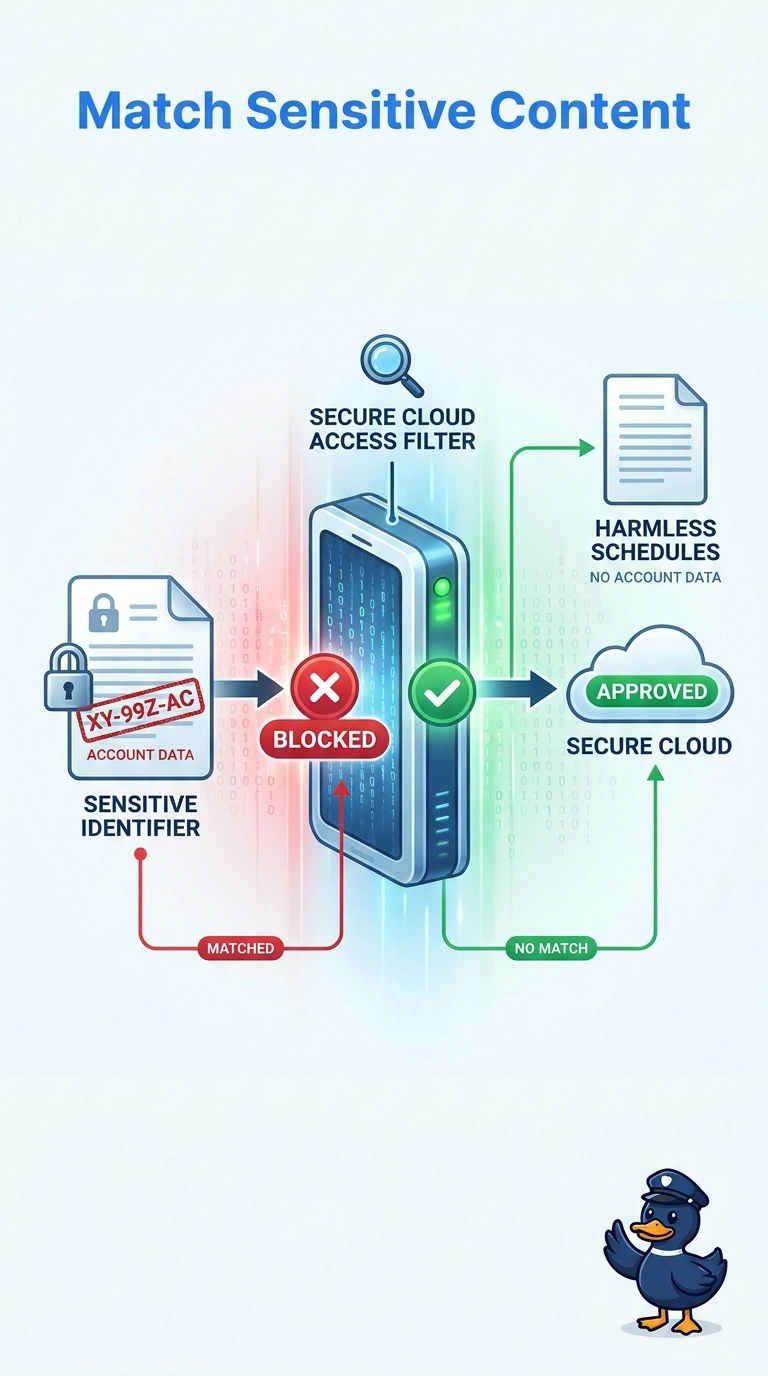
A metal detector that beeps for every briefcase will stop the lunch crowd along with the thieves. You match the sensitive identifier inside the file, so a harmless branch schedule can still move. Stopping every spreadsheet trains people to route real work around the control.
Full Explanation
The rule is firing on the container, not on the sensitive content, so harmless branch schedules are stopped along with real account data. The fix is to match the sensitive content identifier so harmless schedules that hold no account data can still be sent. Data-loss prevention is supposed to match the sensitive content, not every spreadsheet. The choice to keep matching only the spreadsheet extension and add a size threshold so large workbooks are the ones that stop still keys off the file type and a size guess, so a small file full of account numbers can pass and a large blank schedule can fail. The choice to match the sending branch name and allow every workbook that branch uploads during posted business hours trusts who sent the file and when, not whether account data is inside it. The choice to leave the extension match unchanged and switch the action over to a monthly discovery report of workbooks turns an inline decision into an after-the-fact inventory, and discovery is not an inline block. Exam caveat: an extension match is a coarse net, and the precise control is the sensitive identifier the policy was written to find. Operational check: upload one schedule workbook with no account data and one workbook that contains the identifier, and confirm only the second file matches.