
Warehouse scanners look up a name that threat intelligence already marks as malicious, and they use the company's protected DNS resolver for that lookup. The lookup is the malware's first step, before any download. Which control stops that step?
Select an answer to reveal the explanation.
Short Explanation
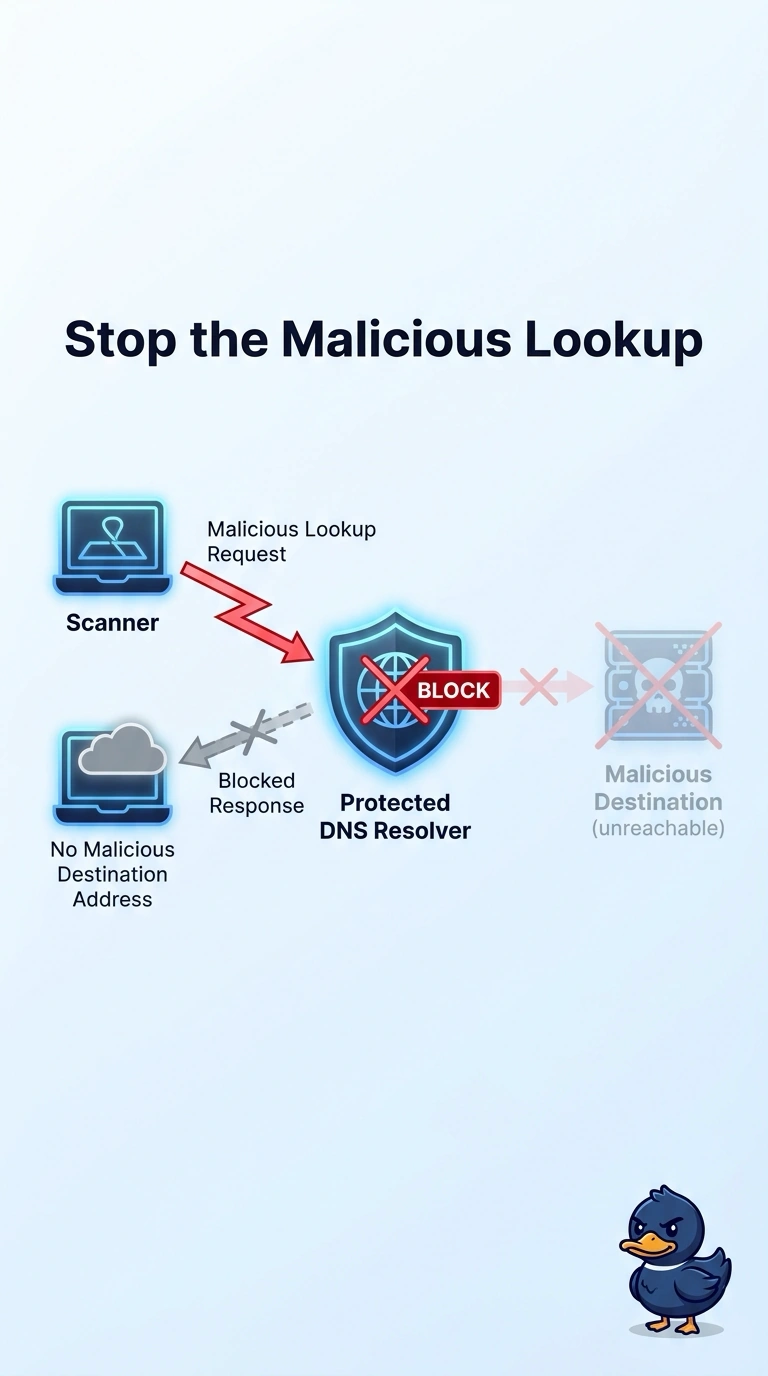
You cannot inspect a package that never reached the mailroom. Blocking the malicious name at the protected resolver means the scanner never obtains the malicious destination address, so no connection starts. Waiting to scan a file body assumes the handshake already succeeded.
Full Explanation
DNS security at the protected resolver can refuse a known-bad name before any connection is attempted, and these scanners already use that resolver. Blocking the malicious name at the protected resolver so the scanner does not obtain the malicious destination address from that lookup is the control that stops the first step. A blocked DNS response can lead the scanner to a block page, so a resolver error is not required. Waiting until the handheld completes a TCP session and then inspecting the downloaded file body for a malware verdict happens only after resolution and the handshake have succeeded, so it answers a later stage. Pinning the bad name in a hosts file on one scanner and leaving the resolver policy unchanged pushes a single device around the control and does nothing for the rest of the fleet. Blocking the gambling web category expects a content category to describe a malicious name, and a category match is not what stops a known-bad security lookup. On the exam, a DNS block is about the name lookup, not about a file verdict after a download exists. In operations, query the protected resolver for that name from a scanner and confirm the answer is a block (for example a block page rather than the real address), then confirm the scanners are not overriding DNS with a local hosts entry.