
Junior engineers must reach the core routers and run show and ping, but reload and configure terminal must be blocked for them while seniors keep full access, and every blocked attempt must appear in ISE for audit. The team also manages switches and firewalls centrally. Which TACACS+ device administration control should enforce this command authorization?
Select an answer to reveal the explanation.
Short Explanation
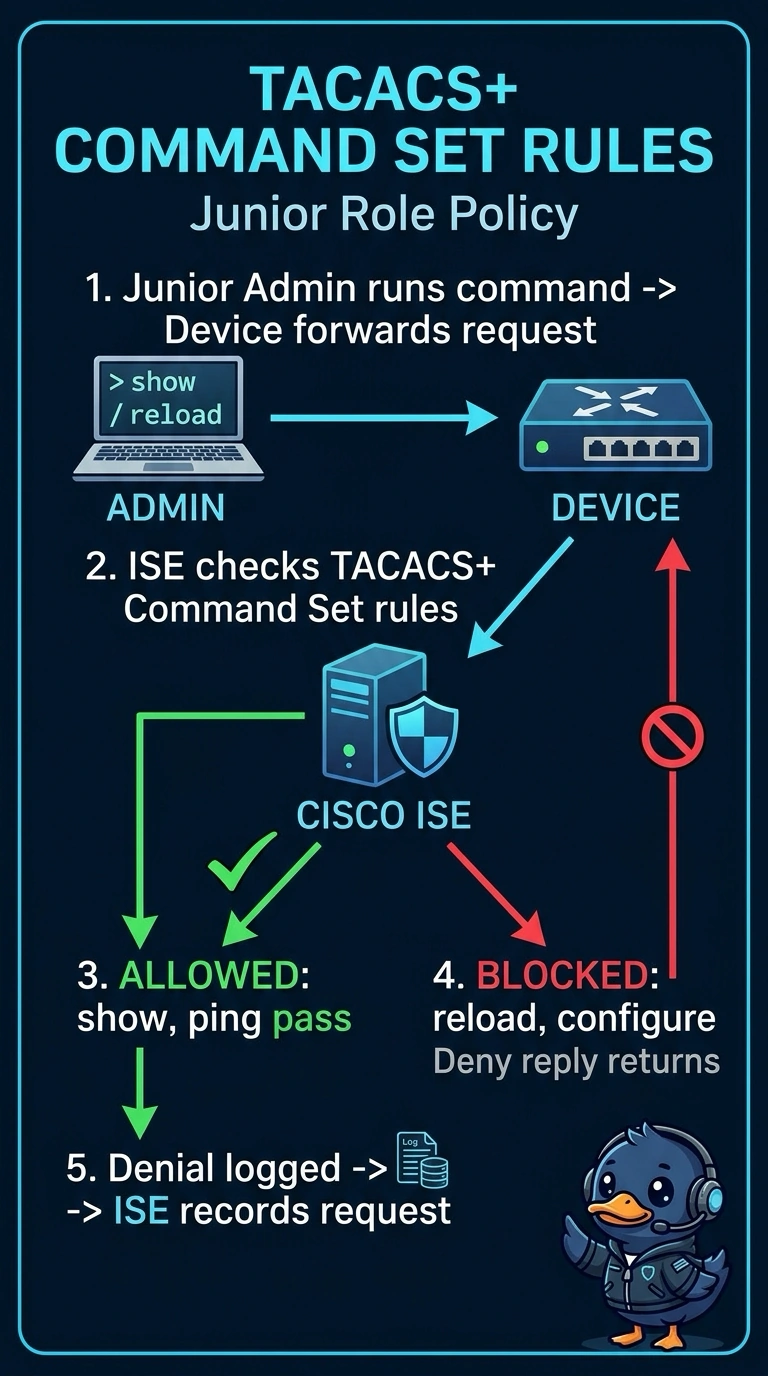
You can associate a TACACS+ command set with the junior role’s authorization policy to allow show and ping while denying reload and configure terminal; seniors can keep their full access. It’s like a guest list at the door: command authorization checks each command, and ISE can log denied attempts for auditing when devices send those requests.
Full Explanation
Command authorization in ISE is enforced through a TACACS+ command set associated with an authorization policy result. The device sends command authorization requests to ISE, which matches them against the rules in the set and returns permit or deny, so you can allow show and ping for one role while refusing reload and configure terminal for that same role. ISE can record those requests, including denials, in its TACACS+ logs, provided the devices are configured to send command authorization requests to ISE. A shell profile that only sets privilege levels cannot provide an individual list of allowed commands or the requested ISE record of denials. Local command authorization uses device-side rules rather than ISE command-set rules, so those denials are not recorded by ISE as command authorization requests. A permit-all command set with a single deny rule leaves configure terminal permitted, so it fails the requirement to block that command. Exam caveat: platforms need appropriate AAA command authorization configuration to send commands to ISE. Practical check: run reload as a junior account and confirm a denial record appears in the ISE TACACS+ live log.