
A 400-person insurer runs ISE BYOD with the per-user registration limit set to two devices. An analyst has a laptop and a phone registered, has lost the phone, and wants to onboard a tablet this morning, but the My Devices portal refuses the third registration. Which action lets the analyst register the tablet while revoking the lost phone?
Select an answer to reveal the explanation.
Short Explanation
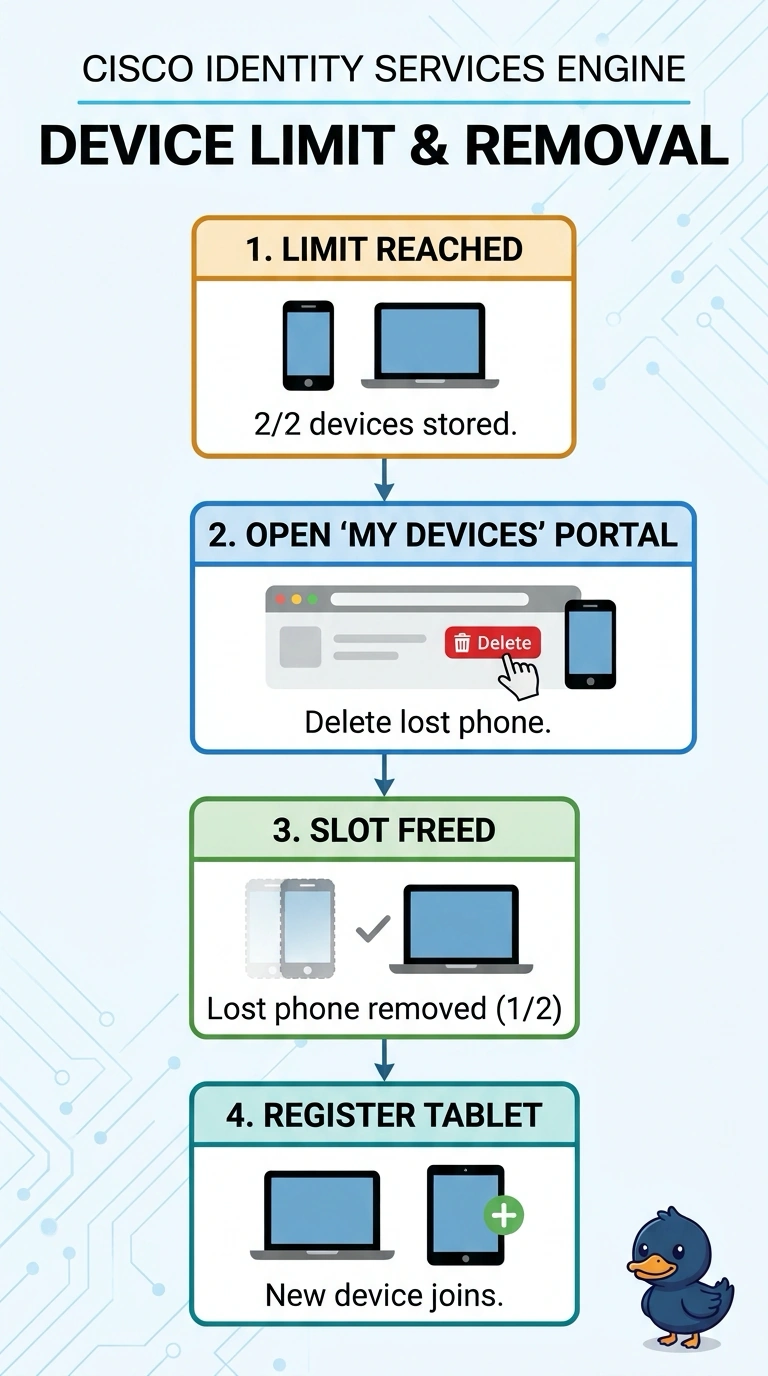
Exactly—you can delete the lost phone from the My Devices portal, which revokes its registration and frees a slot for the tablet. It’s like returning a library card so someone else can use that spot.
Full Explanation
Deleting the lost phone in My Devices is the direct solution: it removes that phone’s BYOD registration and frees the per-user slot, allowing the analyst to register the tablet without affecting the laptop. Blocking the phone’s MAC address in an access policy can prevent network access, but it changes authorization rather than removing the BYOD registration; the stale entry can still count against the two-device limit. Raising the limit to three is a familiar capacity workaround and lets the tablet enroll, but it leaves the lost phone registered, contrary to the request to revoke it. Deleting the laptop would free a slot for the tablet, but it targets the wrong device: the lost phone remains registered and may still be eligible for access. Exam caveat: distinguish device registration or ownership records from active sessions and authorization decisions; denying access does not necessarily deregister a device or release a registration slot. Practical check: after deleting the lost phone, confirm in My Devices or the ISE endpoint records that the phone’s registration is gone and that the tablet can complete onboarding within the two-device limit.