
Windows laptops join the secure WLAN but only reach the remediation network, because the installer download never starts even though the session matches the rule that requires compliance. Which control decides which agent ISE offers after the session is redirected to provisioning?
Select an answer to reveal the explanation.
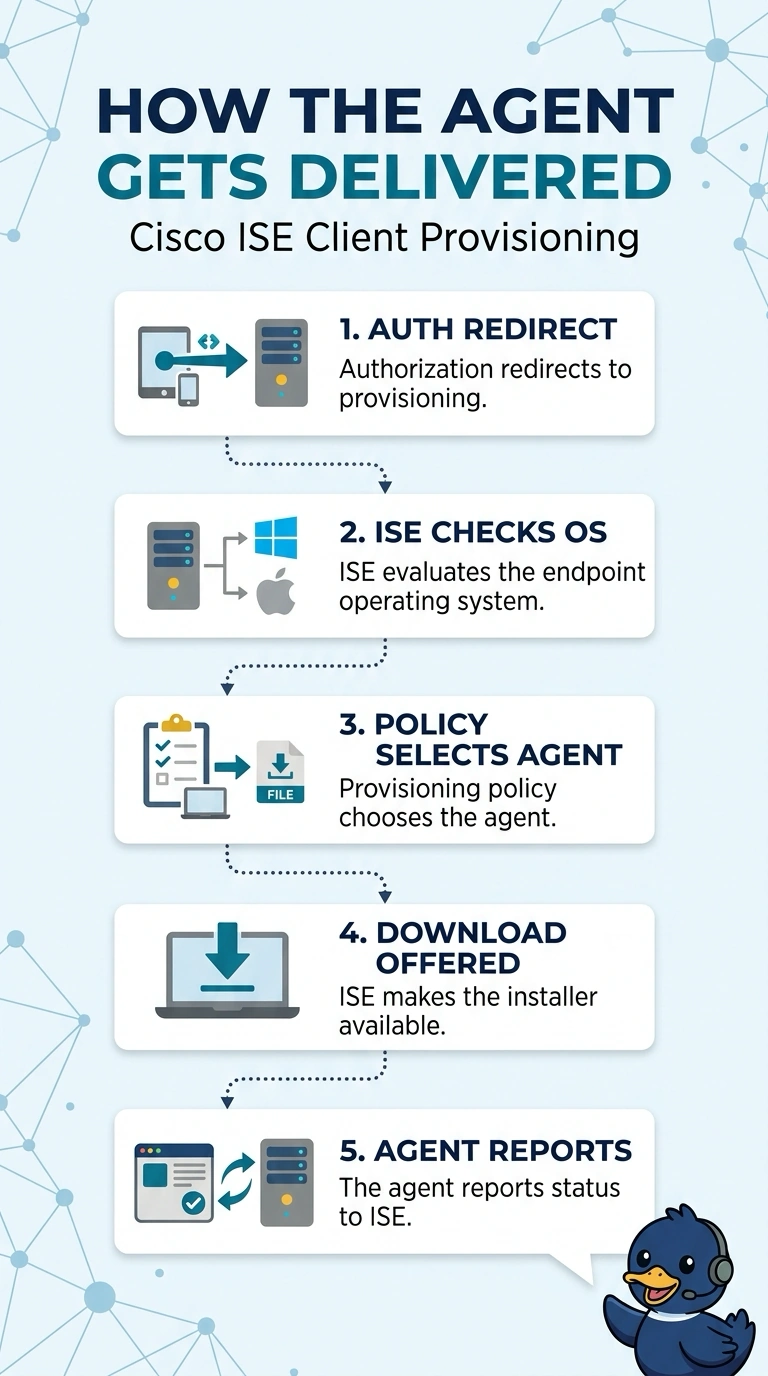
Short Explanation
Reaching the remediation network opens the door, but the client provisioning policy chooses which agent ISE offers for your laptop’s operating system. The authorization policy sends your endpoint to provisioning; if no rule matches or the installer isn’t available, there’s nothing for you to download.
Full Explanation
The authorization policy and profile can redirect an endpoint to the client provisioning portal. There, ISE evaluates the client provisioning policy and selects a software resource based on the matching rule and endpoint conditions, including operating system. The resource is then made available for download from ISE. The posture policy defines compliance requirements and remediation; it does not select or deliver the agent. The authorization profile can initiate redirection but does not select the package. The repository does not automatically push its newest resource to endpoints. The resource must be enabled for the target operating system, and the endpoint must be able to reach the ISE node for provisioning. To troubleshoot, check the endpoint’s client provisioning details and confirm that a rule and resource were selected.