
A retailer runs a central ISE PAN at headquarters and has just installed a second ISE VM for the regional site. The regional switches and wireless controllers must authenticate with the same policy set headquarters maintains, and headquarters must remain the only administrative console in the deployment. Which persona assignment and registration step makes the regional node part of the deployment?
Select an answer to reveal the explanation.
Short Explanation
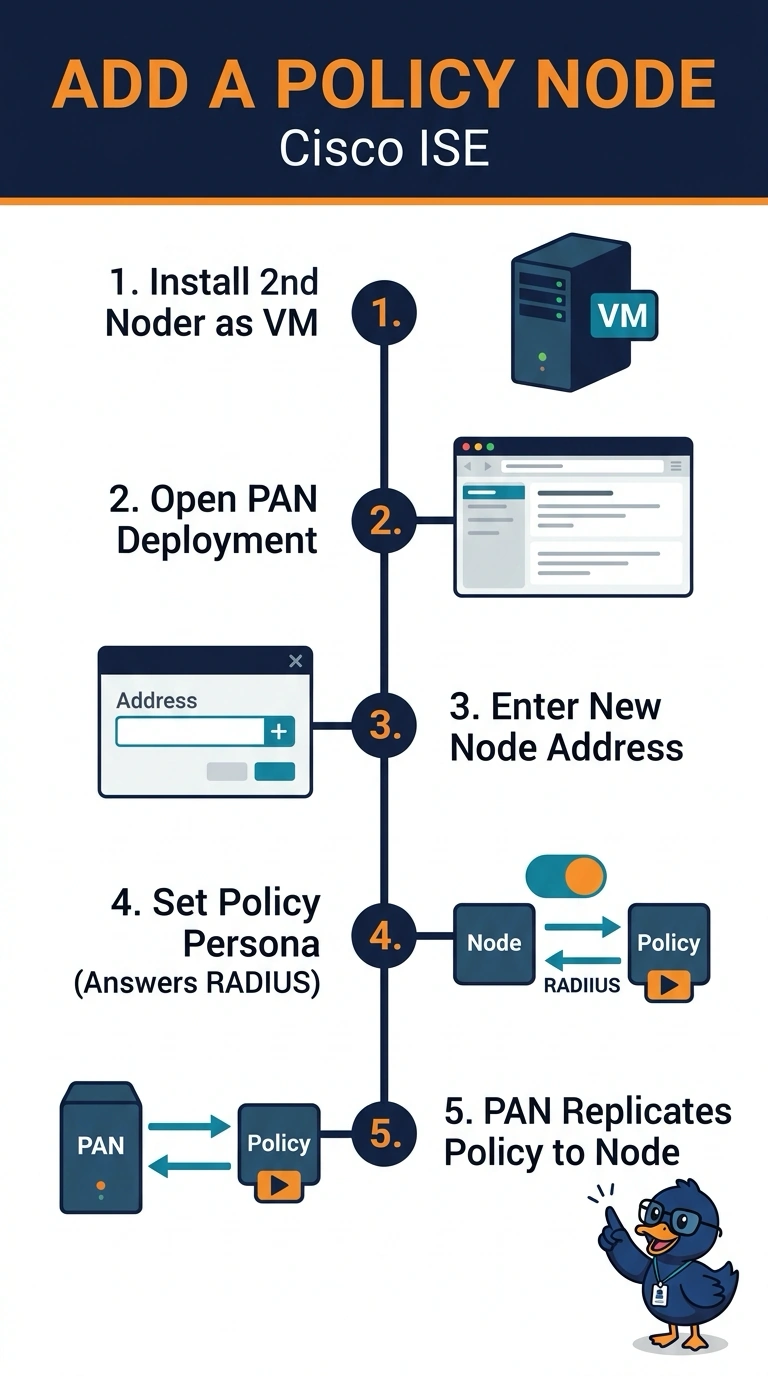
You join the node to the deployment and give it the policy service persona, which makes it a RADIUS worker that receives policy from the PAN. It's like issuing a branch cashier a register that already carries head office's rulebook. Headquarters keeps the console, and the regional node answers for its own switches and controllers.
Full Explanation
In ISE a node only becomes part of a deployment when the primary administration node registers it, and the persona assigned there decides what work it does. Adding the regional VM and giving it the policy service persona means the PAN replicates the policy configuration to it, so the regional switches and wireless controllers authenticate against the rules headquarters maintains while headquarters keeps its console. Running the node in standalone mode fails because a standalone install keeps a separate policy configuration that does not receive deployment updates from headquarters, so the two sites can drift apart when the central team edits a rule. Adding the administration persona fails because it gives the node an administrative role, contrary to the requirement that headquarters stay the only administrative point; with the policy service persona also assigned, the node would still answer RADIUS. Enabling only the monitoring persona fails because monitoring stores logs and statistics but does not process authentication requests, so the node cannot serve the regional traffic. Exam caveat: deployment membership is a separate step from installing the software, and a registered node can hold more than one persona at a time. Practical check: open the deployment page, confirm the personas shown for the new node, then watch the live authentication log for requests coming from the region.