
A hospital just added a VLAN of infusion pumps that stay quiet between measurements. The team needs an inventory that probes only that new VLAN's address range for each pump's operating system and identifies applications observed from pump traffic. Which network discovery setup provides that visibility?
Select an answer to reveal the explanation.
Short Explanation
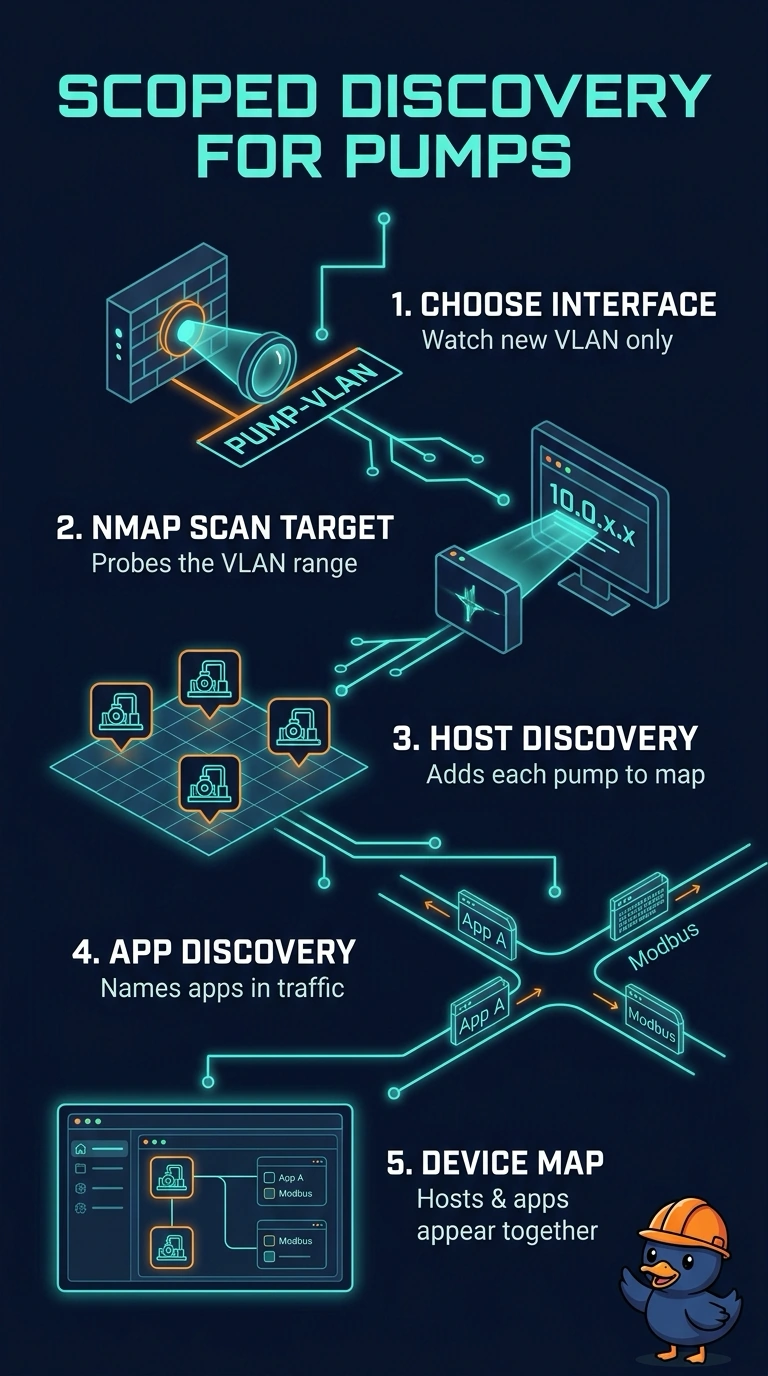
Network discovery builds your inventory from traffic the sensor sees, and Nmap scan targets add active probing for quiet devices. Scoping both to the pump VLAN keeps the map focused without sweeping the whole hospital. It's like cataloguing one new shelf instead of the entire building.
Full Explanation
Network discovery creates host and application records from traffic a sensor observes on an interface, and discovery rules limit discovery to the networks you list as monitored. Because infusion pumps stay quiet between measurements, passive traffic alone may not fingerprint them, so an Nmap scan target limited to the pump range probes those addresses directly and supplies operating-system detail. Application discovery adds records for applications observed in traffic. A campus-wide Nmap scan with application discovery everywhere fails the scoping requirement, because probing then sweeps every monitored network instead of the new VLAN. Application discovery on the VLAN's traffic alone fails the operating-system requirement, since it does not actively probe each pump. An Nmap scan target with application discovery switched off fails the application-visibility requirement. Exam caveat: available detectors differ slightly by release, so confirm them before you build the rule. Practical check: after discovery runs, open the network map and confirm each device shows operating-system detail and any applications identified from its traffic.